Pay rates options
Owners and Admins can manage pay rates at three levels in Traqq: workspace, personal, and project.
Traqq automatically applies the most specific rate available:
- - If a project rate is set, it is applied first.
- If no project rate is available, Traqq uses the personal rate.
- If no personal rate is available, Traqq uses the workspace default rate. - Traqq supports two types of rates:
- - Billable rates — used for billing calculations
- Cost rates — used to calculate internal cost -
Workspace default rates
- Workspace default rates are used when no personal or project rates are configured.
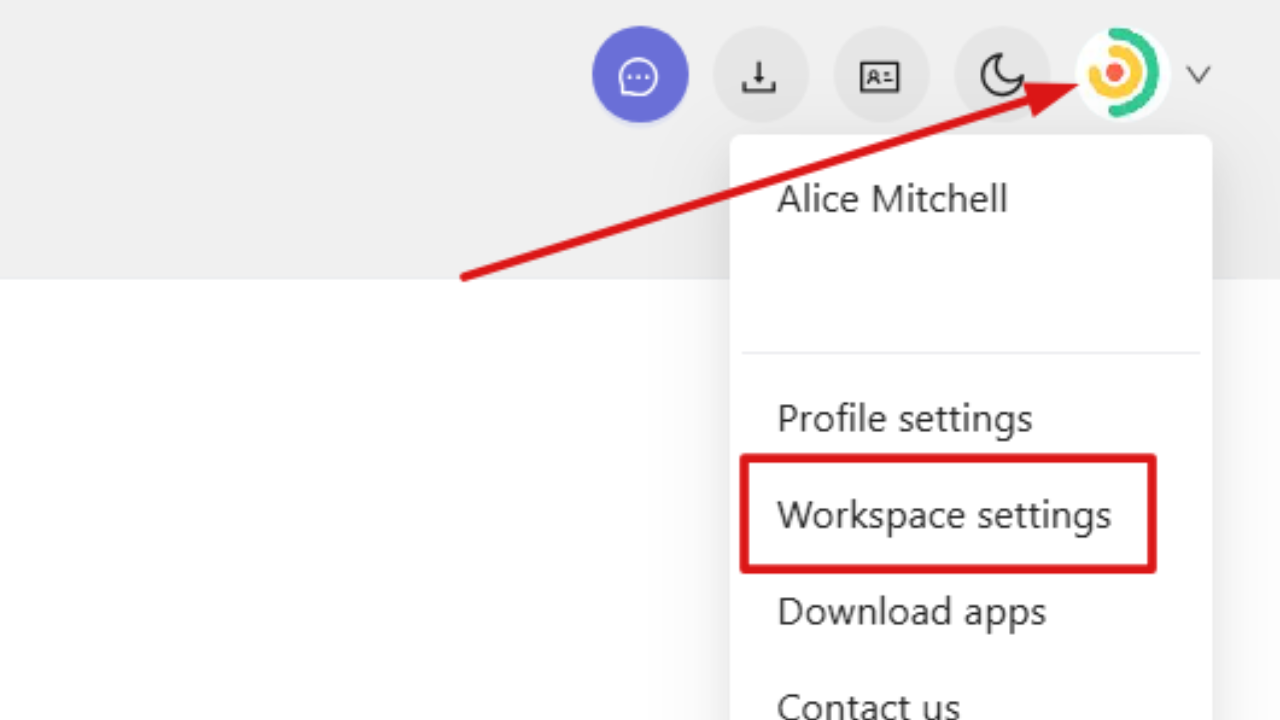
- To manage workspace default rates, click your profile picture in the top-right corner of the web app and open Workspace settings.
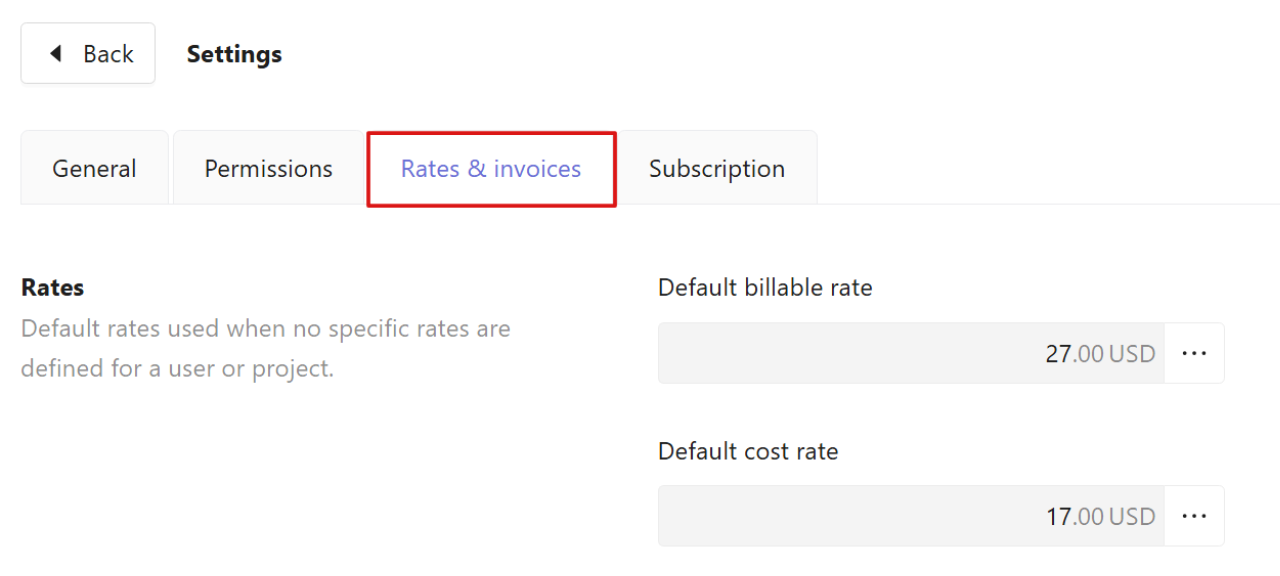
- Open the Rates & invoices tab to view or edit the default billable rate and default cost rate.
Click the three dots next to a rate to add or edit it.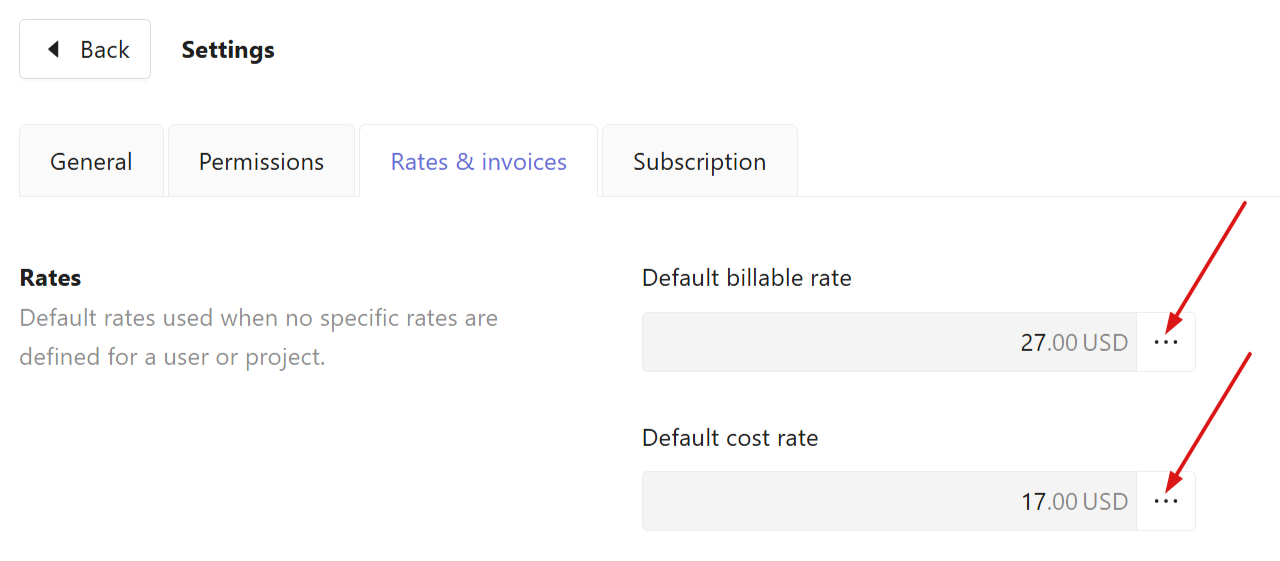
You can add current or future rates and view historical rates if they have not been deleted.-
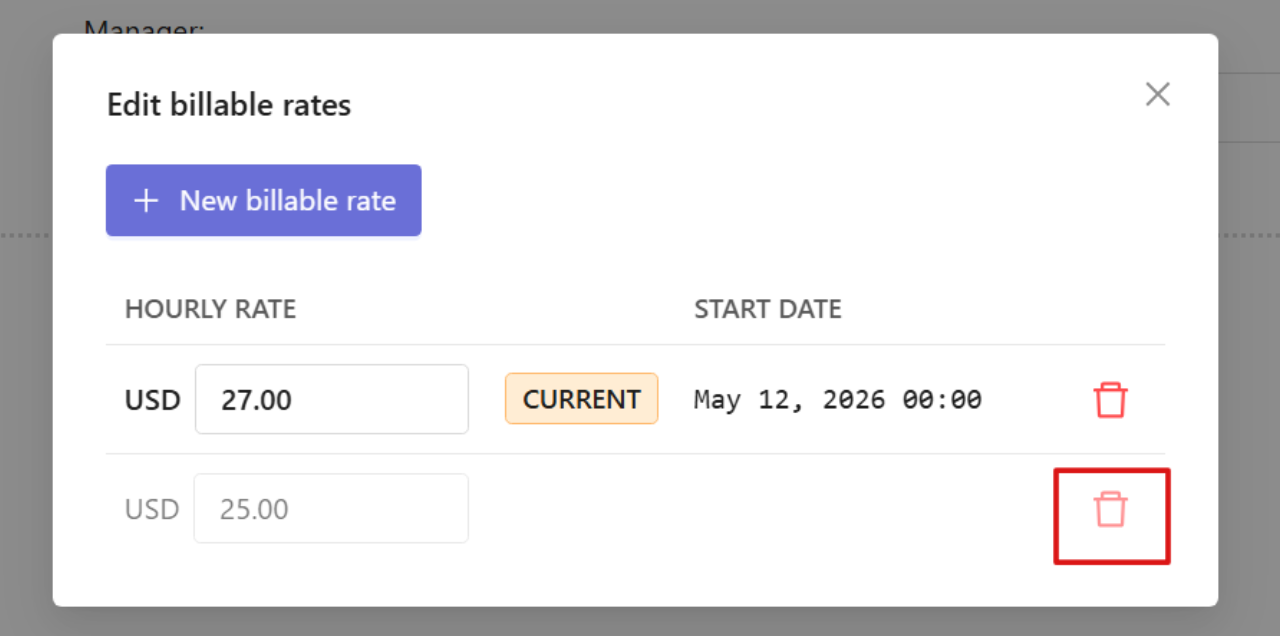
To delete the rate:
Click the trash icon next to the rate you want to delete.
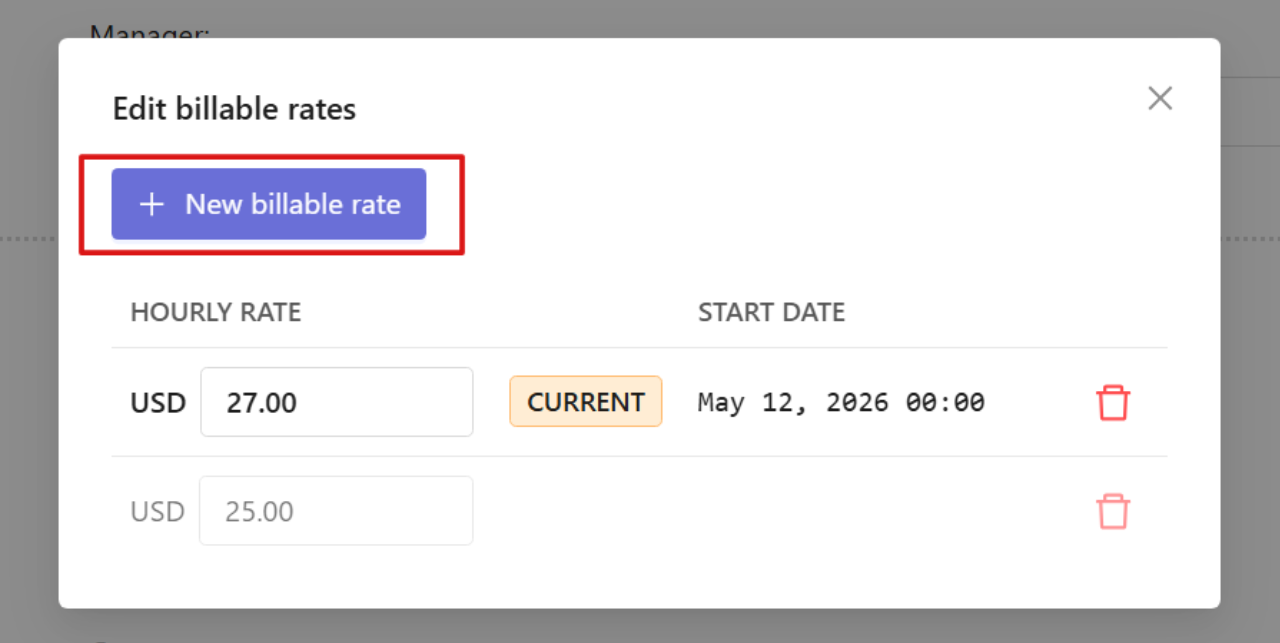
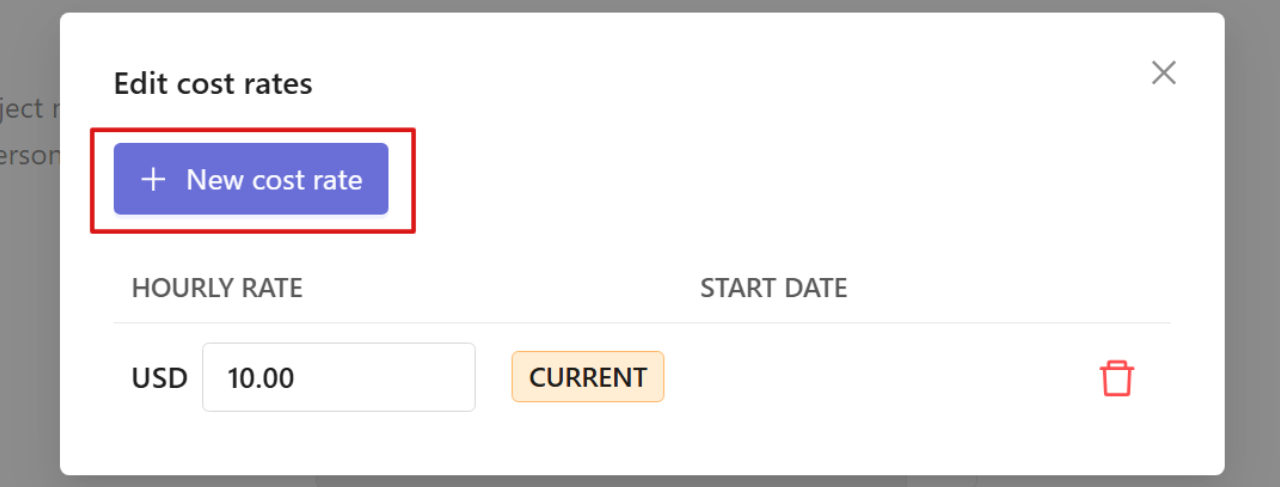
To add a new rate:
Select New billable rate / New cost rate.
-
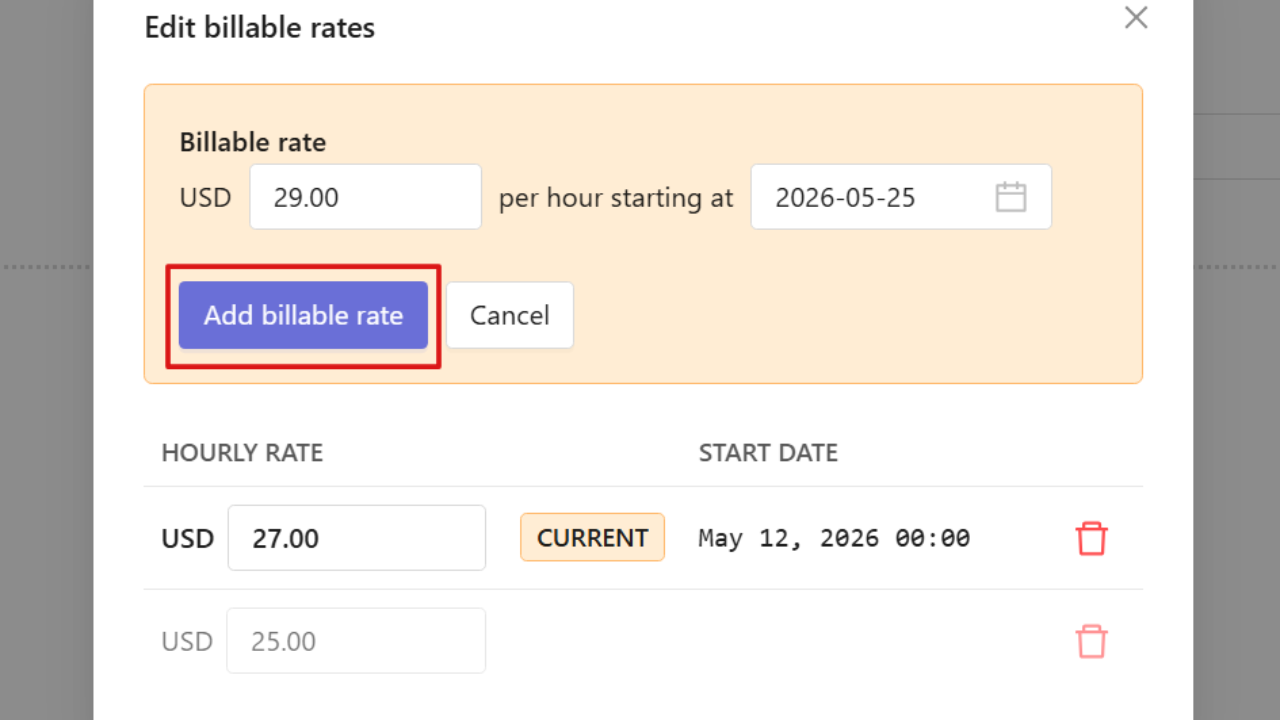
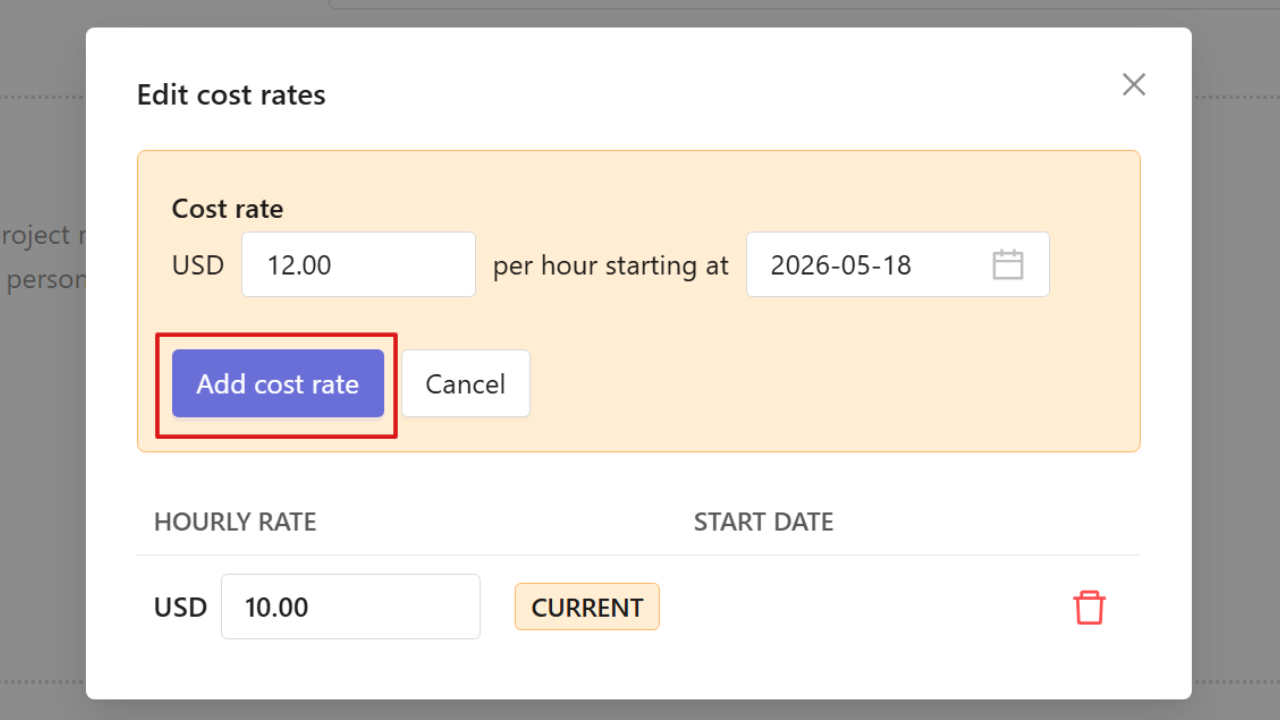
Enter the rate and its start date and click Add billable rate / Add cost rate.
Traqq automatically applies rates based on their effective dates. -
Personal pay rates
- Personal pay rates can be assigned to individual users. These rates are used when no project-specific rates are configured for the user.
- Owners and Admins can manage personal rates from the user profile in the Users section. Go to Users, open a user profile, switch to the Details tab, and scroll down to Rates.
- See this article to learn how to set personal pay rates.
-
Project pay rates
-
Project pay rates apply only to time tracked within a specific project. Project rates override both personal and workspace default rates.
-
Owners and Admins can assign billable and cost rates to projects from the project Billing settings. Go to Projects, open a project profile, switch to the Settings tab, and scroll down to Billing.
-
See this article to learn how to set project pay rates.