Setting personal default pay rates
Owners and Admins can set personal billable and cost rates for individual users.
Personal rates are used when no project-specific rates are configured. These rates override workspace default rates.
Configure personal rates
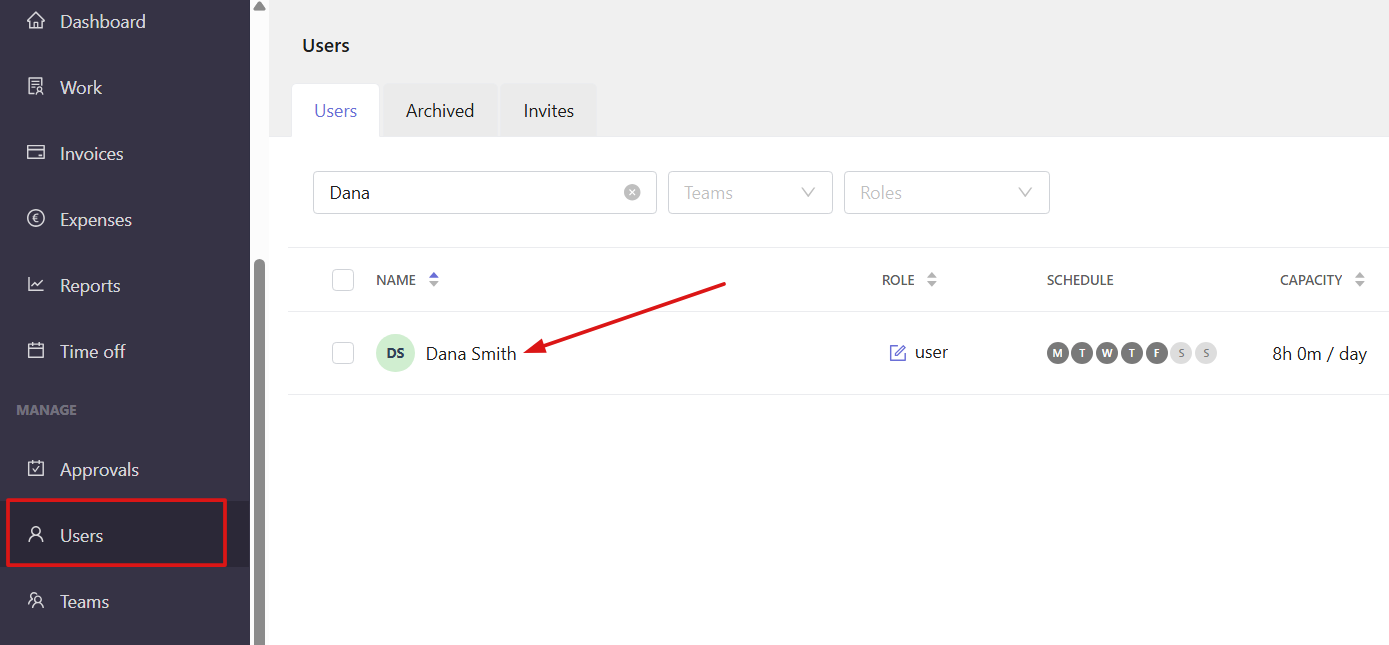
Open the Users section from the left sidebar and click a team member's name to open their profile.
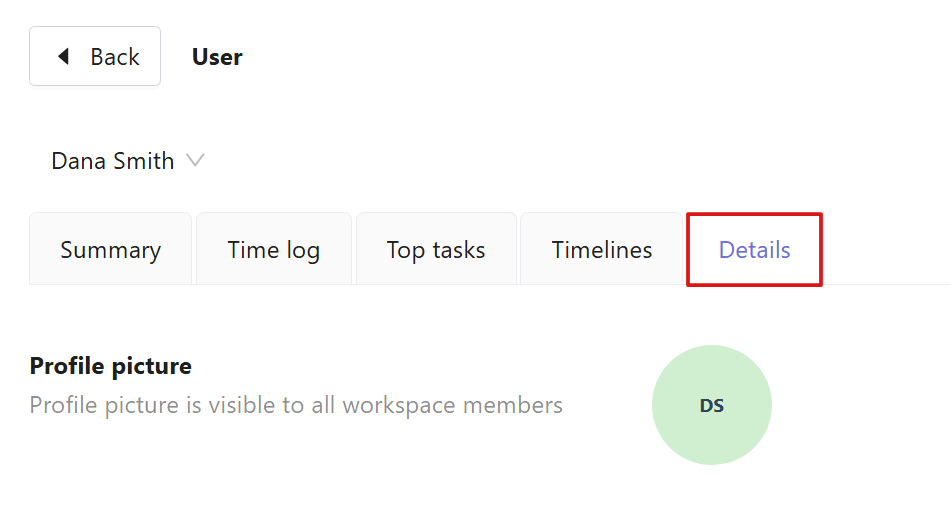
Select the Details tab and scroll down to the Rates section.
Click the three dots in the rate field to open the rate settings.
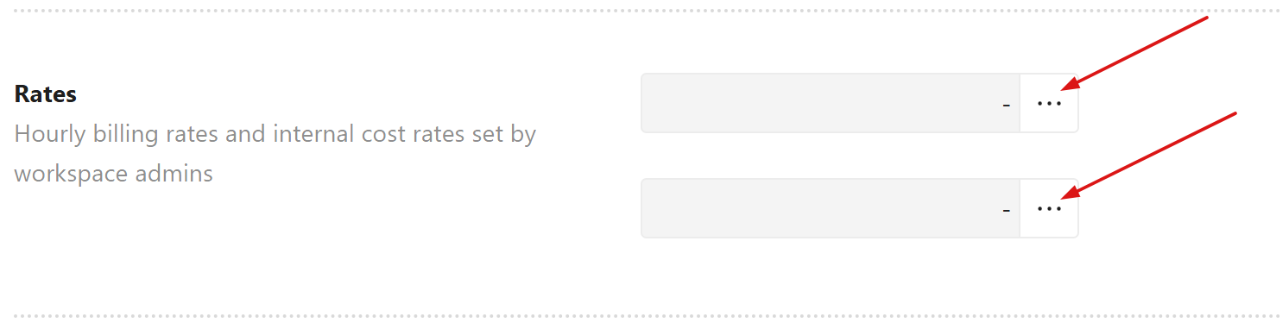
From here, you can:
- Set the current rate
- View historical and future rates
- Delete existing rates
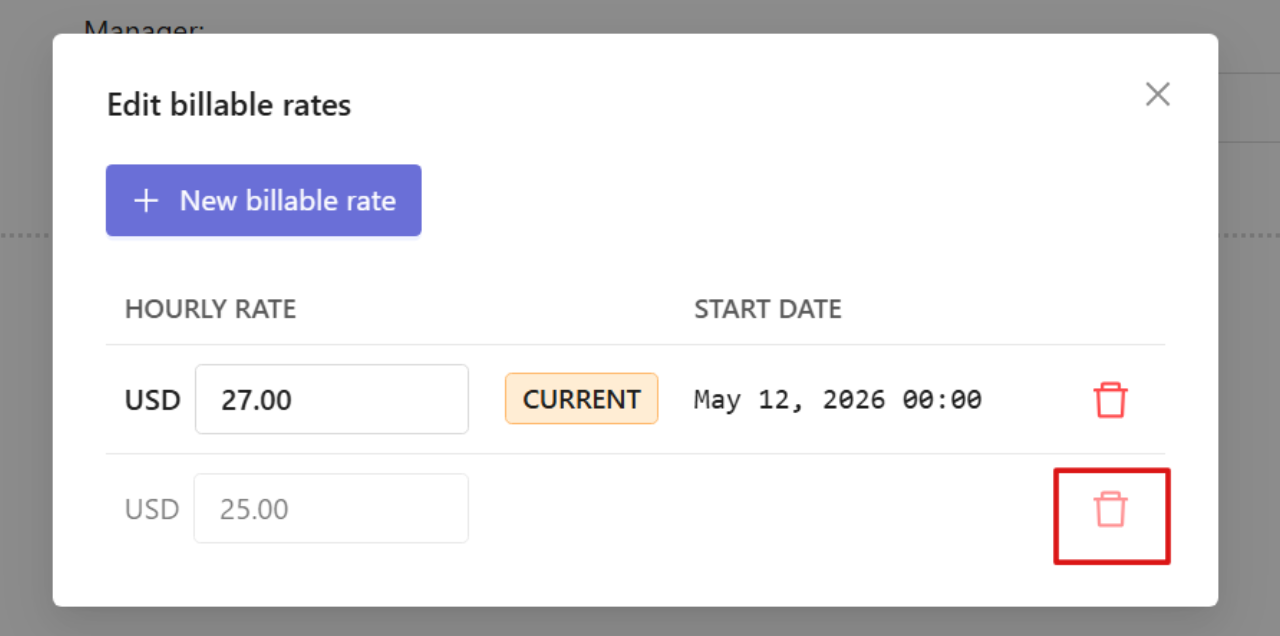
To delete the rate:
Click the trash icon next to the rate you want to delete.
To add a new rate:
Select New billable rate / New cost rate.
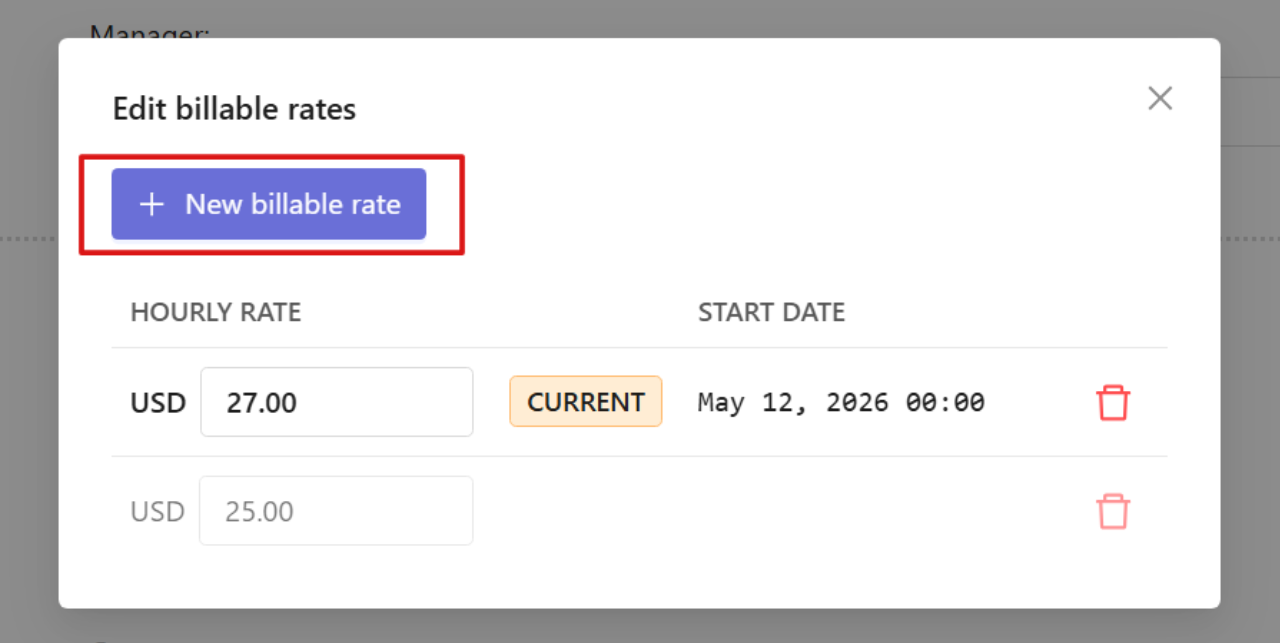
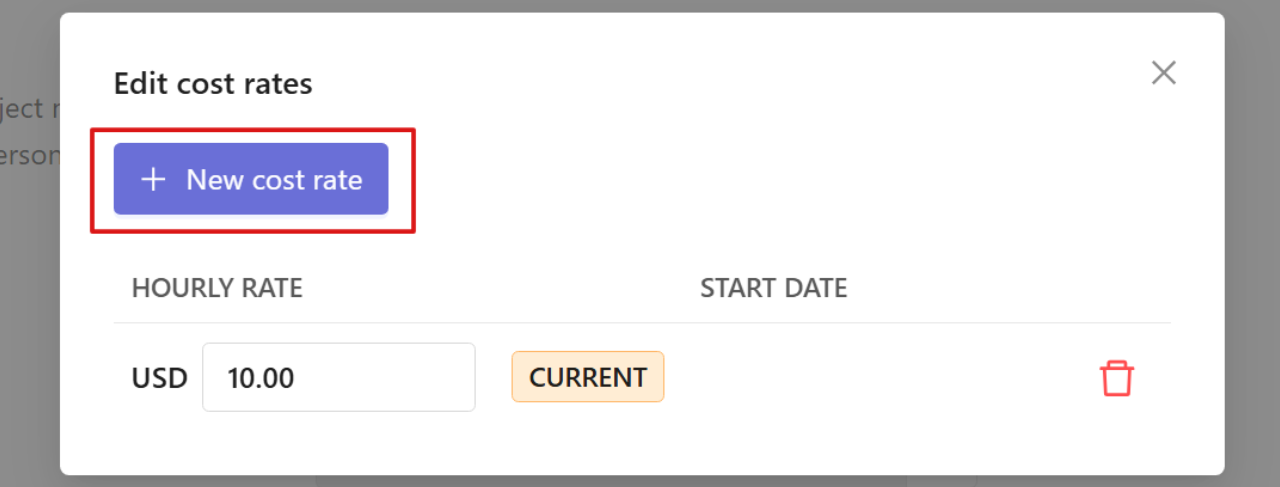
Enter the rate and its start date and click Add billable rate / Add cost rate.
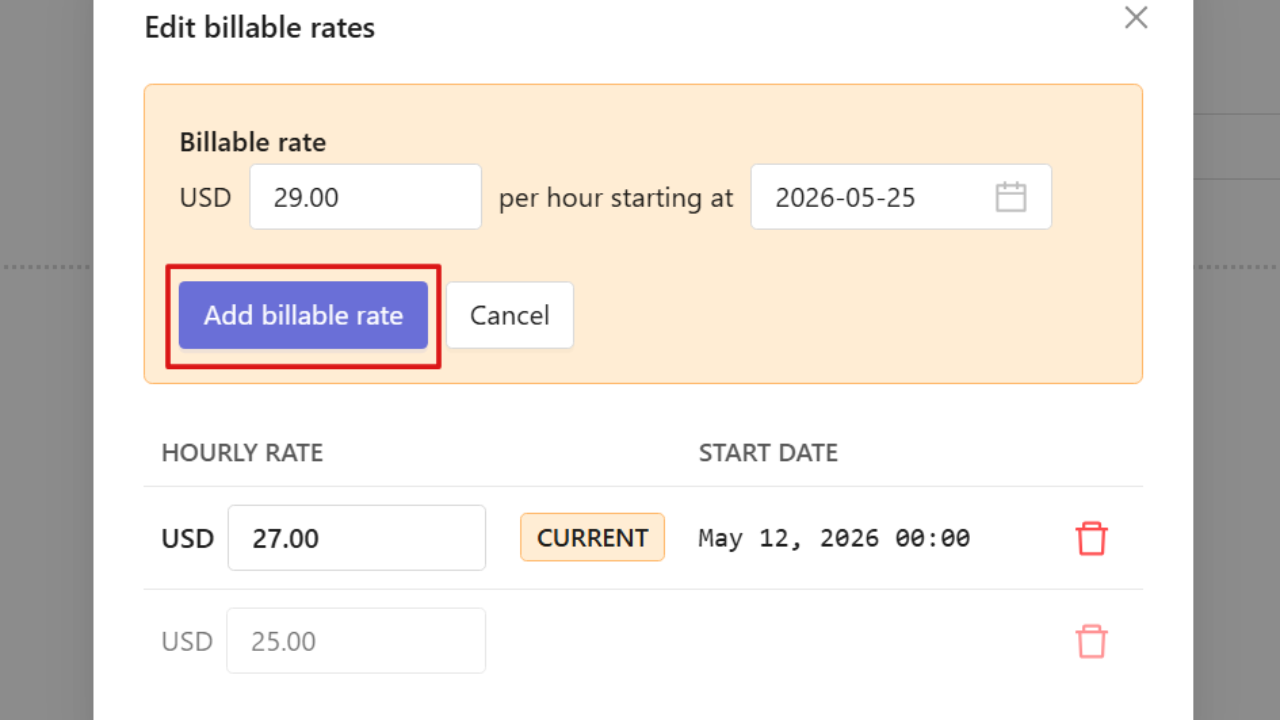
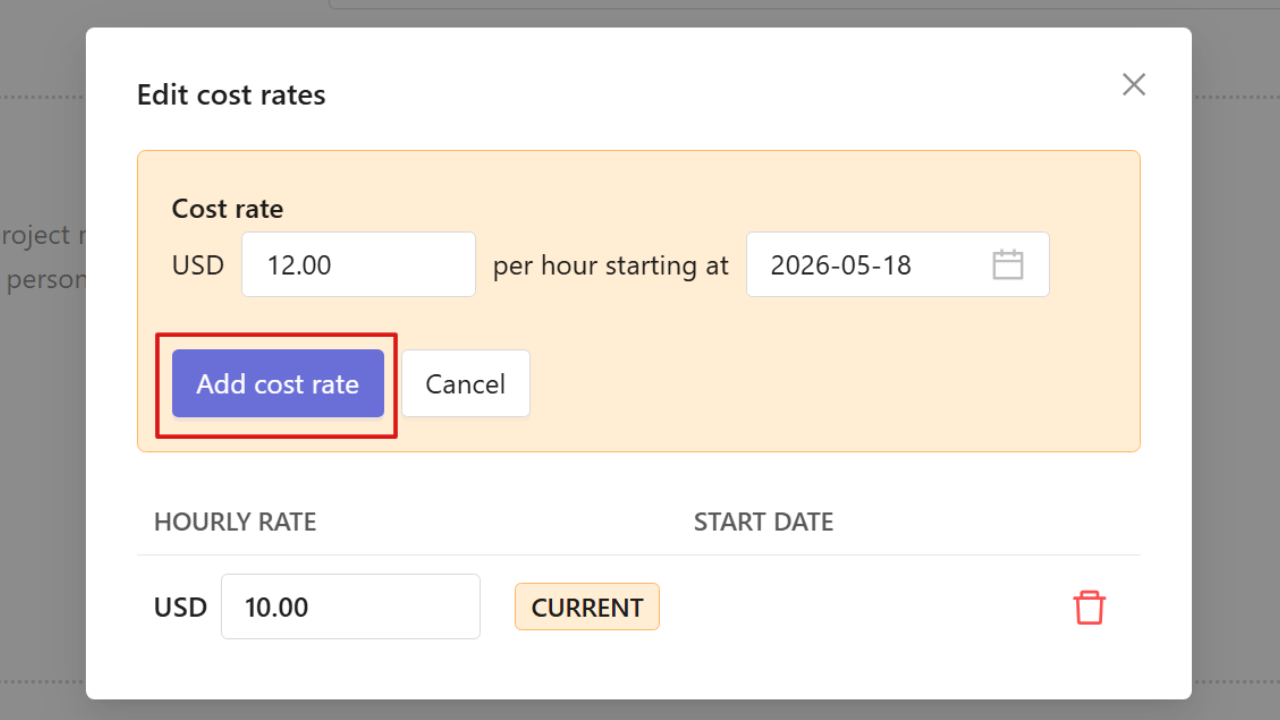
You can create multiple rates for different periods, including future rates. Historical rates remain available unless deleted.