Setting project pay rates
Traqq allows Owners and Admins to configure project-specific billable and cost rates.
Project rates apply only to time tracked within the selected project. These rates override both personal rates and workspace default rates.
Configure project rates
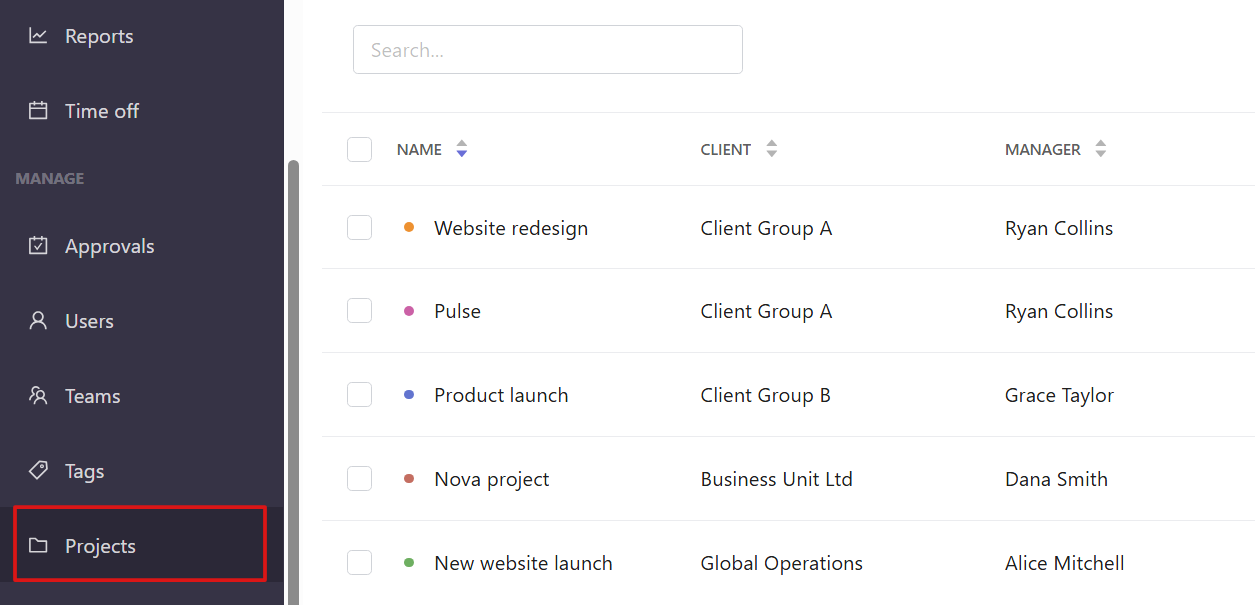
Open the Projects section from the left sidebar.
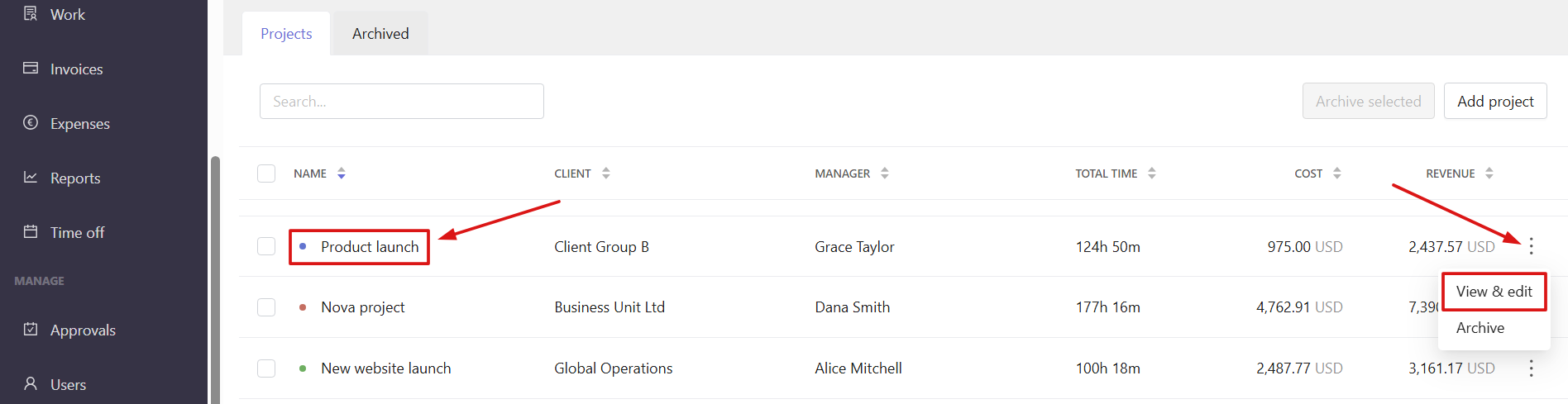
Open the project settings by clicking the project name or by selecting View & edit from the three-dot menu.
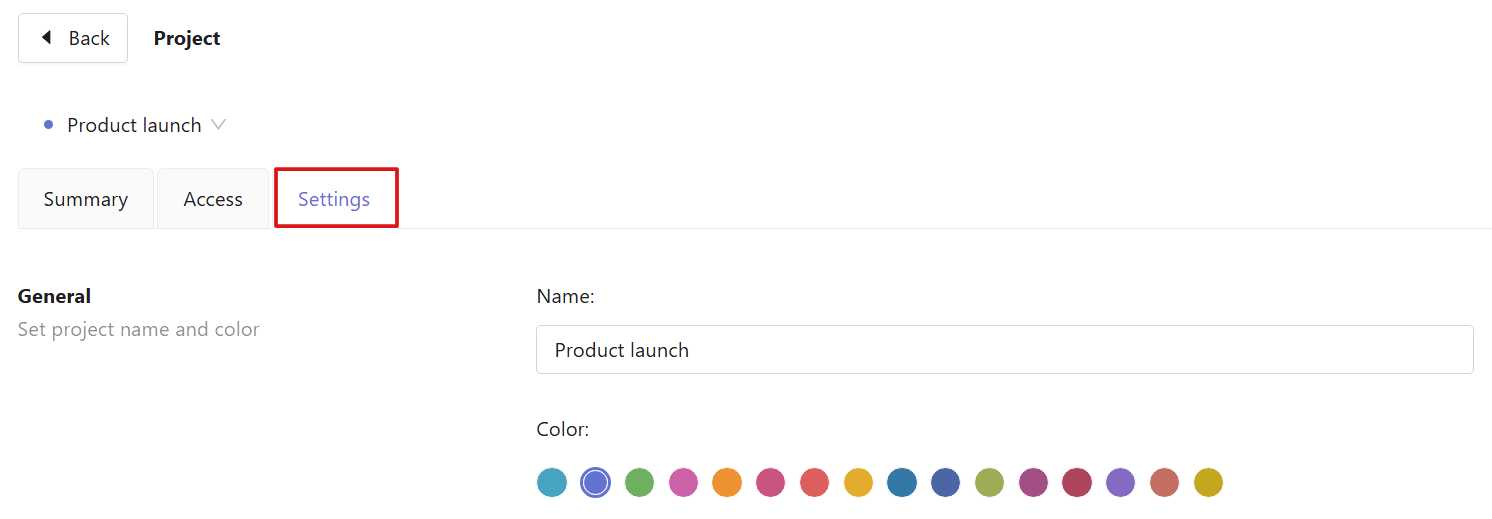
In the project settings, open the Settings tab and scroll down to the Billing section.
Click the three dots in the rate field to open the rate settings.
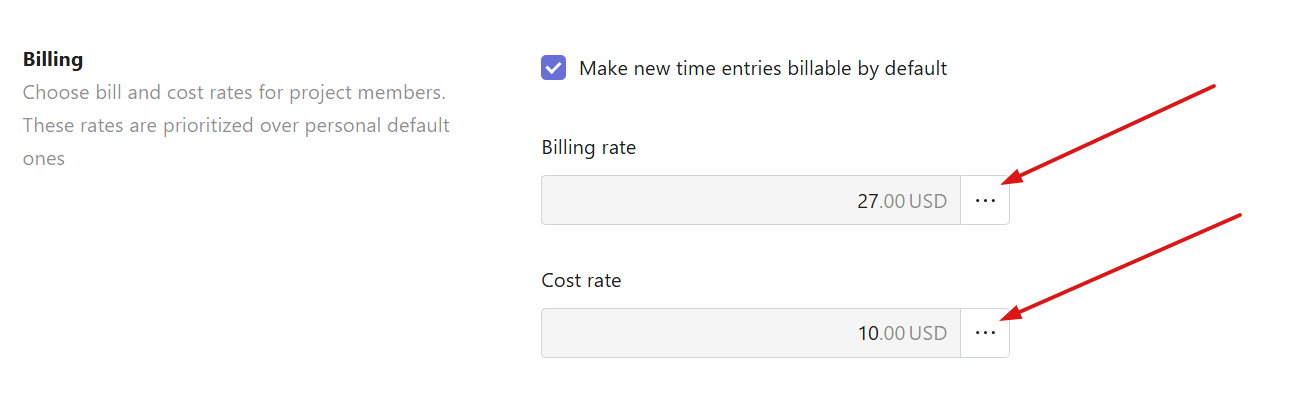
From here, you can:
- Set the current rate
- View historical and future rates
- Delete existing rates
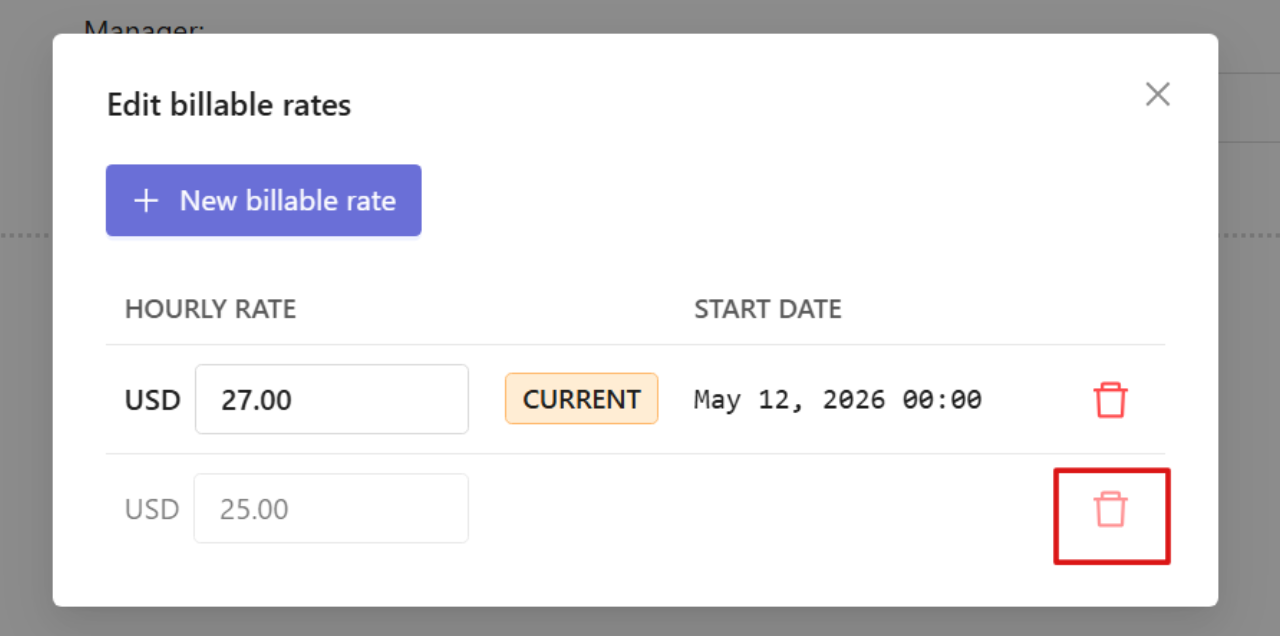
To delete the rate:
Click the trash icon next to the rate you want to delete.
To add a new rate:
Select New billable rate / New cost rate.
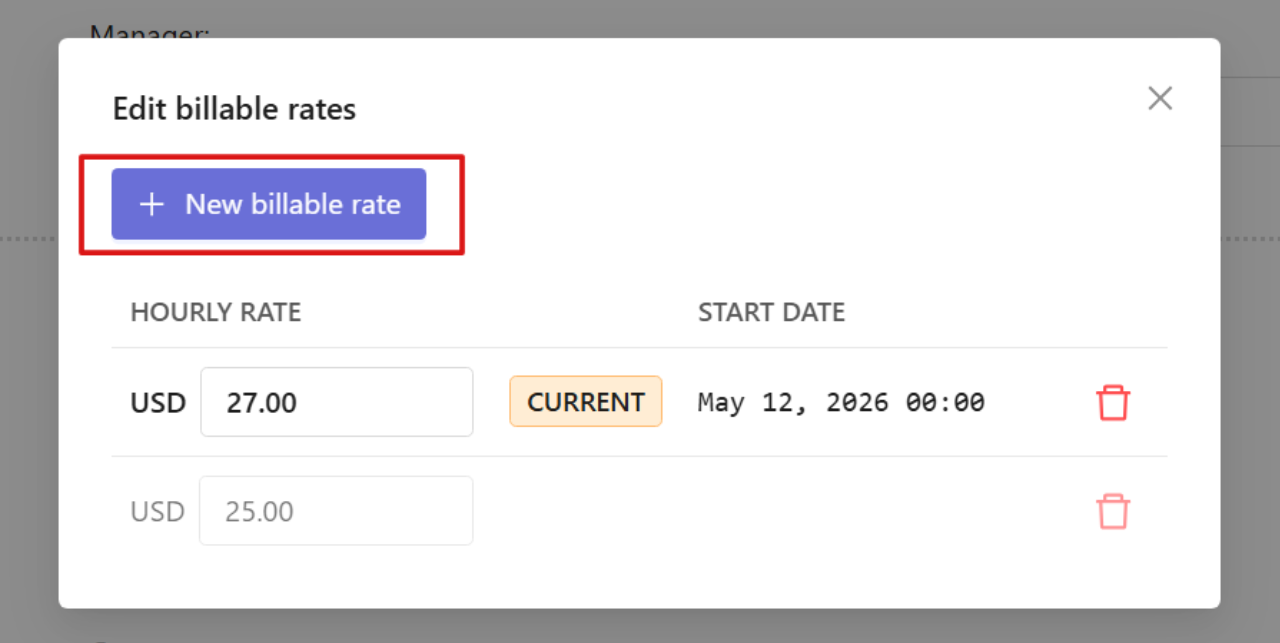
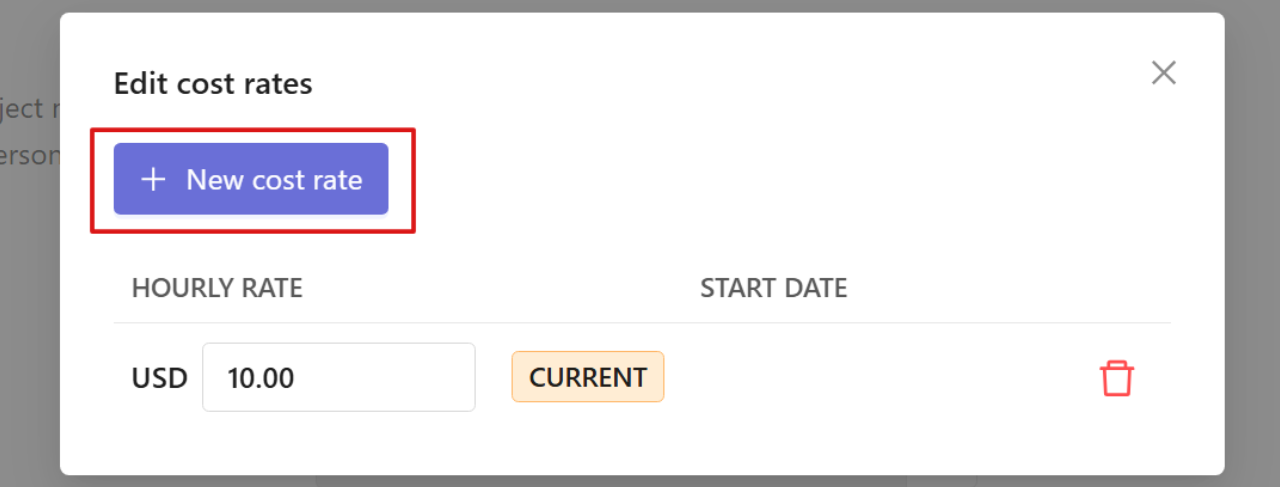
Enter the rate and its start date and click Add billable rate / Add cost rate.
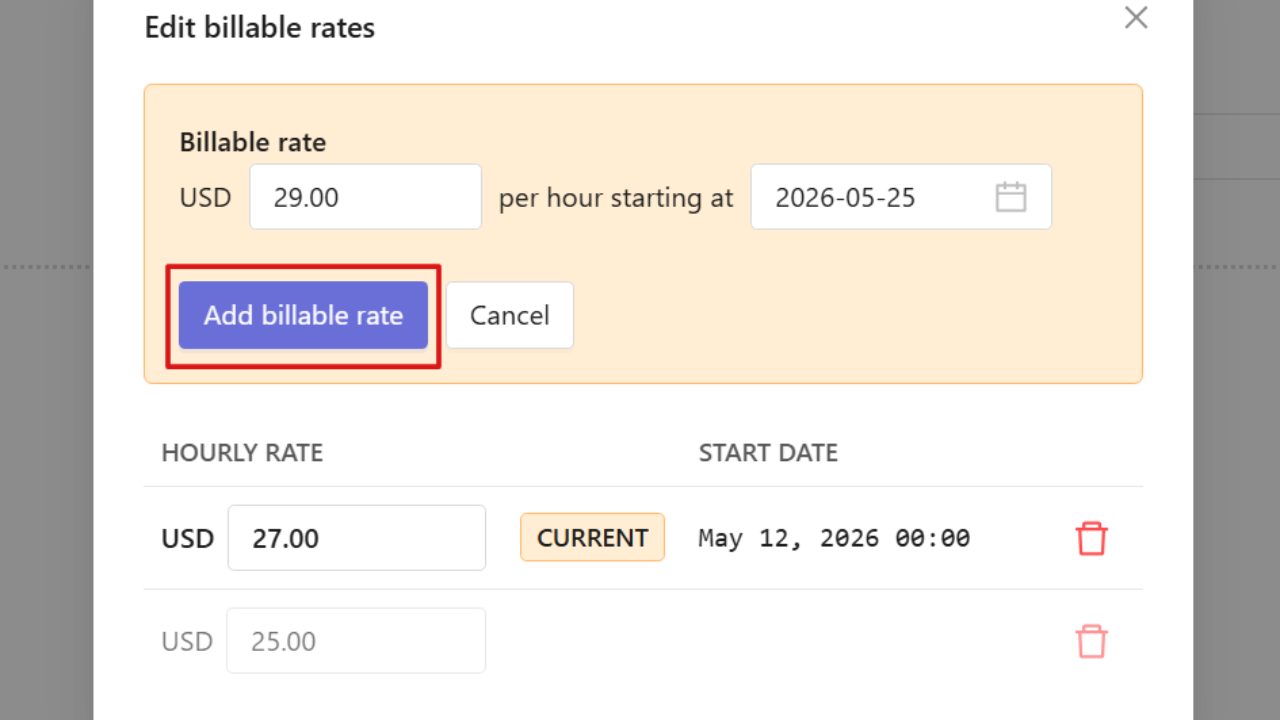
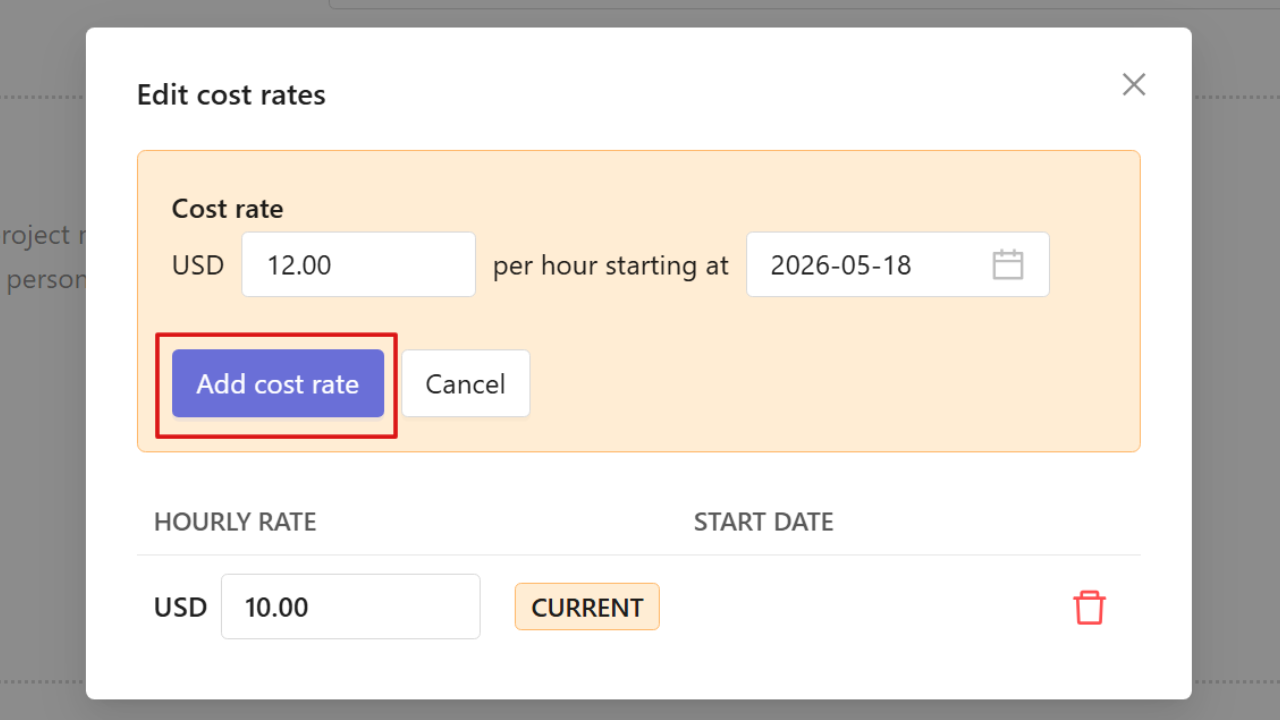
You can create multiple rates for different periods, including future rates. Historical rates remain available unless deleted.
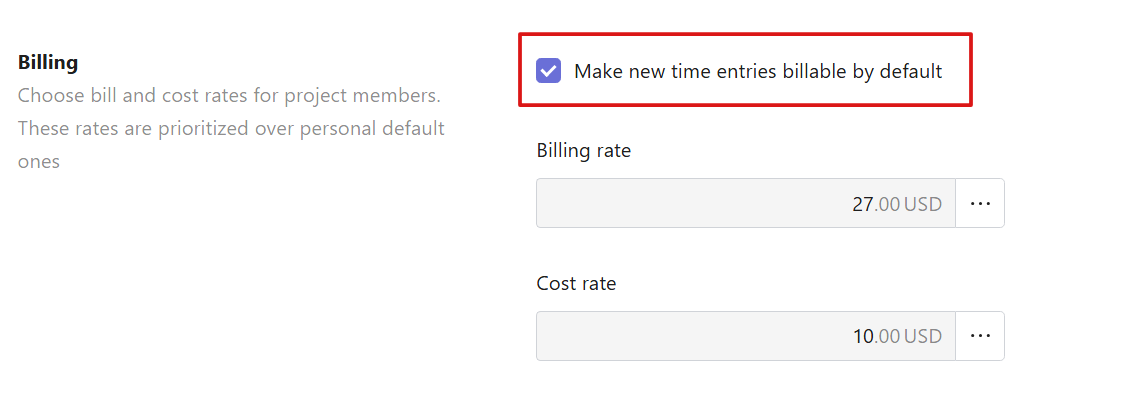
The Billing section also includes an option to make new time entries billable by default. When enabled, any newly tracked time is automatically marked as billable unless adjusted manually.