Joining a new workspace
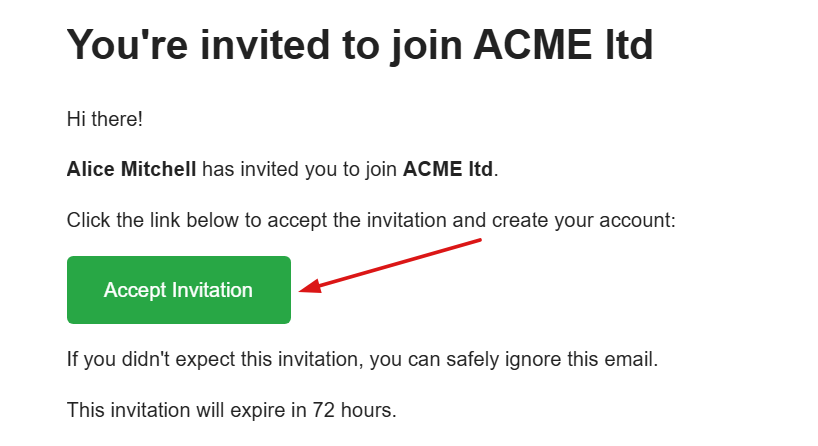
When you are invited to a workspace, you will receive an invitation email.
Step 1
Open the invitation email and click Accept Invitation, which will take you to the registration page.
Step 2
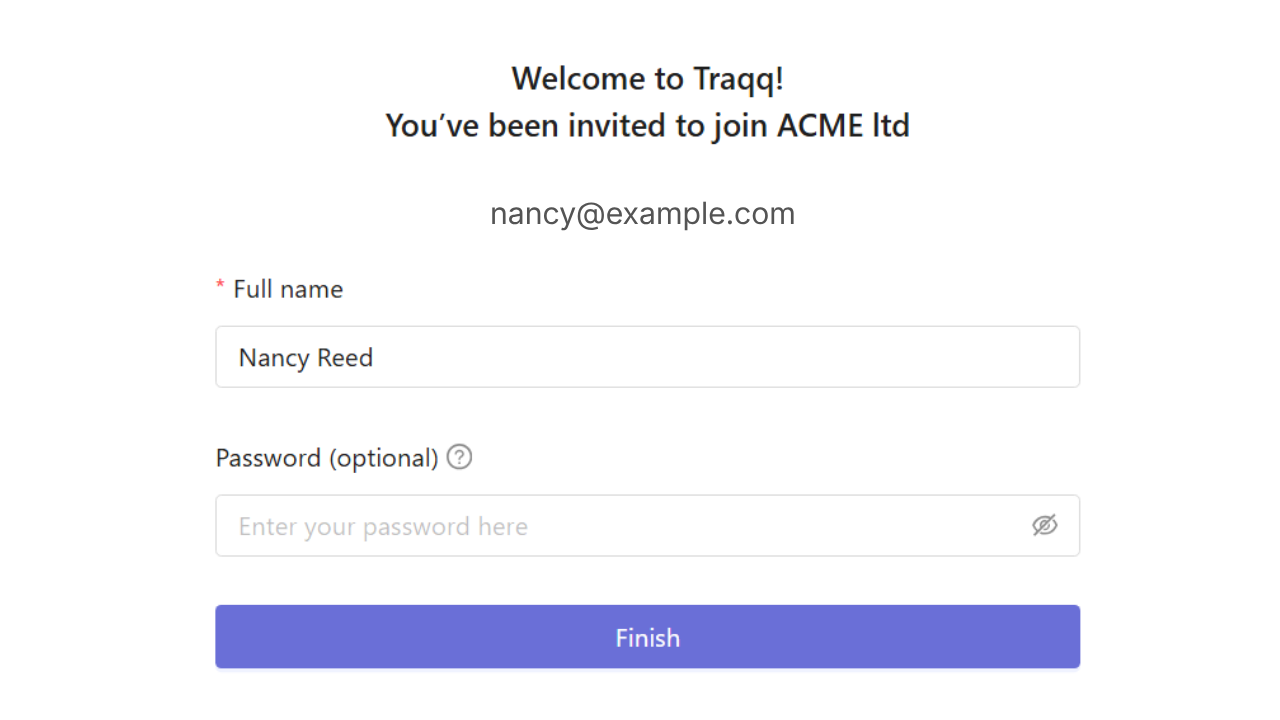
On the registration page, enter your full name.
You can then either:
- - Create a password for your account.
- Skip password creation and use a one-time email code each time you sign in. - If you choose the one-time code option, you can still create a password later in your profile settings.
- Step 3
- Click Finish to complete the registration process and join the workspace.