Changing email address
Step 1
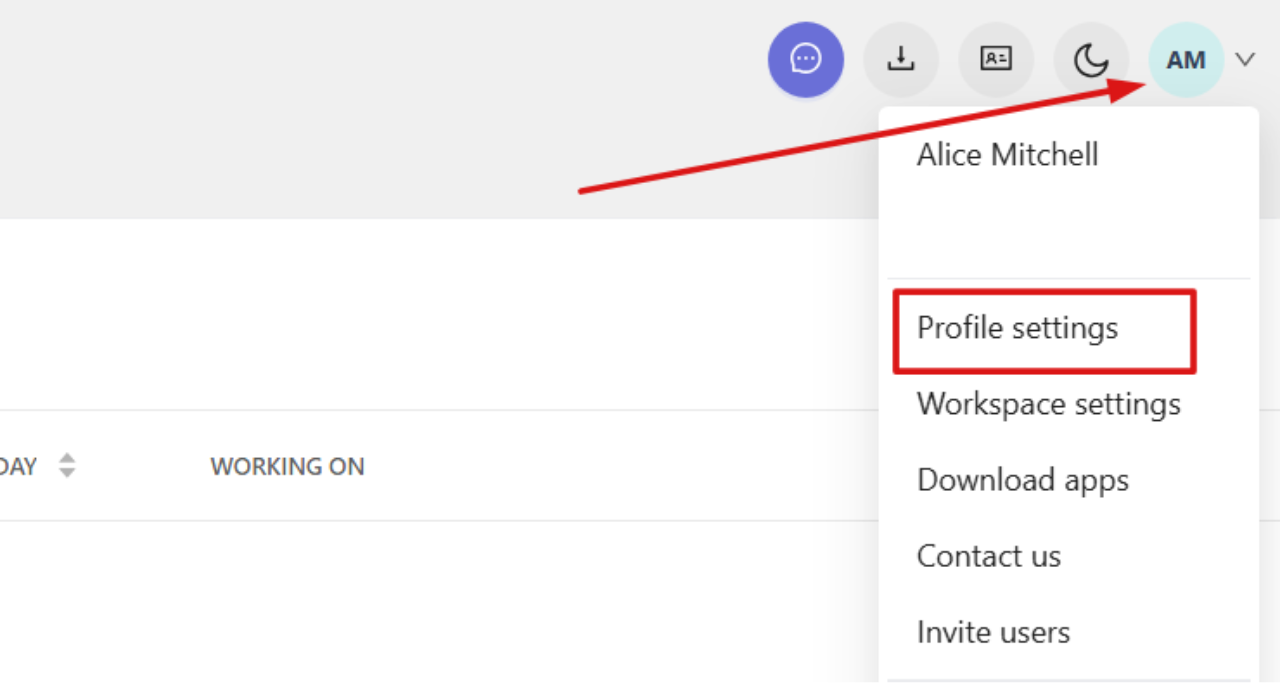
Click your profile picture in the top-right corner and select Profile settings.
Step 2
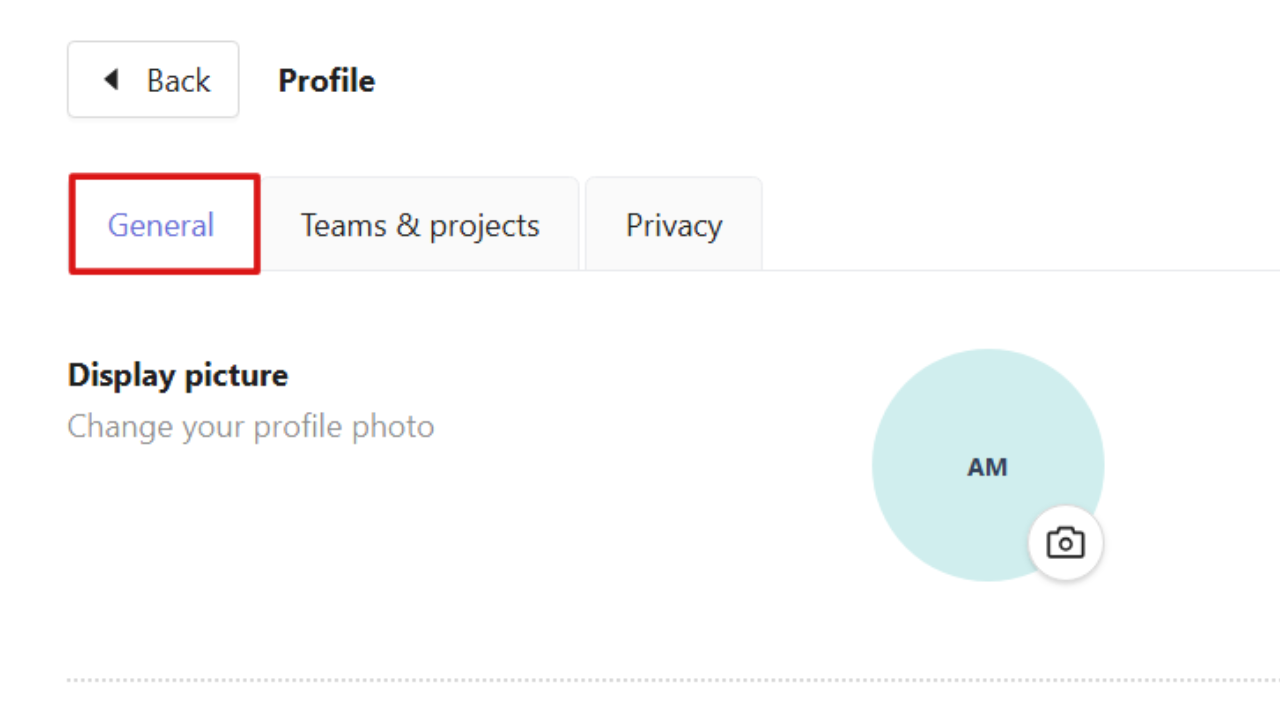
Go to the General tab and scroll to the bottom of the page.
Step 3
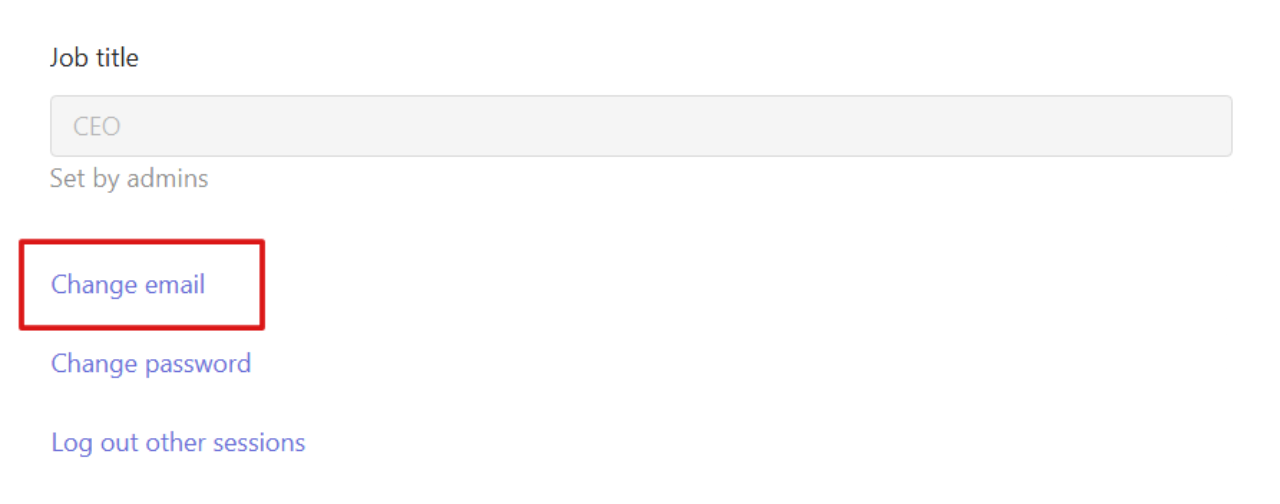
Select Change email.
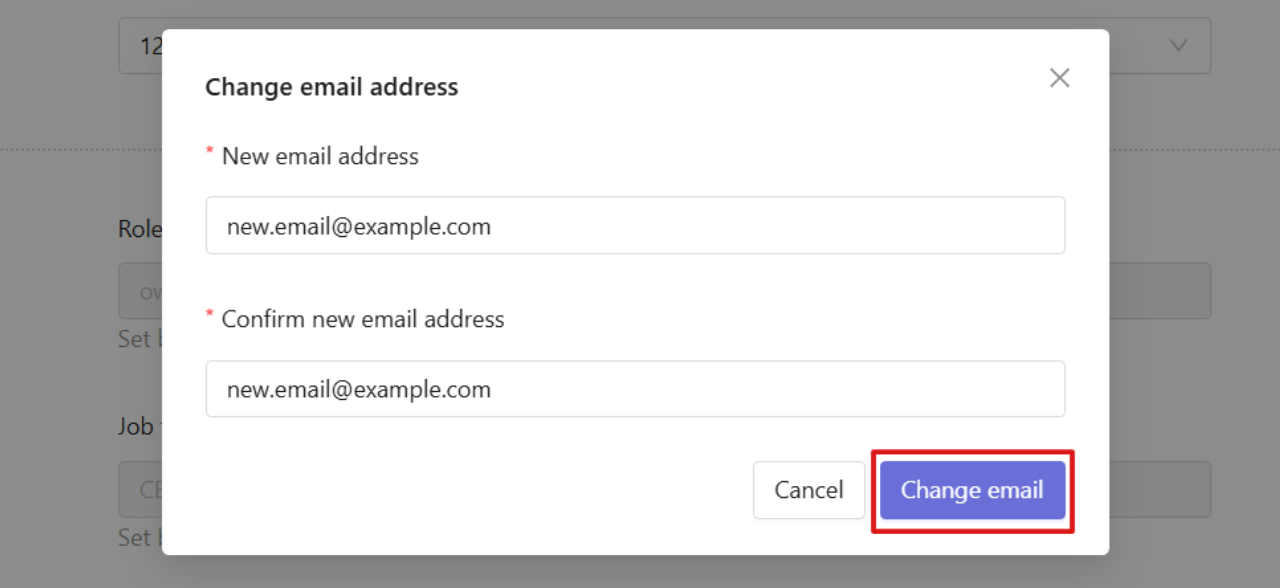
In the window that opens, enter your new email address and click Change email again.
Step 4
You will receive a confirmation email to the new email address. The email address will be changed after you click the confirmation link.