Project time tracking
Track time by client, project, and task with Traqq. See how many hours your team spends on each project, monitor project budgets and progress, and create reports and invoices from tracked time.
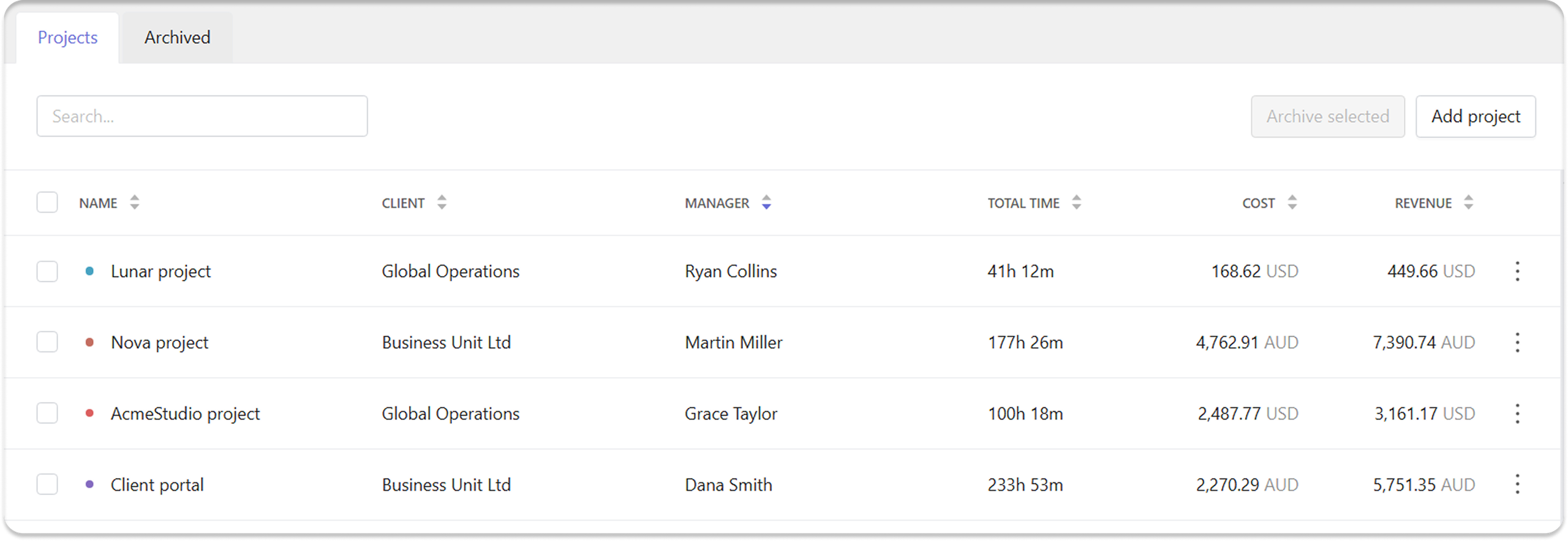
Track time by project and task
Traqq organizes work into a clear hierarchy: add clients, connect them to projects, and assign tracked time to projects and tasks.
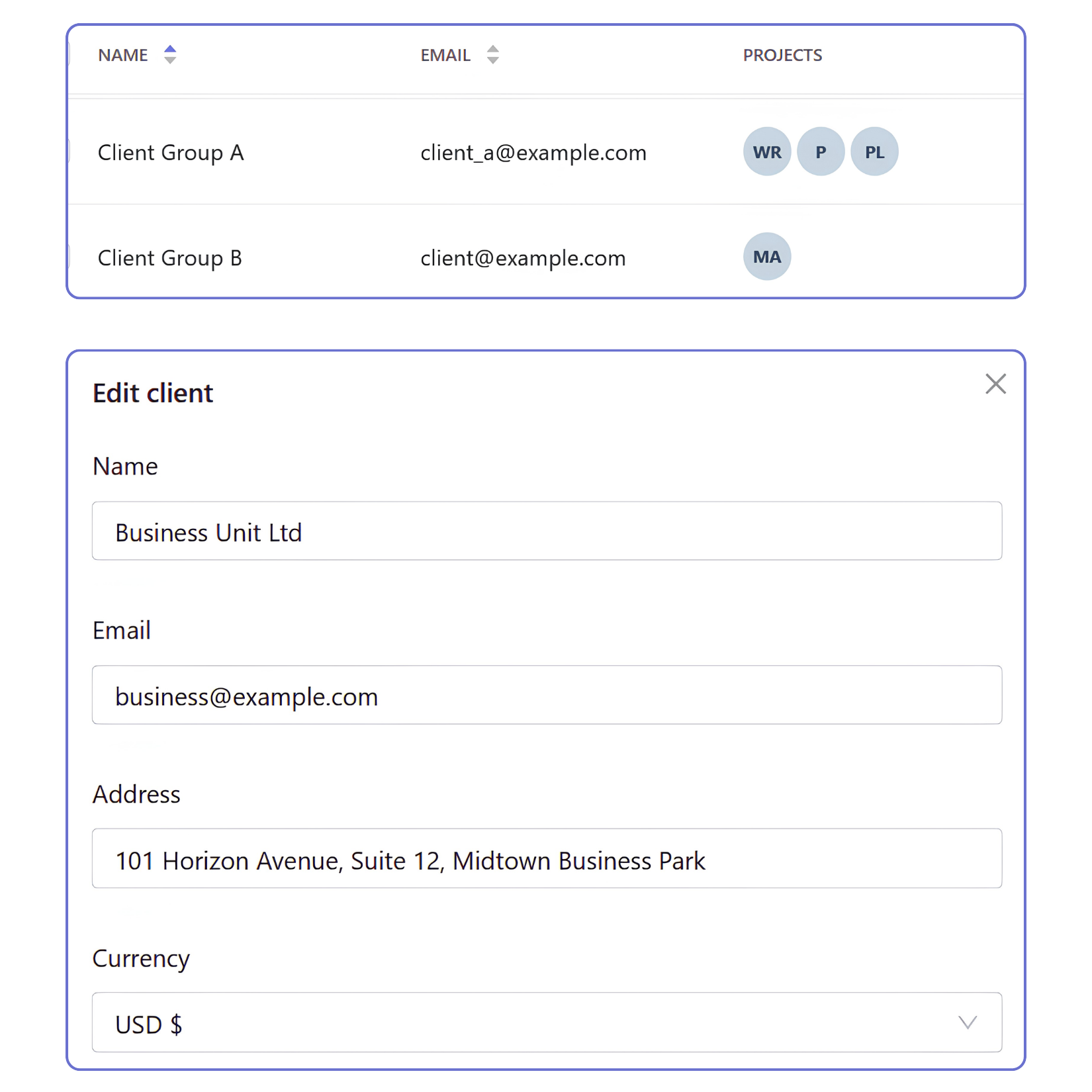
Clients
- Keep client work organized
Store client information once and connect it to projects, invoices, and reports across your workspace. - Choose currency
Assign a currency for each client to keep reporting and invoicing consistent across related projects. - Connect clients to multiple projects
Associate multiple projects with the same client to keep long-term work organized without duplicating records.
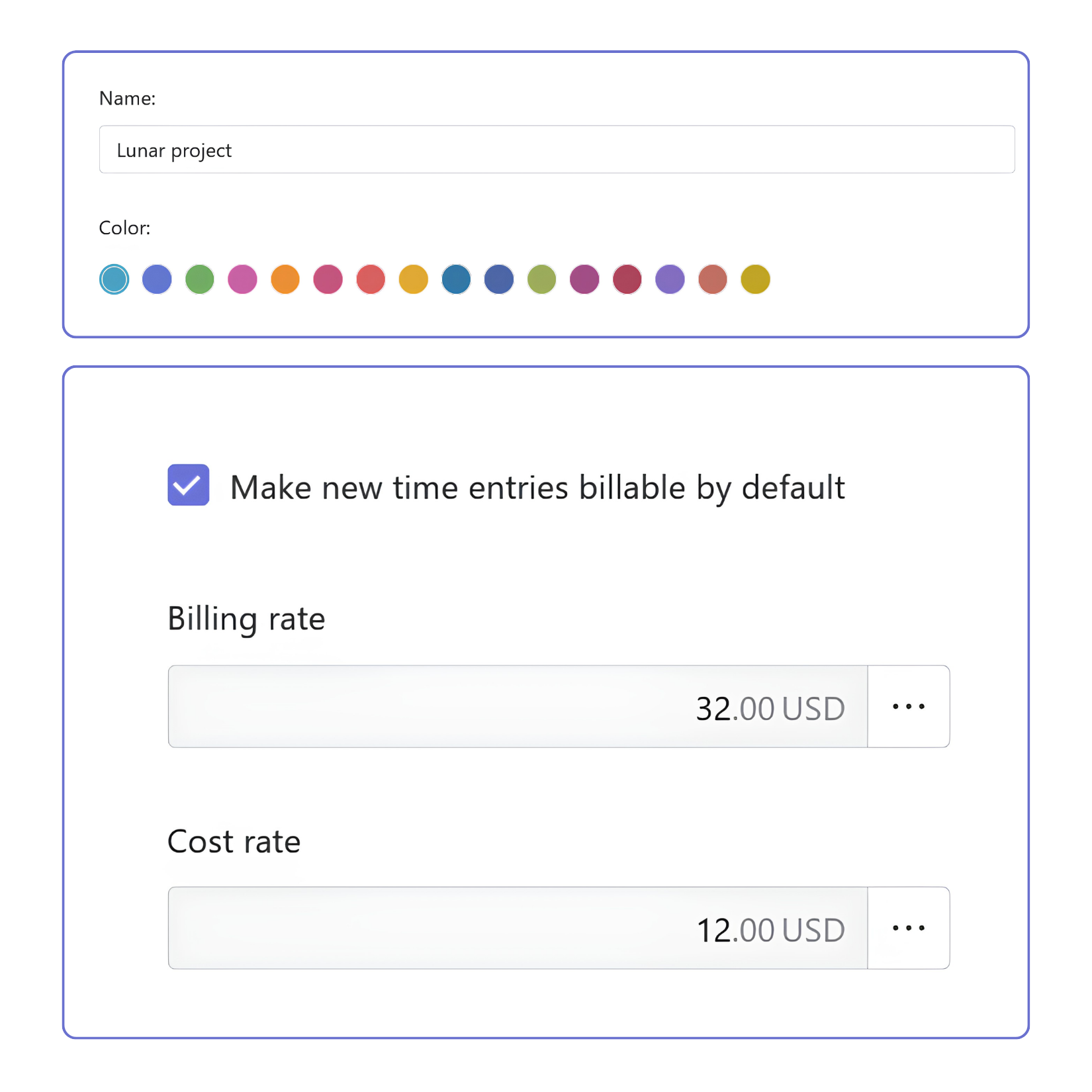
Projects
- Organize work into projects
Create projects with names and colors that make them easy to recognize throughout the workspace. - Control project access
Assign members and project managers to control who can track time and access project data. - Configure project billing
Set project-specific billable and cost rates, and choose whether new time entries are billable by default.
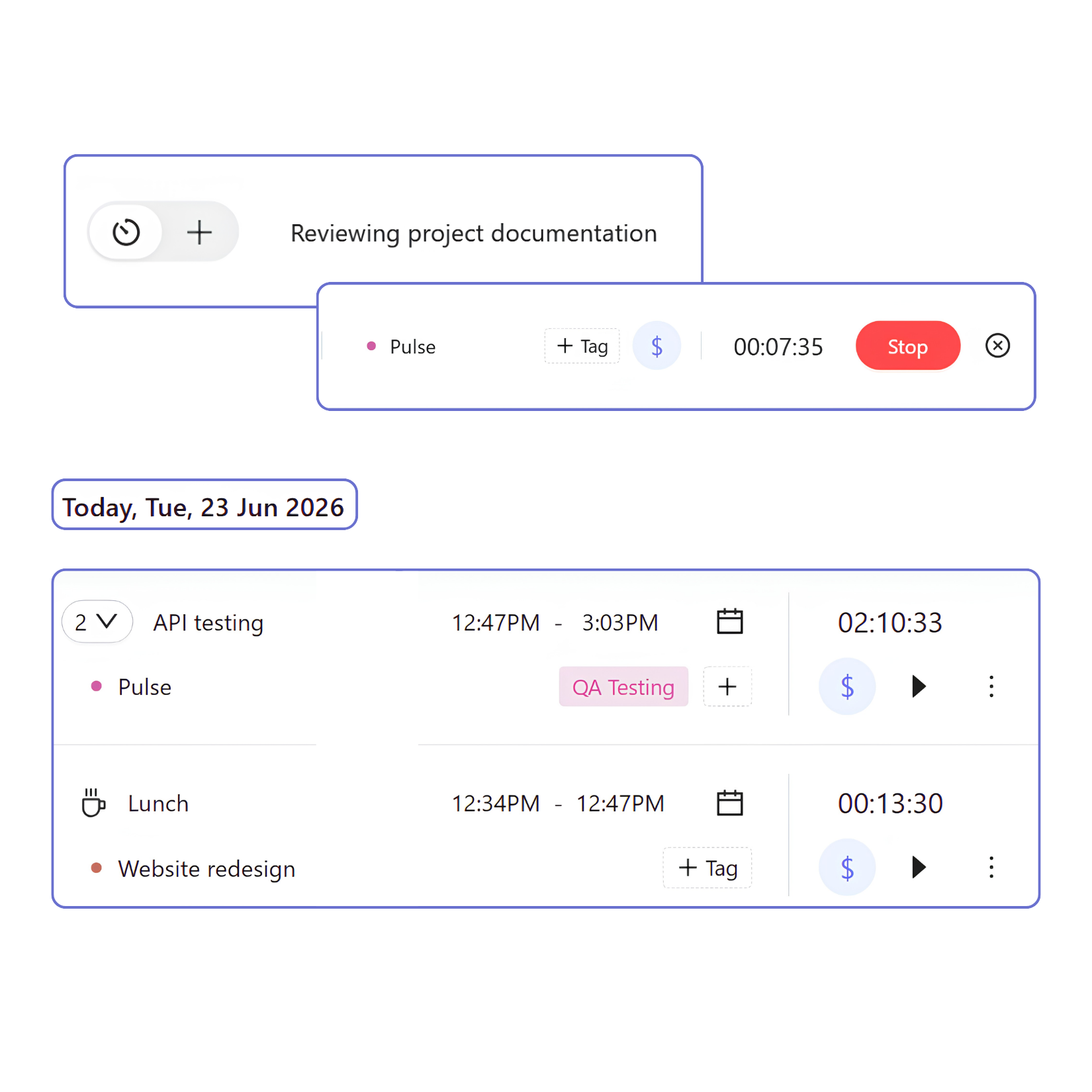
Tasks
- Add tasks
Create tasks before you start tracking time or add them later to describe the work you’ve done. - Connect tasks to projects
Assign each task to a project to keep work organized. - Add context with tags
Add tags to classify work by type, priority, workflow stage, or other categories.
Time tracking for project management
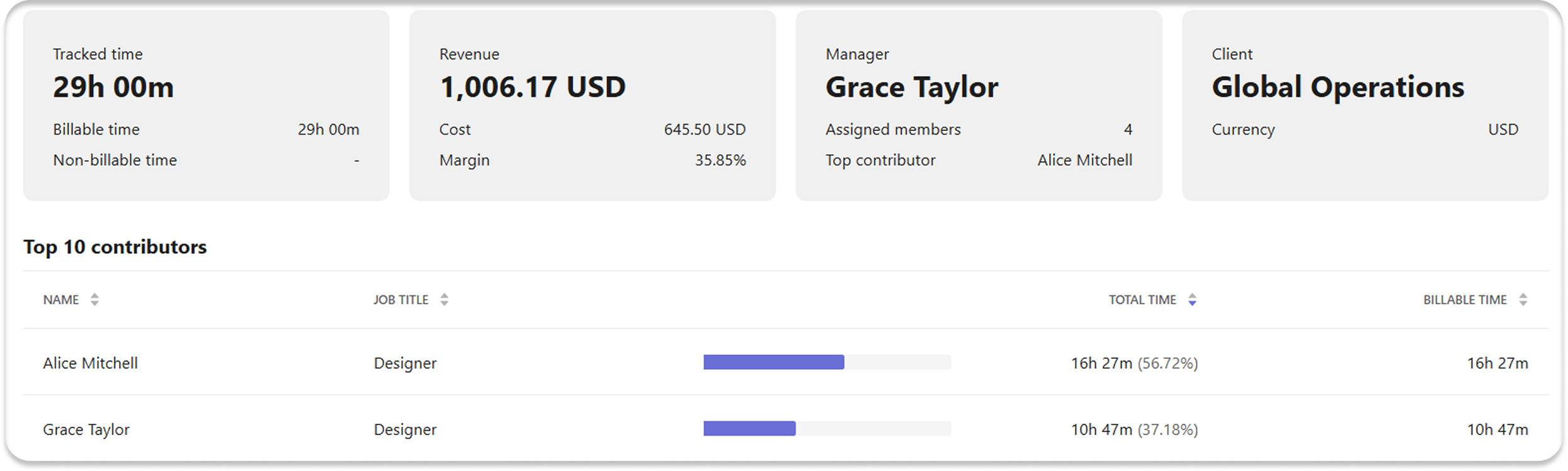
Track the time your team spends on each project to get visibility into project work. Managers can see who worked on a project, how much time was tracked, and how that time contributes to project budgets, costs, and billable work.
Track project hours, budgets, and progress
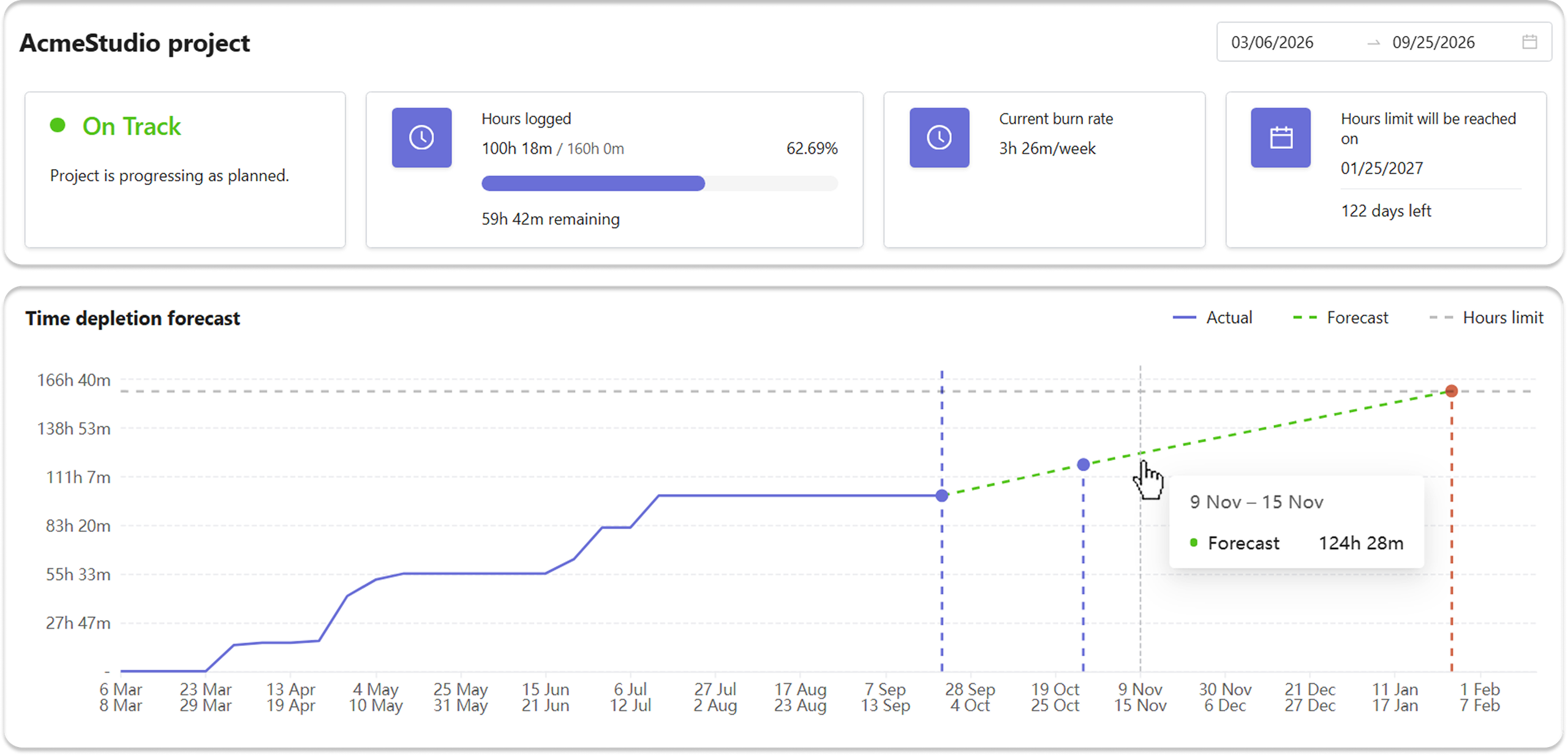
Set project budgets, hour limits, and end dates. Traqq compares planned hours or budgets with actual tracked time to calculate project progress, burn rate, remaining capacity, and projected completion. Use these metrics to see whether a project is on track with its hours and budget and forecast when it may reach its limits.
Review project time in reports
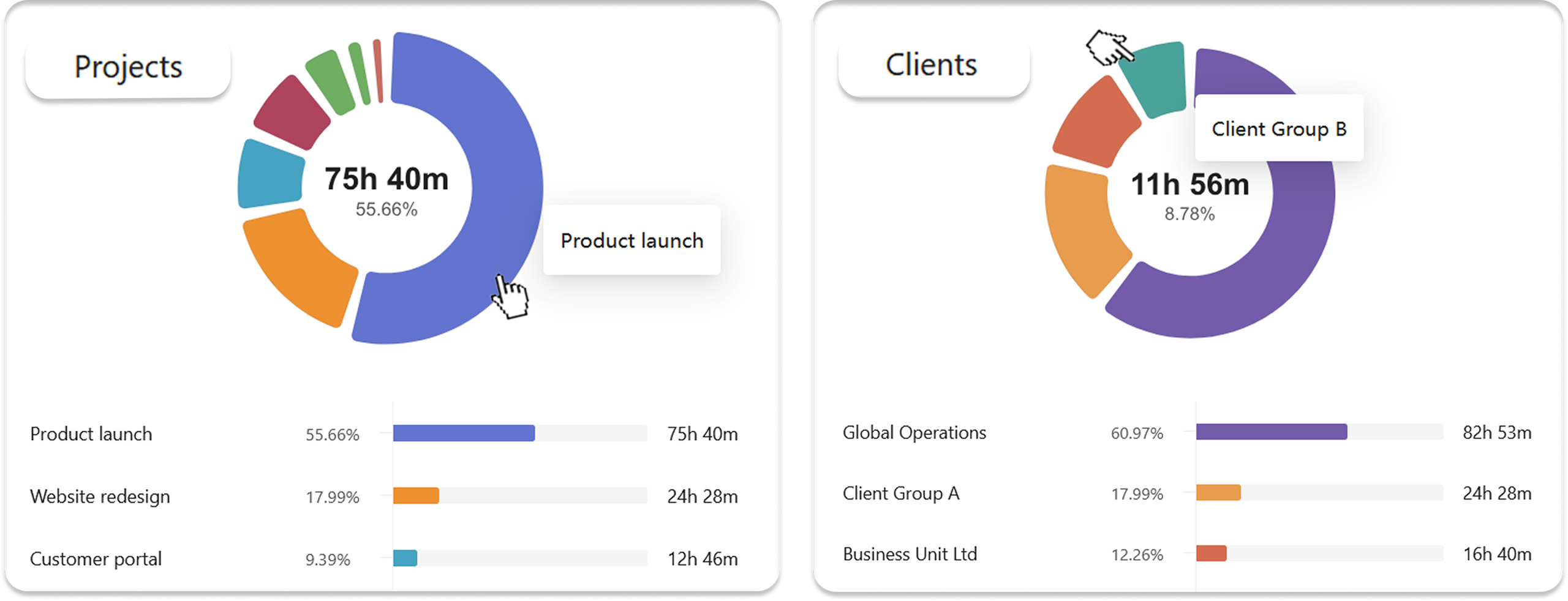
Client, project, and task information stays attached to every time entry. Tracked time is automatically included in dashboards and reports, so you can review project hours, billable time, costs, revenue, and margin for projects and clients. This gives you a consistent view of project time, even when work spans multiple teams and departments.
FAQ
What is project time tracking?
Project time tracking shows how much time you spend on a project. Traqq is project time tracking software that lets you track time by project and task and see how many hours your team tracks for each project.
How does Traqq track project hours?
Traqq tracks time with a timer or manual time entries. Team members can assign their time to a project and task, and tracked hours can be viewed in reports and used for billing.
How does Traqq track project progress?
Traqq compares actual tracked time with a project’s planned hours or budget. It shows hours used or budget spent, remaining capacity, burn rate, and the percentage of the limit used.
Can Traqq forecast when a project will exceed its hours or budget?
Yes. Traqq uses the current burn rate to estimate when the project’s planned hours or budget will run out. The Progress & forecasts feature also shows projected usage and the remaining time until the limit is reached.
How does project time tracking support billing and profitability?
Projects can have their own billable and cost rates that override workspace defaults. This allows Traqq to calculate project revenue, costs, and margins and create invoices using project-specific rates. You can import tracked time into invoices and send them to clients directly from Traqq.