Deleting your workspace
You can delete your workspace from the Workspace settings. When you delete a workspace, it is scheduled for permanent deletion after a 30-day grace period.
During this period, you can still sign in and export data, but time tracking will be disabled. You can cancel the deletion at any time before the scheduled removal date.
Delete your workspace
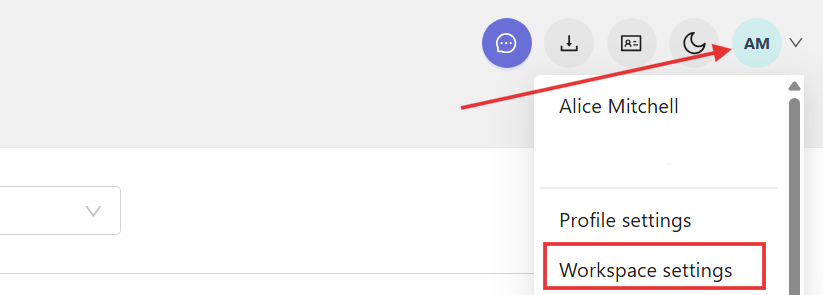
Click your profile picture in the top-right corner and select Workspace settings.
Scroll down to the Workspace deletion section and click Delete workspace.

In the confirmation window:
- 1. Type DELETE in the field.
2. Click Delete. 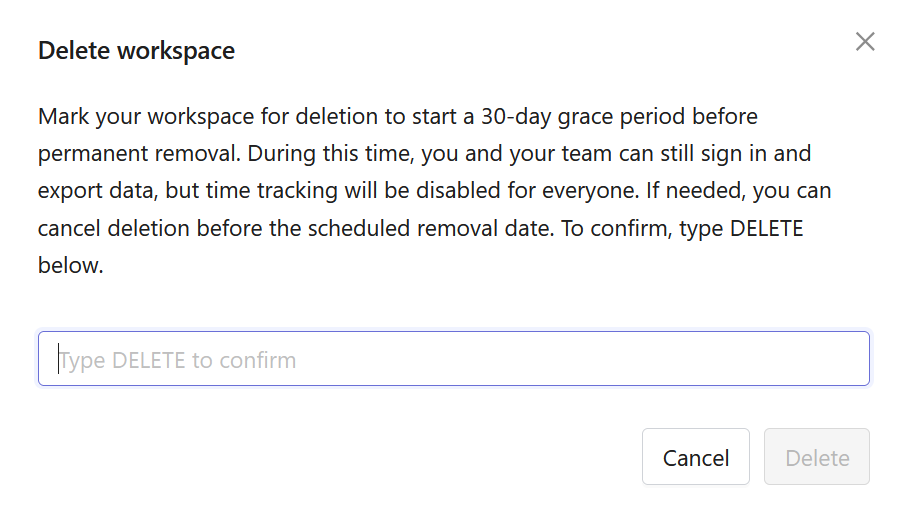
Your workspace will be marked for deletion.
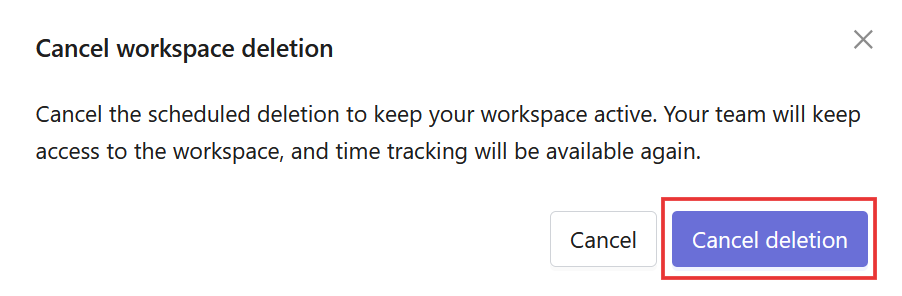
Cancel workspace deletion
You can cancel the deletion before the scheduled removal date.
Open Workspace settings, scroll down to the Workspace deletion section, and click Cancel deletion.

In the confirmation window, click Cancel deletion.