Time tracking and invoicing software
Traqq connects time tracking, billing, and project financials in one workspace. Track billable hours, apply flexible rates, and turn tracked time into invoices.
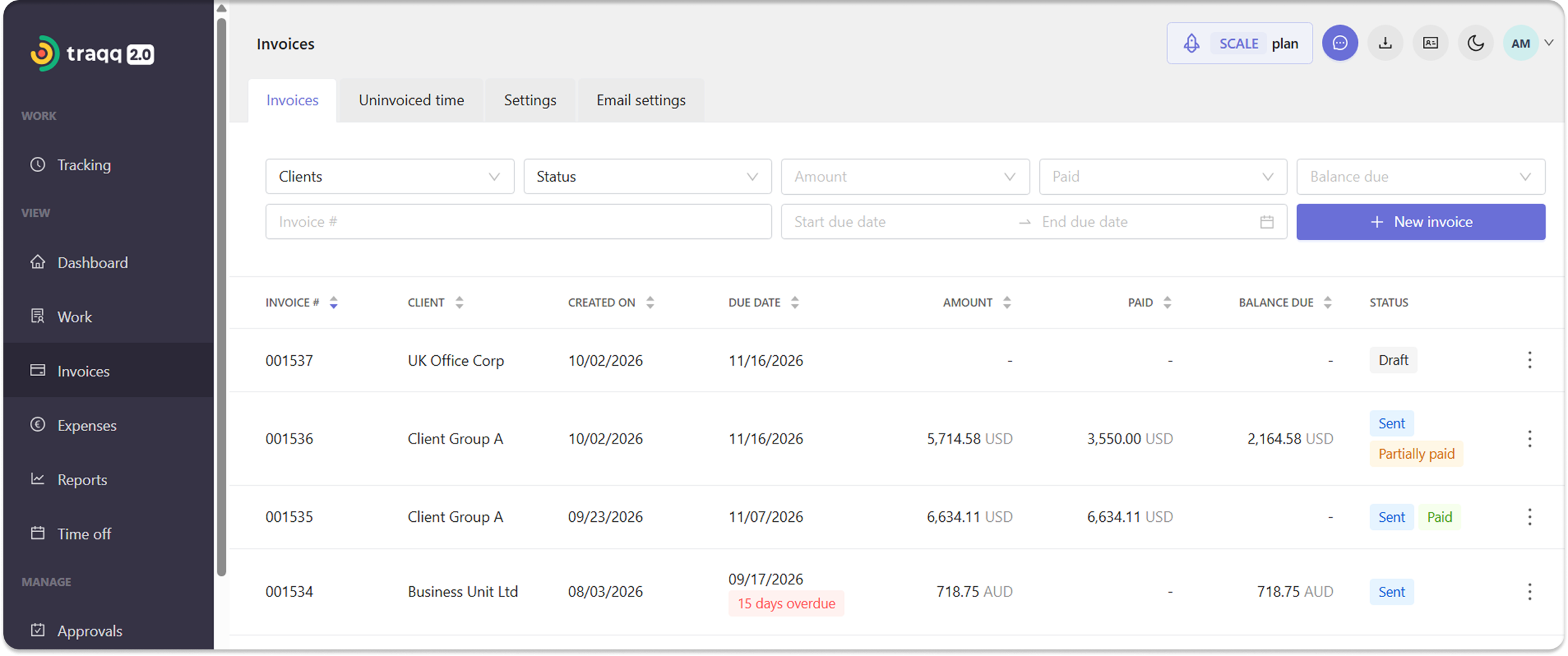
How to track time and create invoices in Traqq
Traqq uses tracked time, assigned rates, and project data to calculate billable amounts and create invoices. Here’s how it works:
- Step 1 — Add clients and projects
Start by adding clients and projects to your workspace. Then assign projects to each client. - Step 2 — Set billing and cost rates
Set billable and cost rates at the workspace, personal, or project level. Project rates override personal rates, and personal rates override workspace defaults. - Step 3 — Track your time
Track time with a timer or add it manually. You can track time by project and task, and mark entries as billable or non-billable. - Step 4 — Import time into an invoice
When you’re ready to bill, create an invoice and import the billable time. Traqq automatically calculates invoice amounts from tracked time and assigned rates. - Step 5 — Customize the invoice
Add taxes, discounts, notes, and other invoice items, then review the amount due. - Step 6 — Send and track the invoice
Send the invoice directly to a client from Traqq. You can then track the invoice status, record payments, and see the amount paid and balance due.
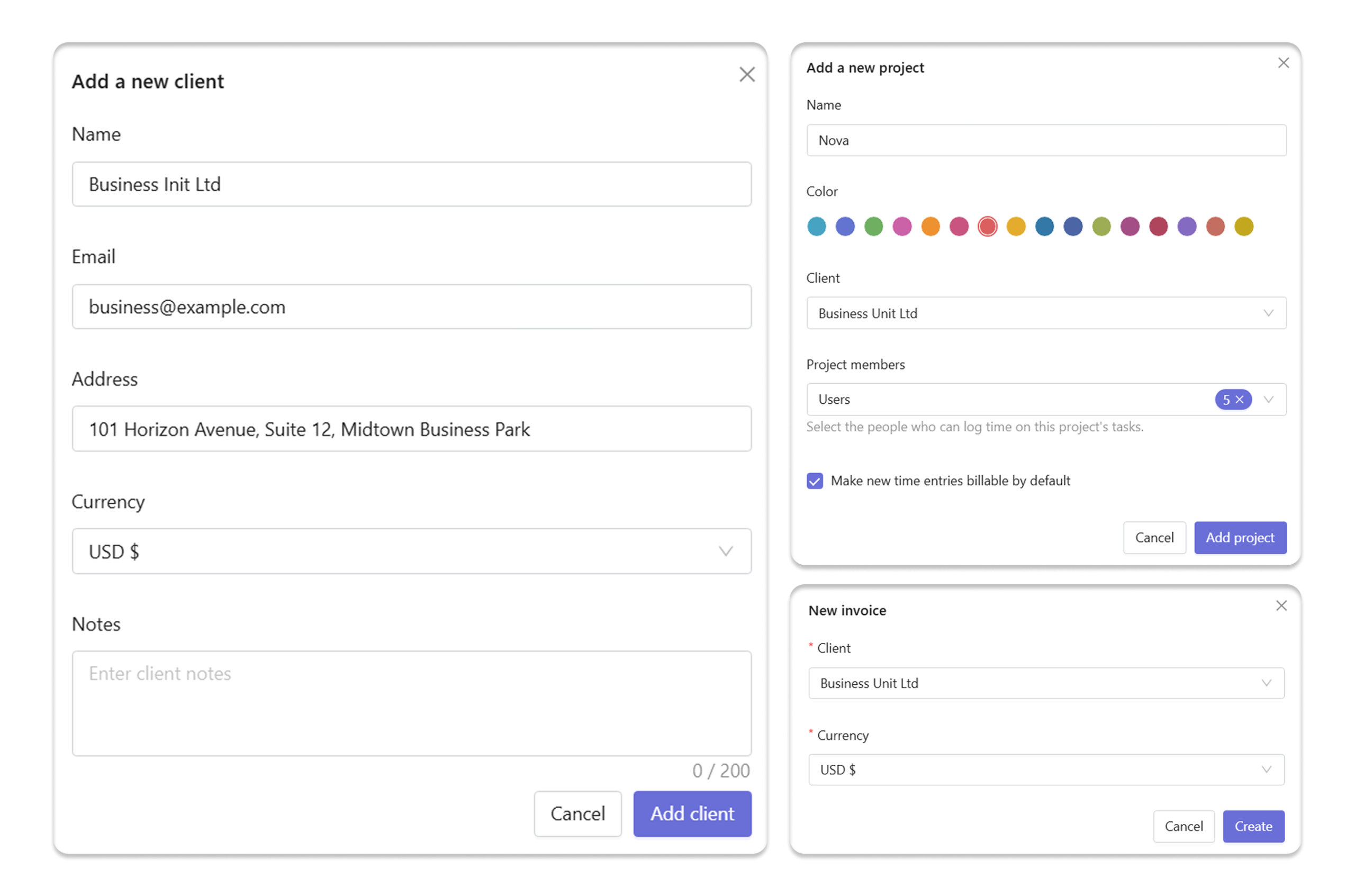
Manage rates, invoices, and project financials
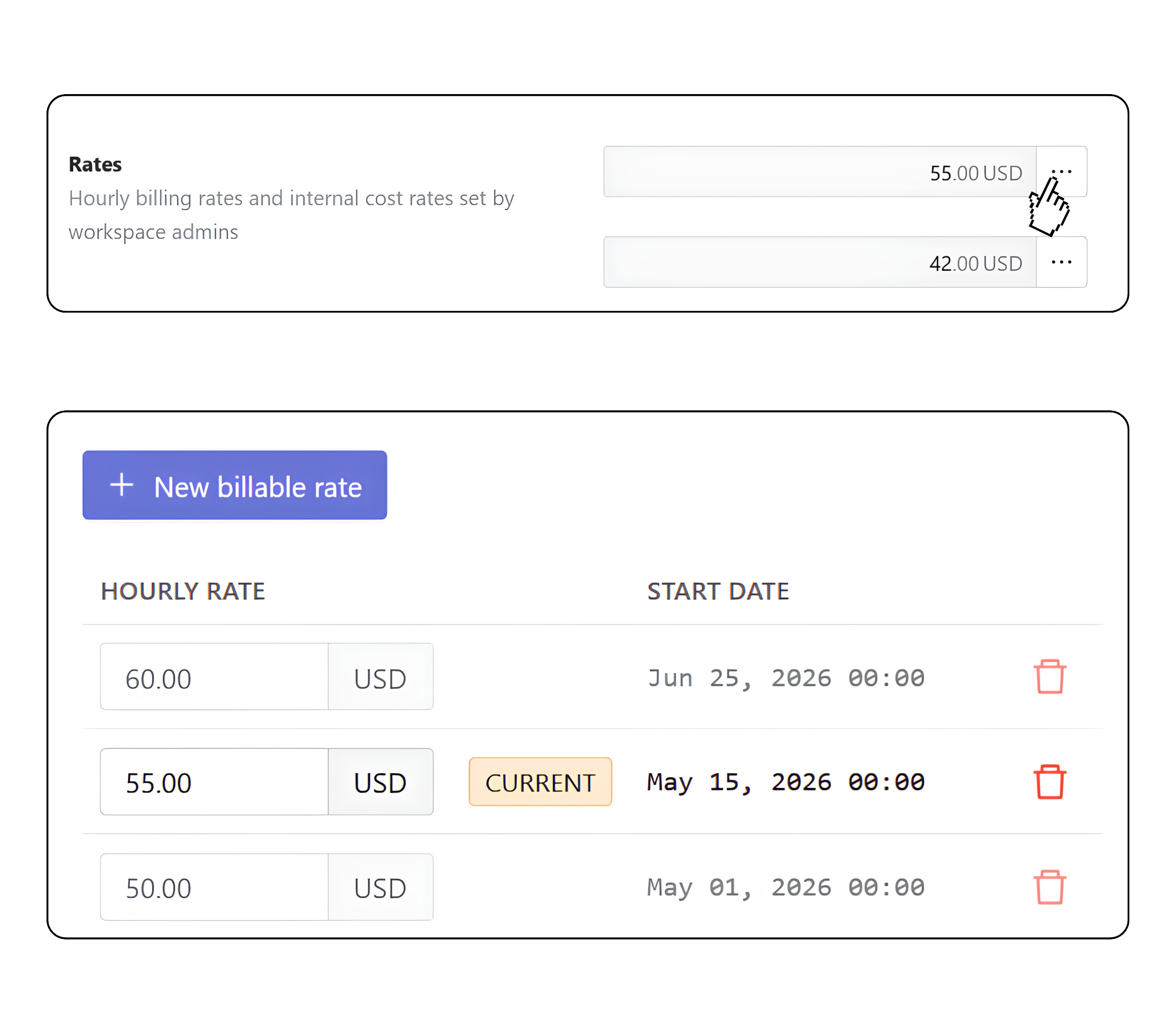
Set flexible rates
- Workspace, personal, and project rates
Set default rates or customize them for individual users or projects. - Rate hierarchy
Project rates override personal rates, while personal rates override workspace defaults. - Future and historical rates
Schedule future rates and review current and past rates in one place.
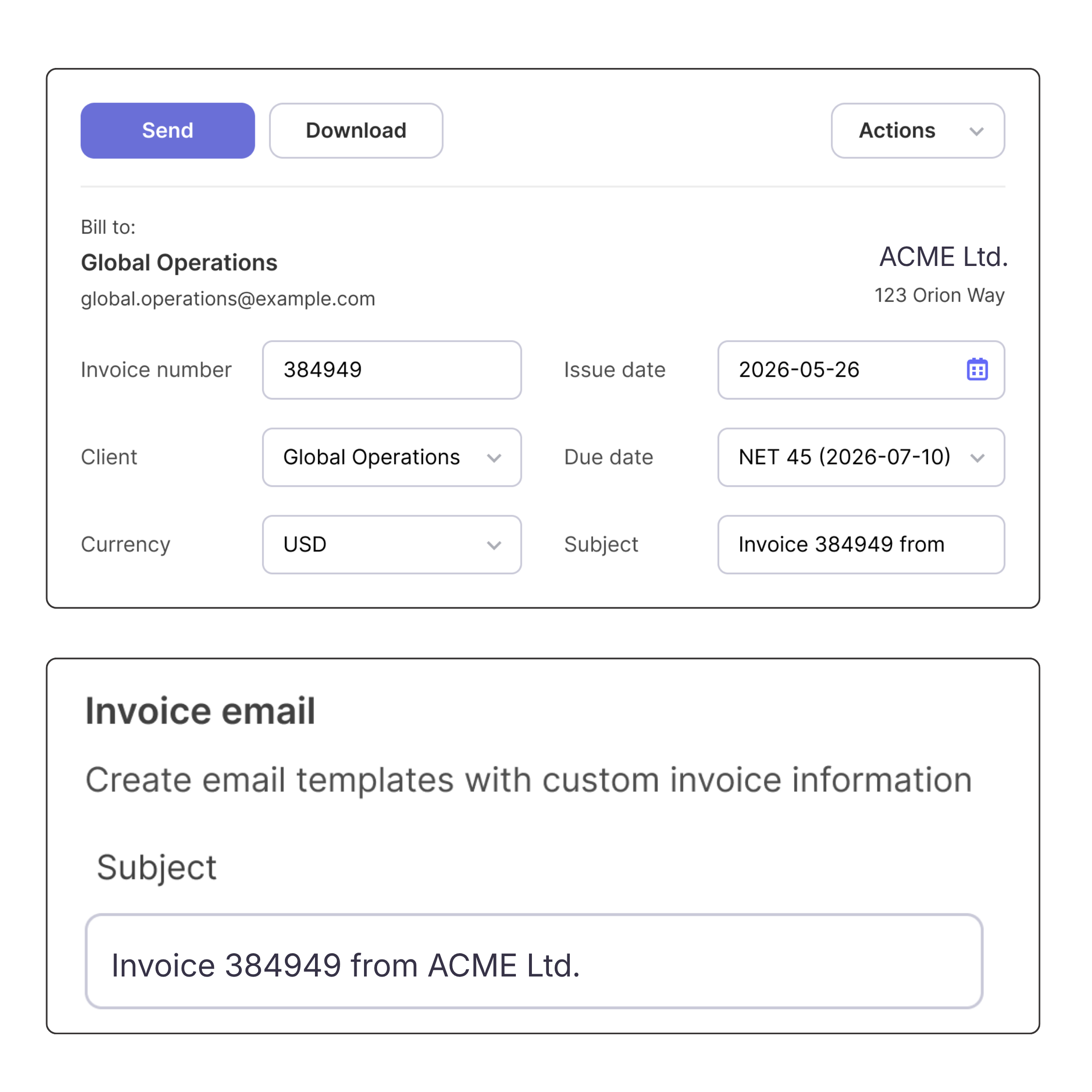
Manage invoices
- Set invoice defaults
Set default due dates, taxes, invoice numbers, subjects, notes, and company details. - Invoice emails and reminders
Customize invoice emails with placeholders for invoice details. Set reminders for overdue invoices. - Track payments and balances
Record payments and view payment history for each invoice. - Find and manage invoices
Filter invoices by client, date, amount, balance, or status. Download invoices as PDFs, duplicate them, or void them when needed.
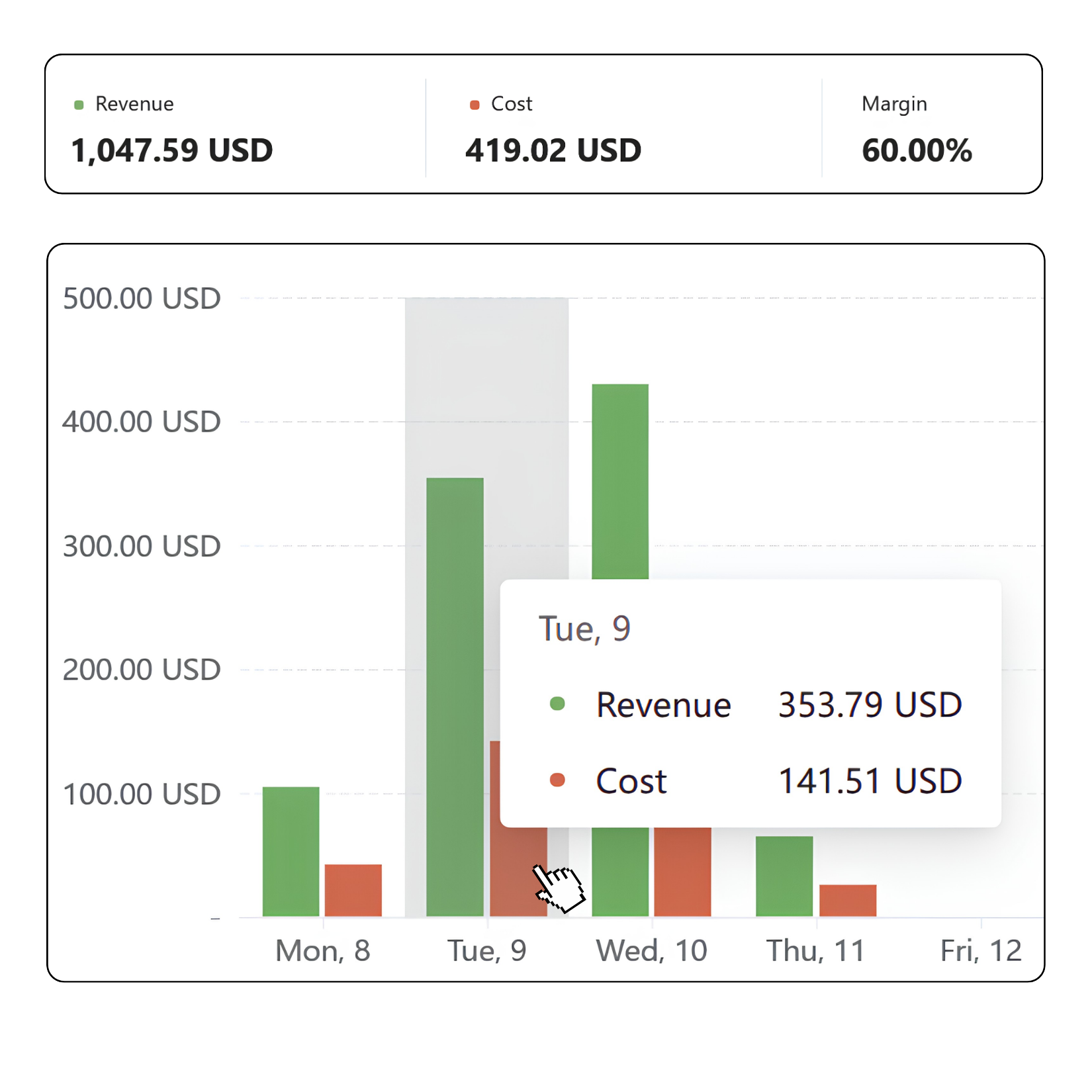
Understand project profitability
- Track costs and revenue
Calculate labor costs, billable revenue, and margins automatically from tracked time and assigned rates. - Analyze financial performance
Compare financial results across projects, teams, clients, and users. - View detailed financial data
Move from project summaries to individual time entries with associated revenue and costs.
FAQ
What is time tracking and invoicing software?
Time tracking and invoicing software combines time tracking with client billing. Traqq lets you record billable hours, apply billing rates, create invoices, and track payments.
Who is time tracking and invoicing software for?
Traqq works for freelancers, agencies, consultants, and teams that bill clients based on tracked hours. It also supports internal cost tracking alongside billable work.
What is the difference between billable and cost rates?
A billable rate is the amount you charge a client for an hour of tracked work. A cost rate is the cost of that work to your business. Traqq uses both rates to calculate revenue, labor costs, and project profitability.
Who can view financial data in Traqq?
Financial data is controlled by role-based permissions. Only Owners and Admins can access financial data such as rates, invoices, revenue, and costs. Managers can access time data for their assigned teams and projects, while Users can view their own time data and reports.