Inviting your team
Step 1
Owners and Admins can invite users in two ways:
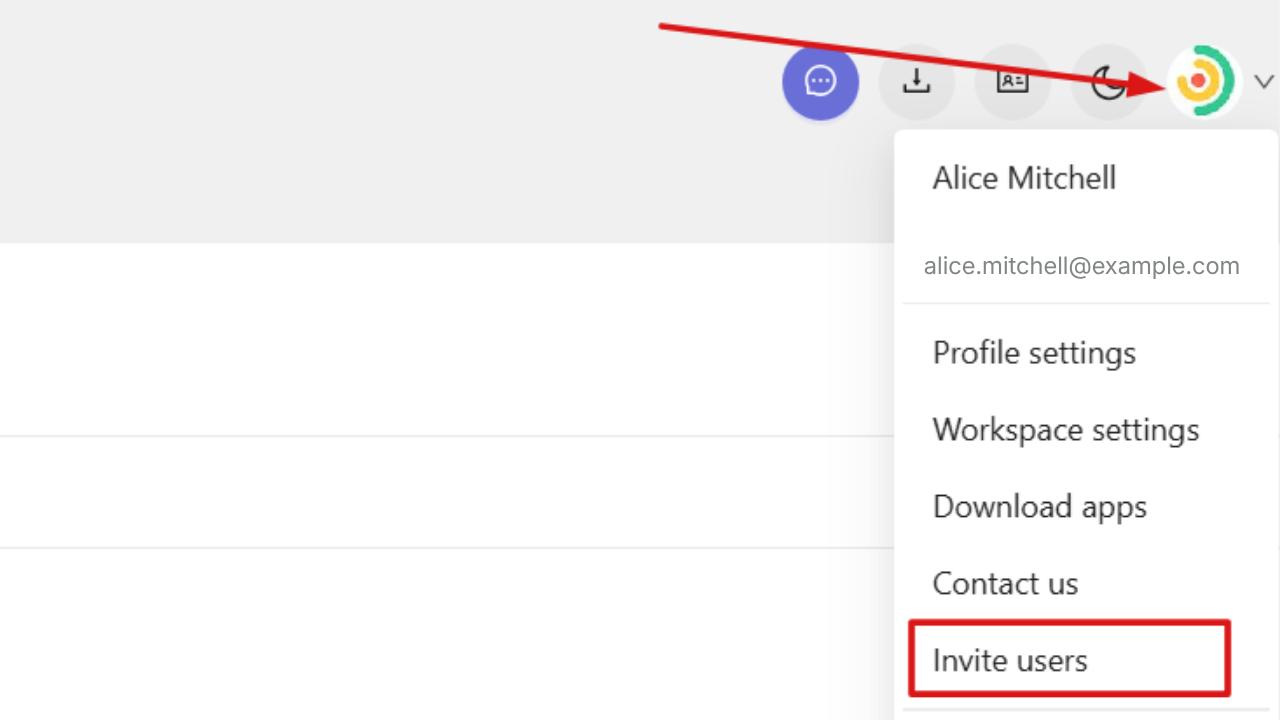
- - Click your profile picture in the top-right corner of the web app and select Invite users.
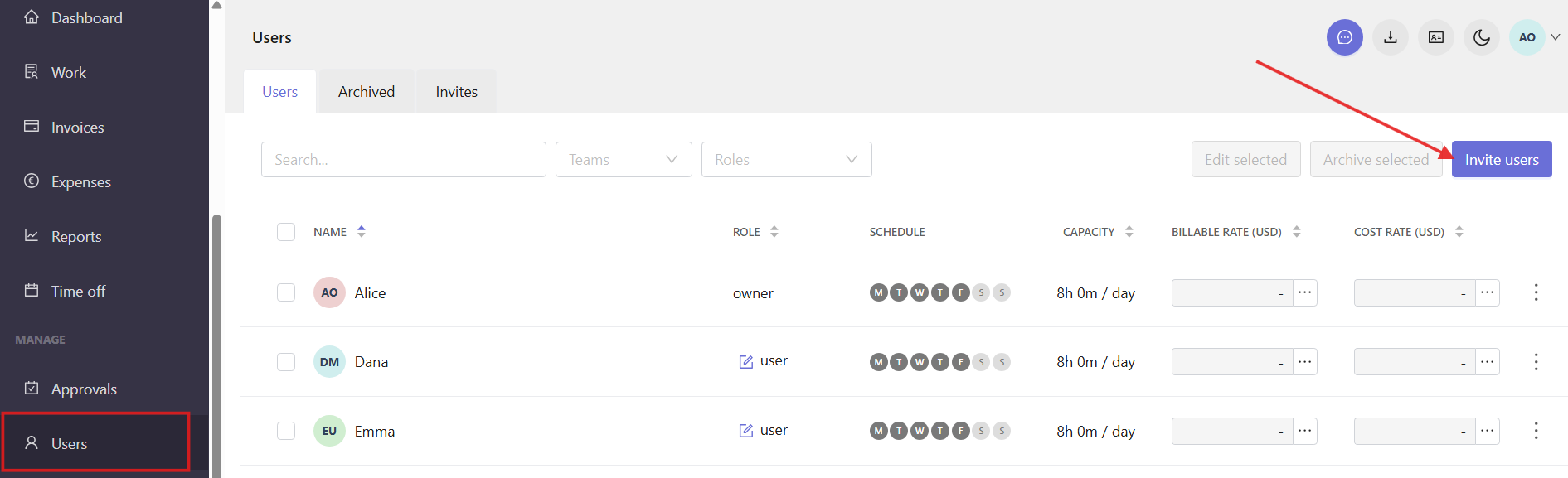
- - Or open the Users section in the left sidebar and click Invite users in the top-right corner.
Step 2
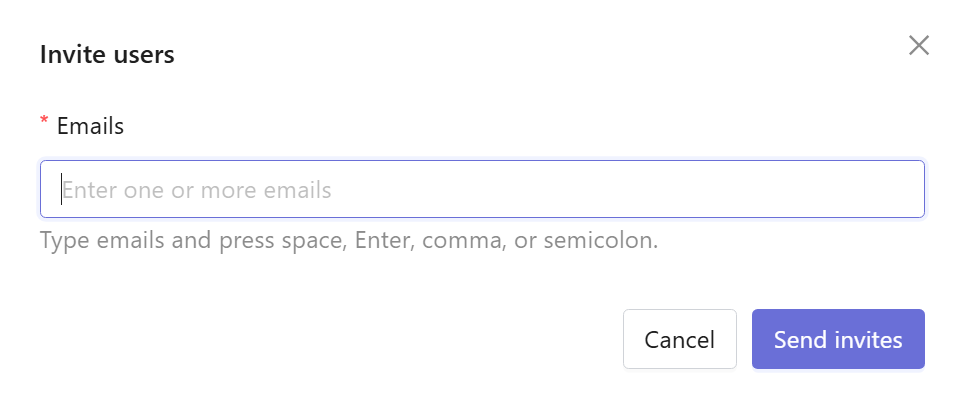
Enter one or more email addresses in the invitation window. You can separate email addresses using space, Enter, comma, or semicolon.
Step 3
Click Send invites.
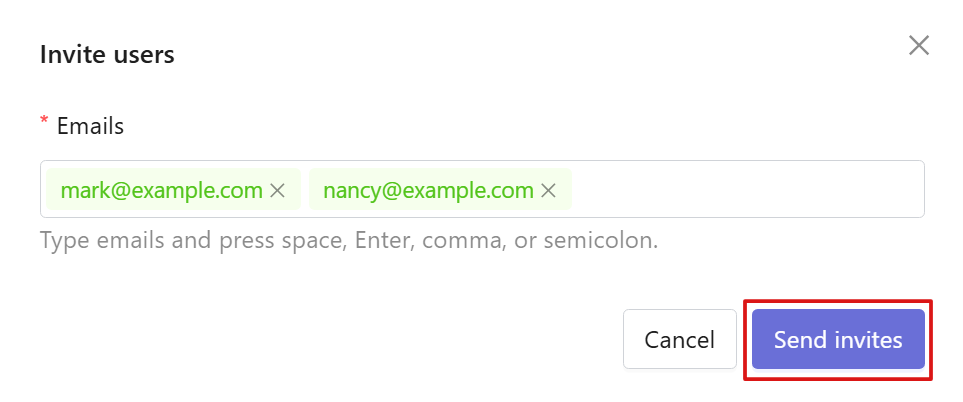
Users will receive an email with an invitation link that expires after 72 hours.
Manage pending invitations
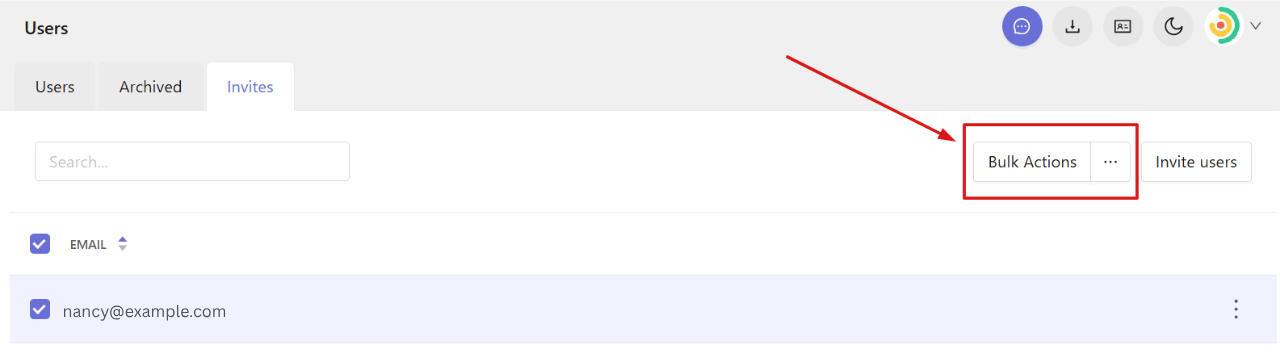
To view and manage pending invitations, open the Users section and go to the Invites tab.
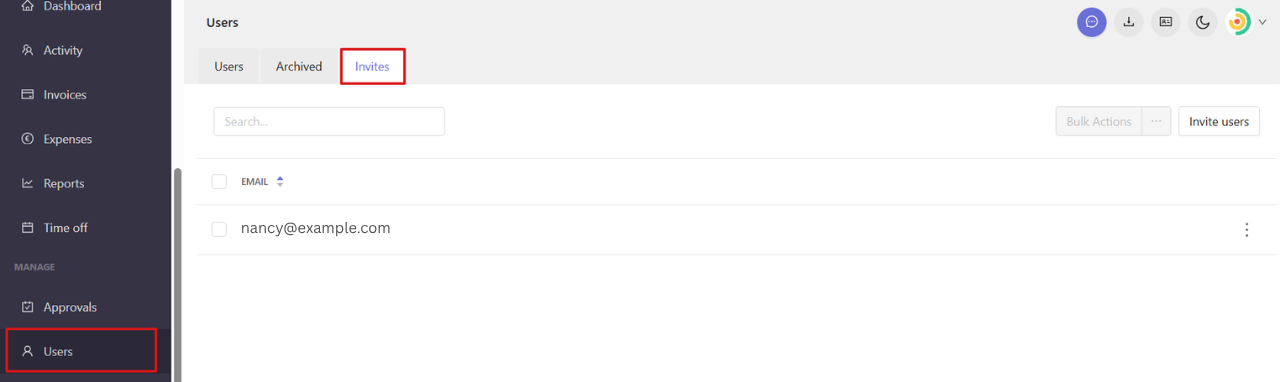
Click the three-dot menu next to an invited user’s email to manage the invite.
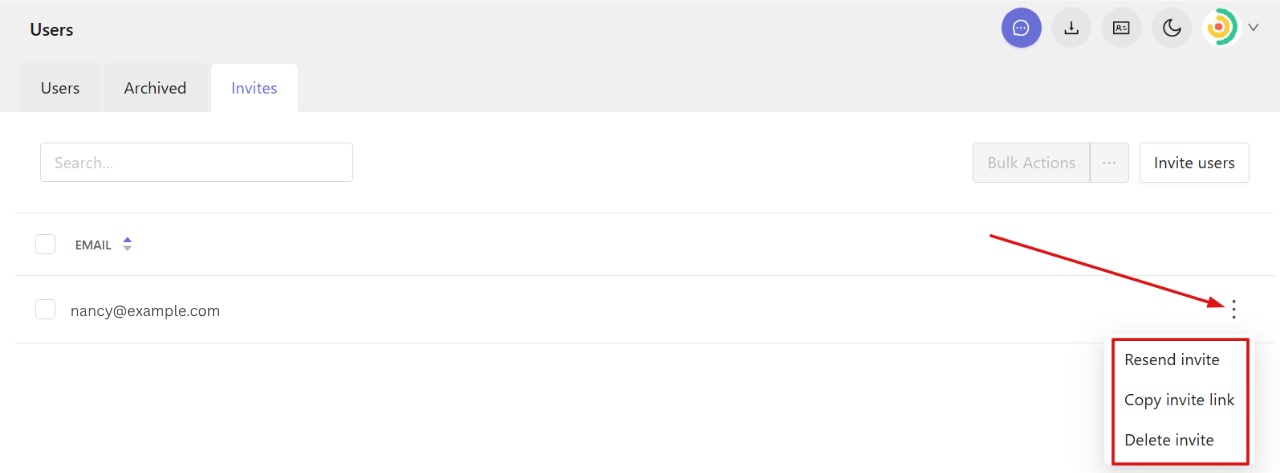 You can:
Resend invite — send the invitation email again.
Copy invite link — copy the invitation link to share it directly.
Delete invite — remove the pending invite (the invitation link will no longer work).
You can also resend or delete invites in bulk.