Traqq and Trello integration
The Traqq browser extension lets you track time directly from Trello cards. All tracked time entries automatically sync to your Traqq account.
Before you start, make sure you are logged in to the Traqq browser extension.
Step 1
Open Trello in your browser and find the card you want to work on.
Step 2
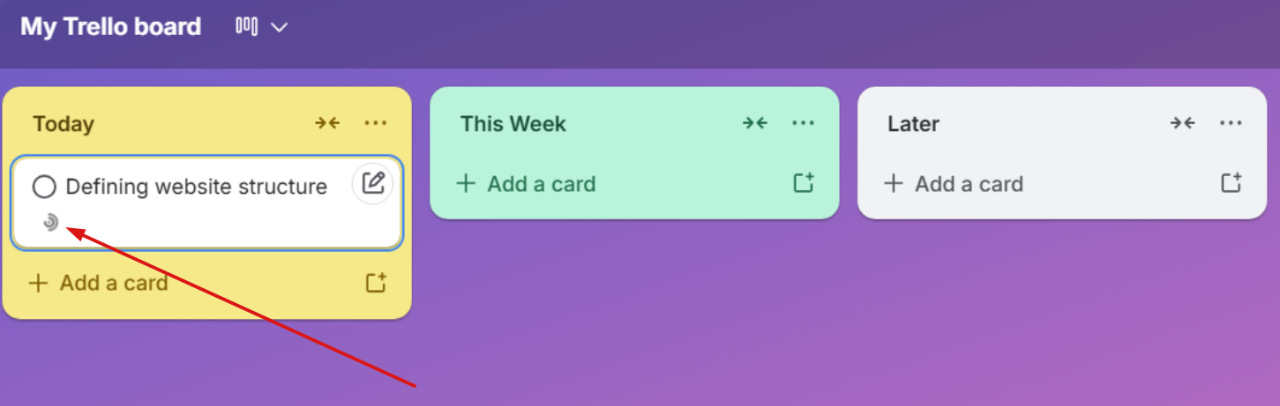
Hover over the card to reveal the Traqq icon and click it to open the tracking window.
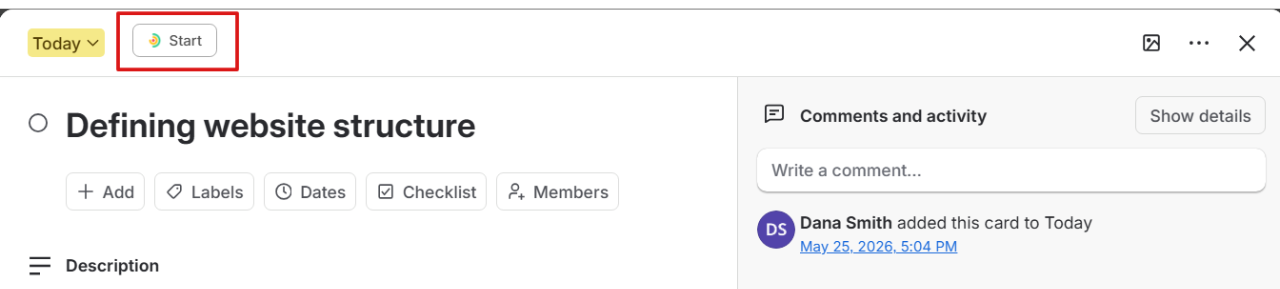
You can also click the Start button in the card details view.
Step 3
A Traqq window opens where you can:
- Select a project
- Add tags if needed
- Choose whether the task is billable or non-billable
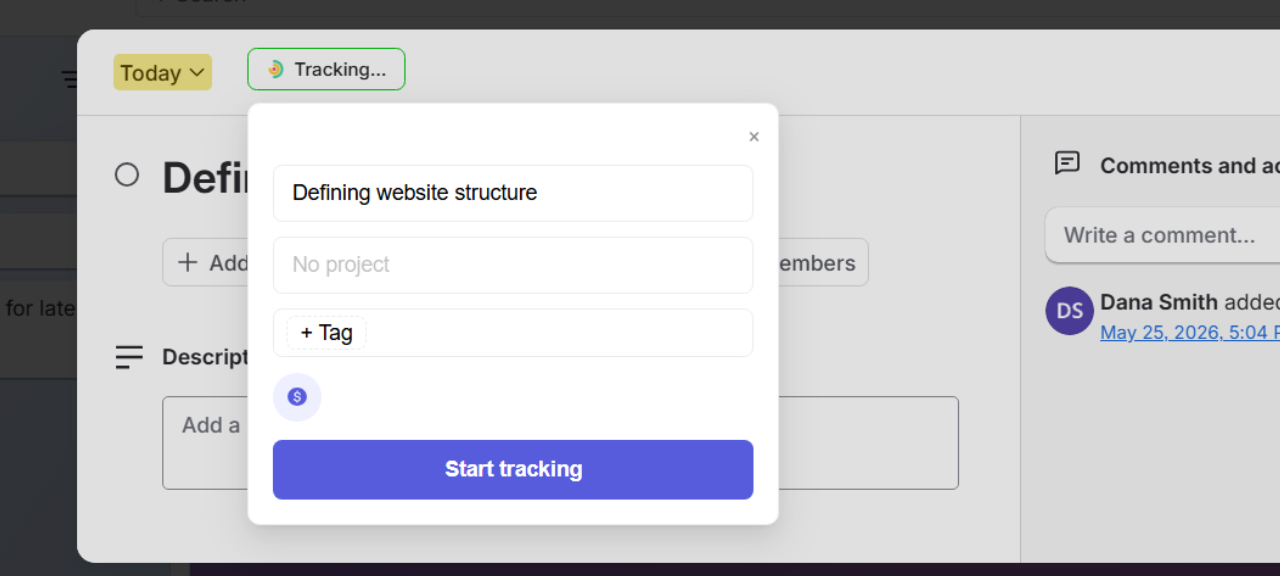
Traqq adds the task name automatically and matches it with the Trello card title.
Step 4
Click Start tracking to begin.
After tracking starts, the Traqq icon in the Trello card changes to Tracking.
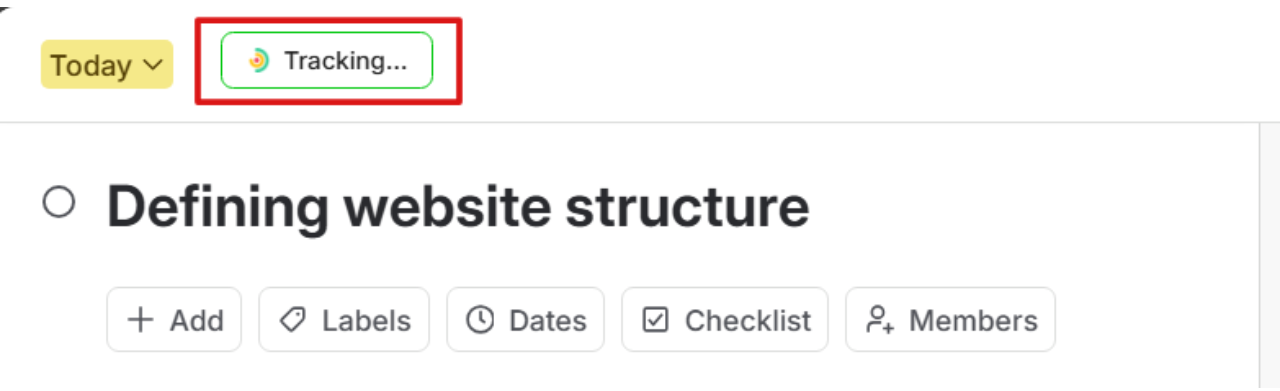
The task also syncs immediately with the Traqq browser extension and web app.
How to stop tracking
You can stop tracking in any of the following ways:
- - Click Tracking in the Trello card
- Stop the timer from the Traqq browser extension
- Stop the timer from the Traqq web app - Once you stop tracking, Traqq automatically saves the time entry to your account.