Deleting time
If time entries were recorded by mistake, you can delete them from the Time log.
Delete a single time entry
Open the Time log and find the entry you want to remove. Click the three-dot menu next to it and select Delete.

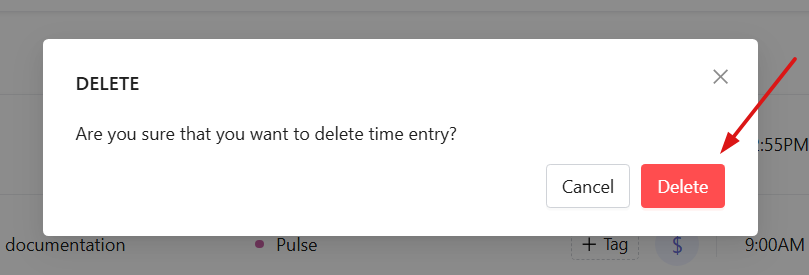
A confirmation window will appear. Click Delete again to confirm.
Split a time entry before deletion
If only part of a time entry was recorded incorrectly, you can split it first and then delete the incorrect part.
Open the three-dot menu next to the time entry and select Split.

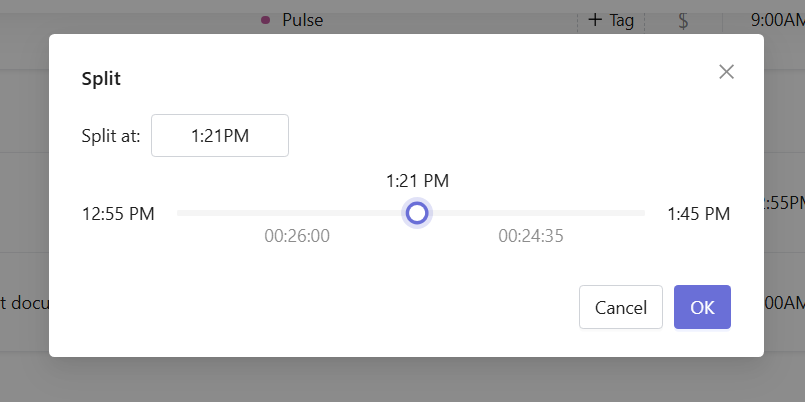
The split window will appear. At the top of the window, you will see a time field where you can enter the exact split time.
Below it, there is a slider showing the duration of the original entry. Drag the handle to select where to split the entry. The time field above updates automatically as you move the handle.
Once you select the split point, click OK.
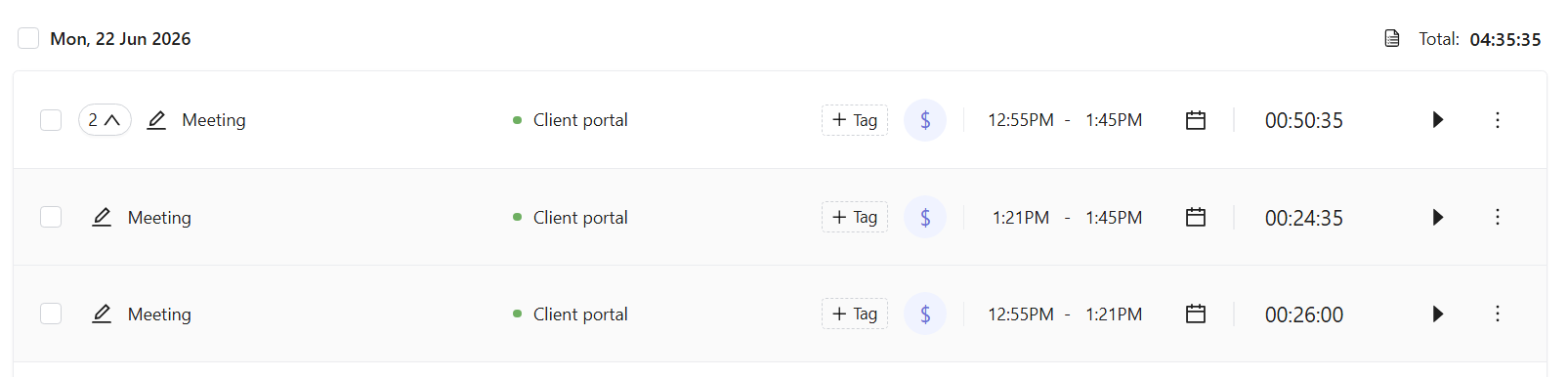
The original entry will be divided into two separate time entries. You can then delete the one you do not need.
Delete grouped time entries
If several time entries are grouped together, you can delete the entire group at once.
Open the three-dot menu next to the group and select Delete.

A confirmation message will appear. Click Delete to remove all time entries in the group.