Bulk installation of Traqq for Windows
The Traqq .msi installer allows IT administrators to deploy Traqq to multiple Windows computers.
This method is useful for organizations that need to install Traqq on multiple devices without manually setting up each computer.
Download the MSI installer
To download the .msi installer:
Open the Traqq web app.
Click the Download apps icon in the top-right corner.

Click Download for Windows and choose the .msi installer.
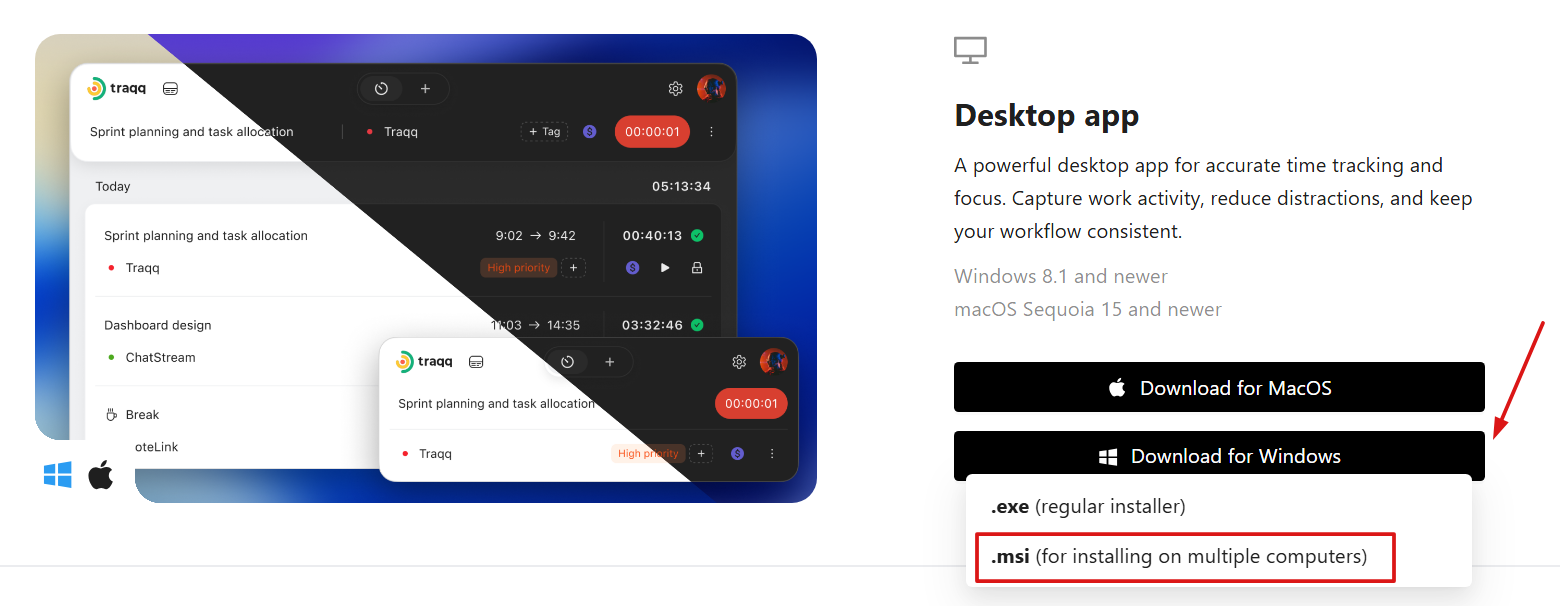
Install Traqq using the MSI package
The .msi installer can be deployed using your organization's software distribution tools, such as Microsoft Intune, Group Policy, or other device management solutions.
After deployment, Traqq will be installed on the selected computers.
Users can then open the app and sign in with their Traqq account.