Taxes
Traqq subscription payments are processed securely by Paddle. Paddle acts as the Merchant of Record for Traqq orders and handles payment processing, tax calculation, tax collection, and related compliance requirements.
Taxes are calculated automatically by Paddle based on your billing information and applicable tax regulations. The final amount, including any applicable taxes, is shown during checkout before you complete your payment.
How taxes are calculated
Applicable taxes are determined based on your billing information and local tax requirements.
Depending on your location, Paddle may include:
- VAT (Value Added Tax)
- GST (Goods and Services Tax)
- Sales tax
- Other local taxes
Adding tax information
If applicable, you can provide your tax information during checkout.
On the Paddle checkout page, select the option to add your tax information.
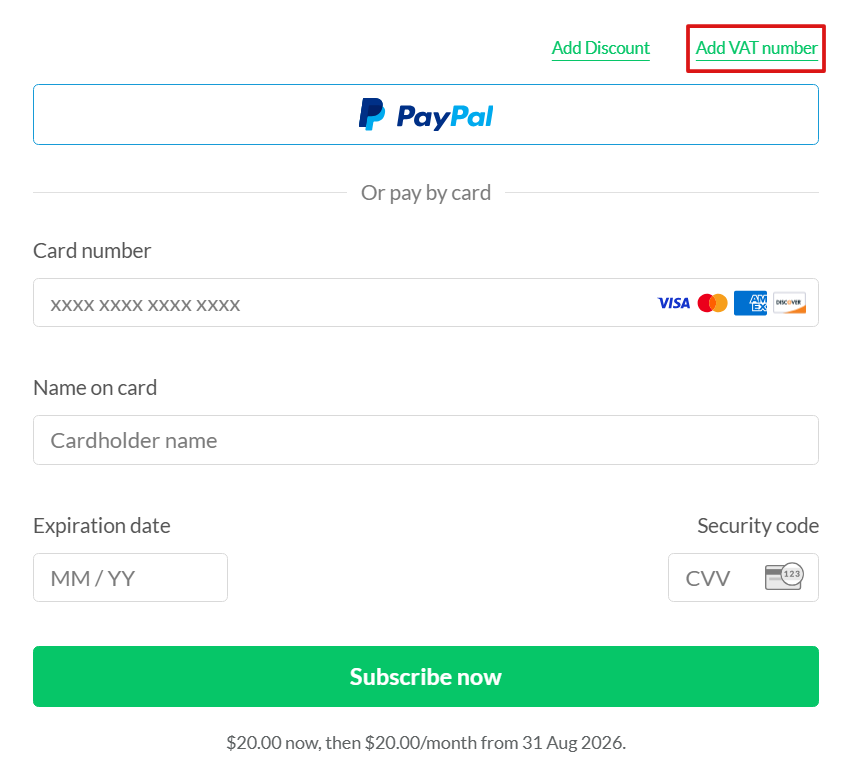
Enter your tax details and click Apply.