Setting individual working schedules and capacity
Workspace Owners and Admins can define individual working schedules for team members, including working days and daily capacity.
Set a schedule for a team member
To adjust schedule settings:
Step 1
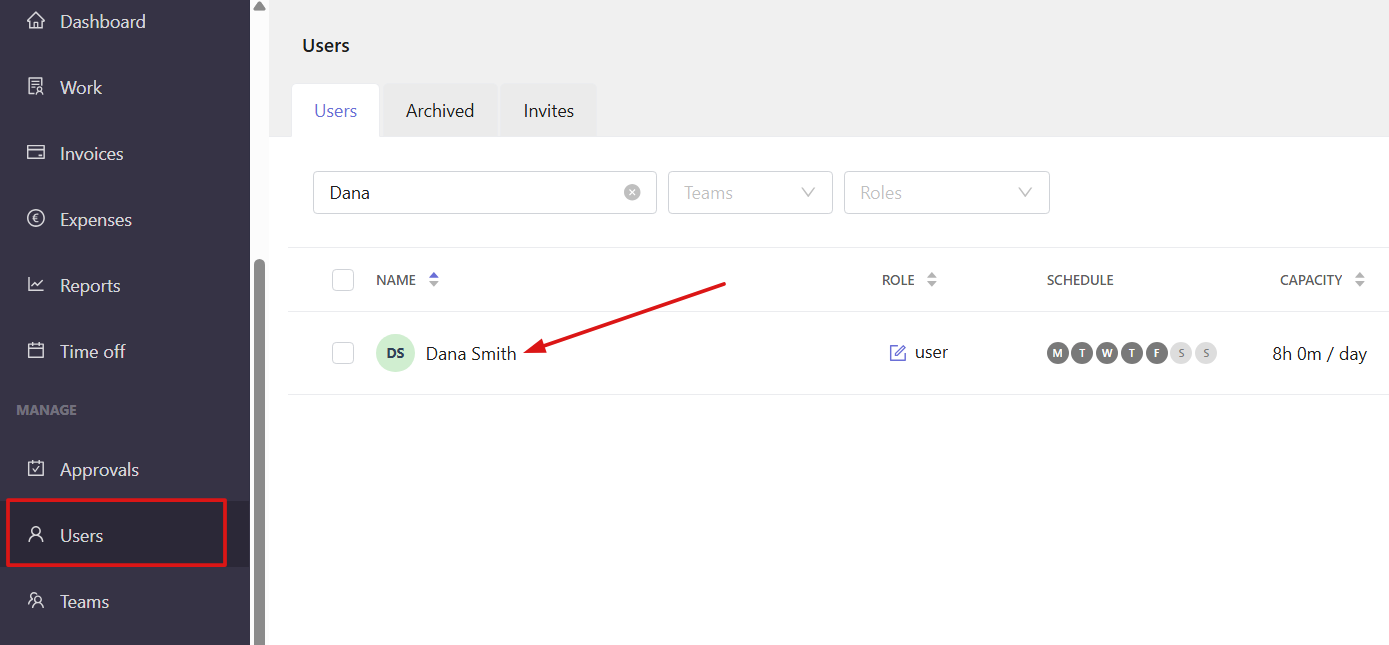
Open the Users section and click on a team member to open their profile.
Step 2
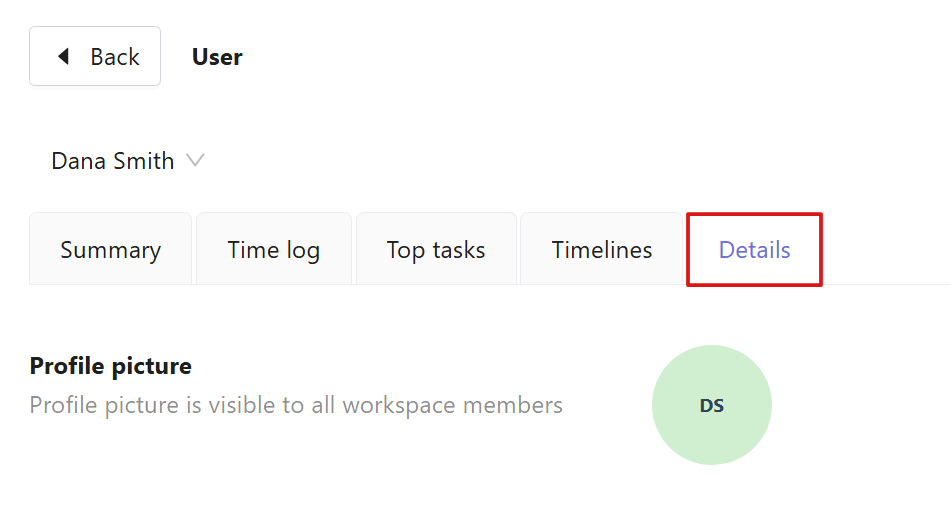
In the window that opens, select the Details tab.
Step 3
Scroll down to the Schedule section.
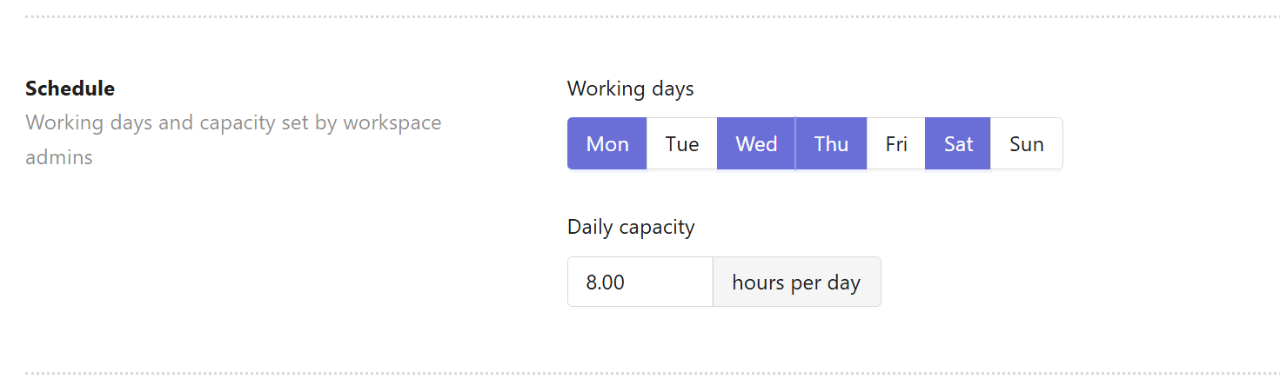
Here, you can configure the following options:
Working days — select the days of the week when work time is expected to be tracked.
Daily capacity — set the expected number of working hours per day.
If a user’s tracked time is below or exceeds the set daily capacity, it will be flagged in the compliance report. Learn more about monitoring compliance in this article.