Installing and removing Traqq browser extension
The Traqq browser extension lets you track time directly from your browser and sync your tracking activity with the Traqq web app and desktop apps.
Traqq supports:
- Google Chrome
- Microsoft Edge
- Mozilla Firefox
Install the extension
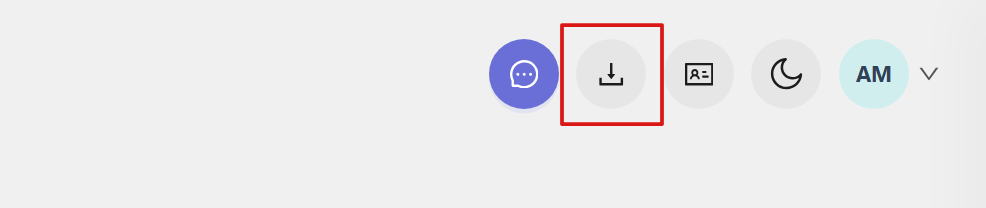
Open the Traqq web app and click the Download apps icon in the top-right corner.
On the download page, select your browser:
- - Download for Chrome
- Download for Firefox
- Download for Edge 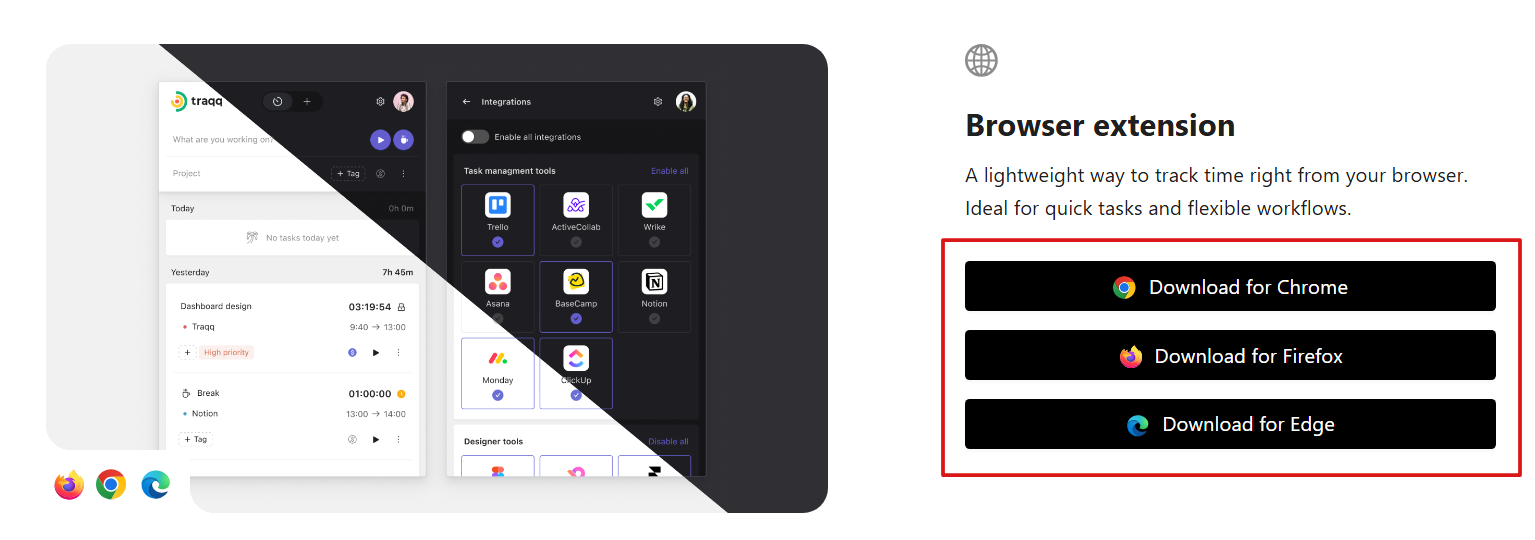
You will be redirected to the corresponding browser store, where you can install the extension.
Google Chrome
1. Click Add to Chrome.
2. Click Add extension to confirm.
Microsoft Edge
1. Click Get.
2. Click Add extension to confirm.
Mozilla Firefox
1. Click Add to Firefox.
2. Click Add to confirm.
After installation, the Traqq icon appears in your browser toolbar.
Remove the extension
To remove the Traqq browser extension, follow the steps below.
Google Chrome
1. Click the three-dot menu (top right) → hover over Extensions → click Manage Extensions.
2. Select Remove next to Traqq.
3. Click Remove again to confirm.
Microsoft Edge
1. Right-click the Traqq extension icon in the toolbar.
2. Select Remove from Microsoft Edge.
3. Confirm the removal.
Mozilla Firefox
1. Right-click the Traqq extension icon in the toolbar.
2. Select Remove Extension.
3. Confirm the removal.