Time reporting software
Turn tracked time into time reports for planning, capacity management, billing, and compliance.
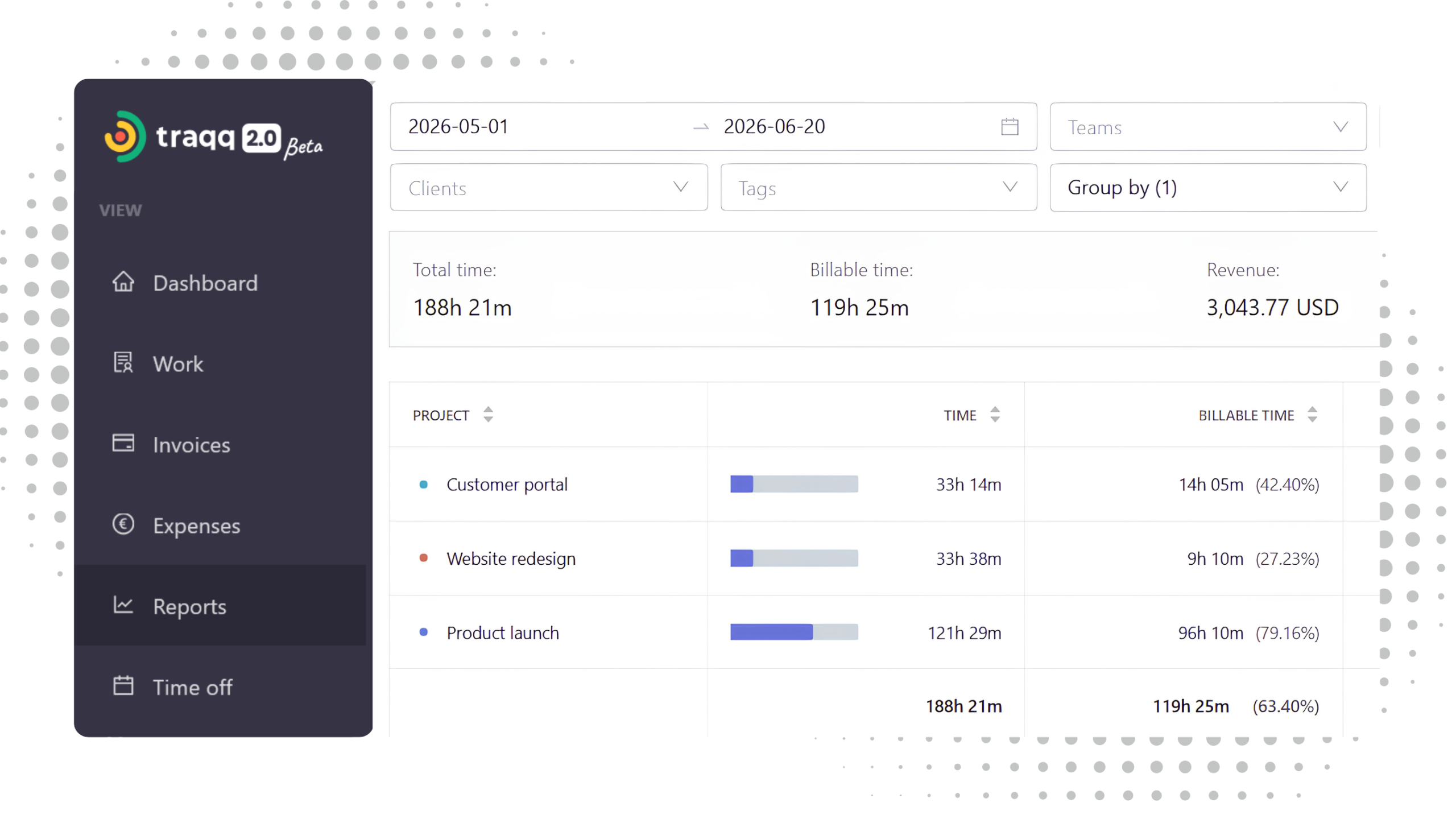
See how work is distributed across your organization
Traqq turns tracked time into time reports that combine time, attendance, and financial data. Use reports to review workload, capacity, overtime, and project performance in one place.
Time reports
Analyze how tracked time is distributed across work.
◆︎ Total and billable time
◆︎ Time by teams and users
◆︎ Time by projects and clients
◆︎ Customizable date ranges
Capacity insights
Compare workload with planned capacity.
◆︎ Users over and under capacity
◆︎ Overtime tracking
◆︎ Average daily work per user
◆︎ Total work days
Financial data
Connect time with cost and revenue.
◆︎ Revenue breakdowns
◆︎ Cost tracking
◆︎ Total and detailed views
◆︎ Billable time reporting
Attendance tracking
Review attendance and work patterns.
◆︎ Clock in / clock out records
◆︎ Work and break time per user
◆︎ Absence tracking
◆︎ Time off visibility
Time report views
Move from summaries to individual time entries.
◆︎ Summary view
◆︎ Weekly breakdown
◆︎ Detailed view for entries
◆︎ Filters and grouping

How are reports created?
Reports are built automatically from recorded time. Associate tracked time with projects, tasks, clients, teams, and users, and set billable and cost rates for your workspace, projects, or users. As work is tracked, Traqq automatically generates time, financial, and compliance reports. You can then export reports for further analysis or sharing.
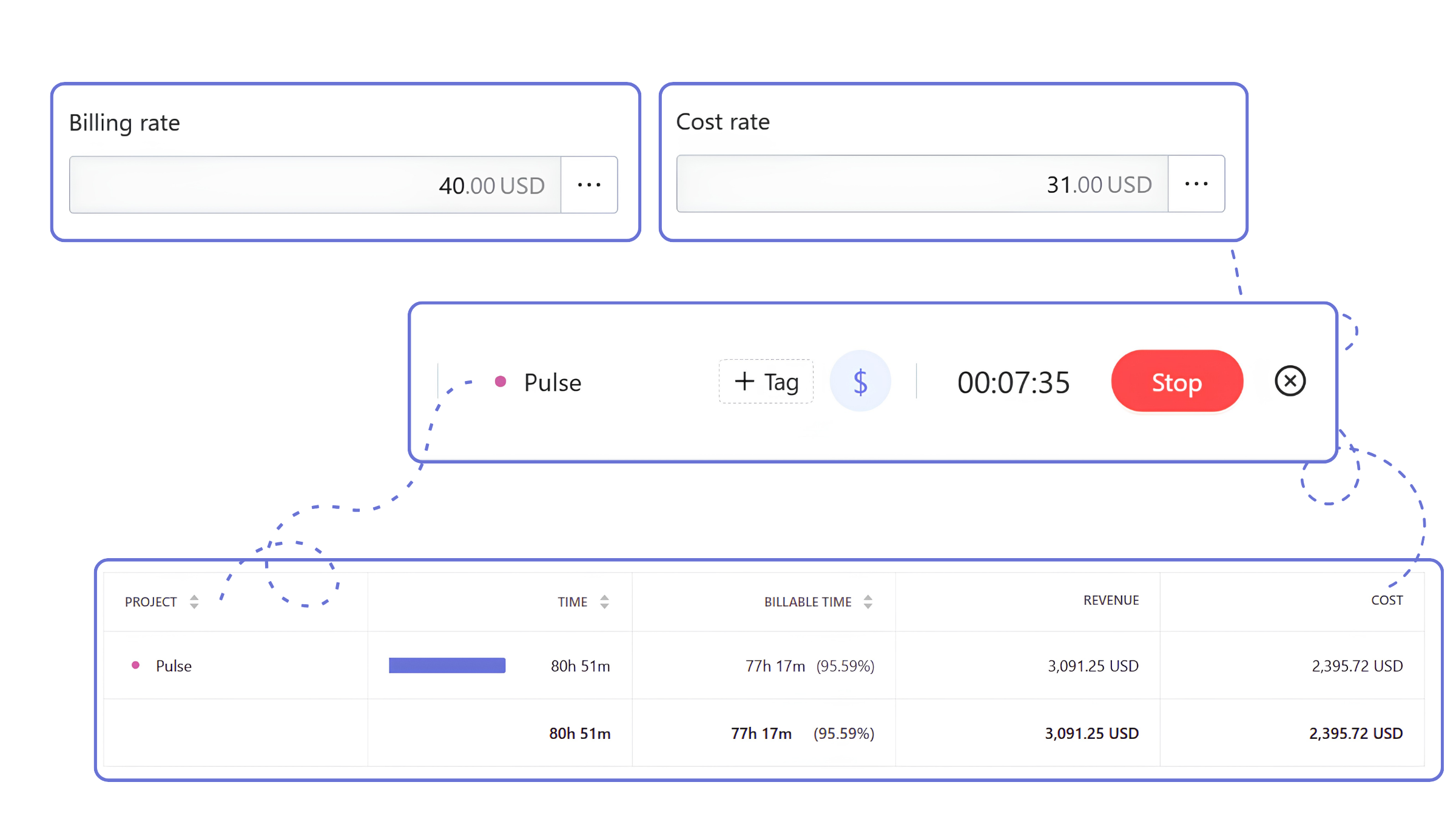
What can you see in time reports?
Use reports to answer common questions about workload, attendance, overtime, projects, and costs.
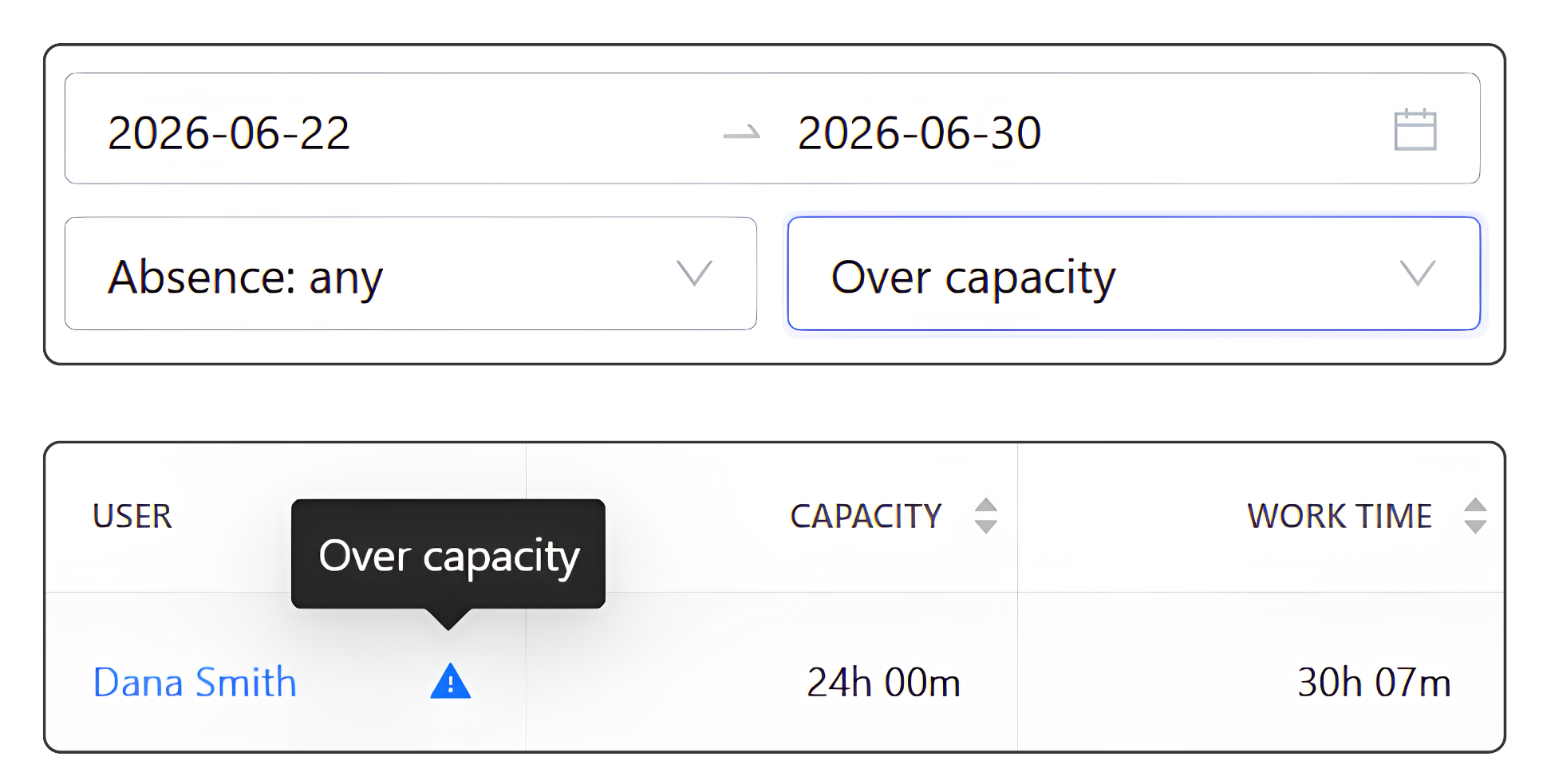
Who is over capacity?
Compare tracked time with scheduled hours to see which users or teams are above or below their planned capacity.
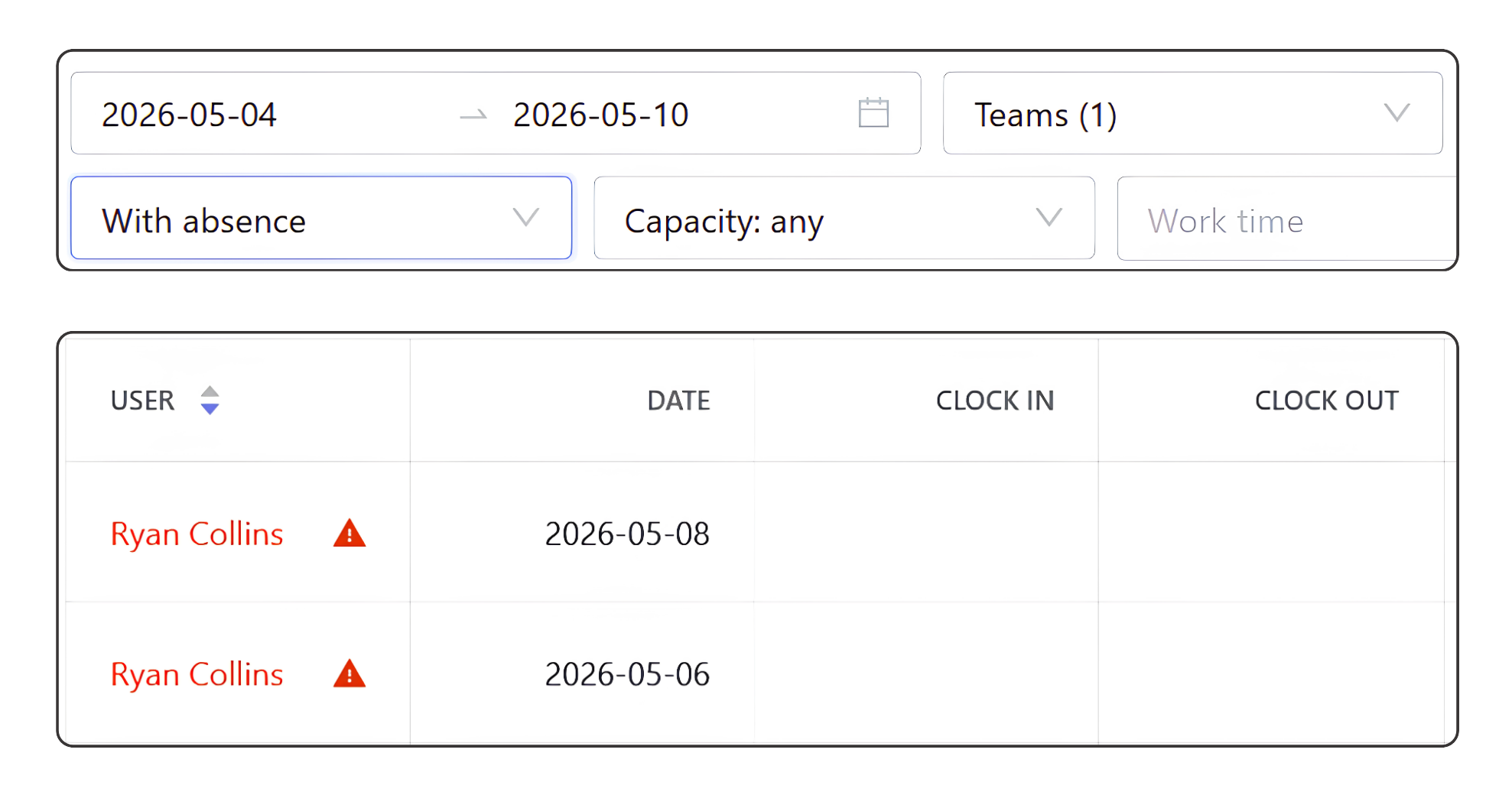
Who was absent?
Set filters to see only users who were absent during the selected period.
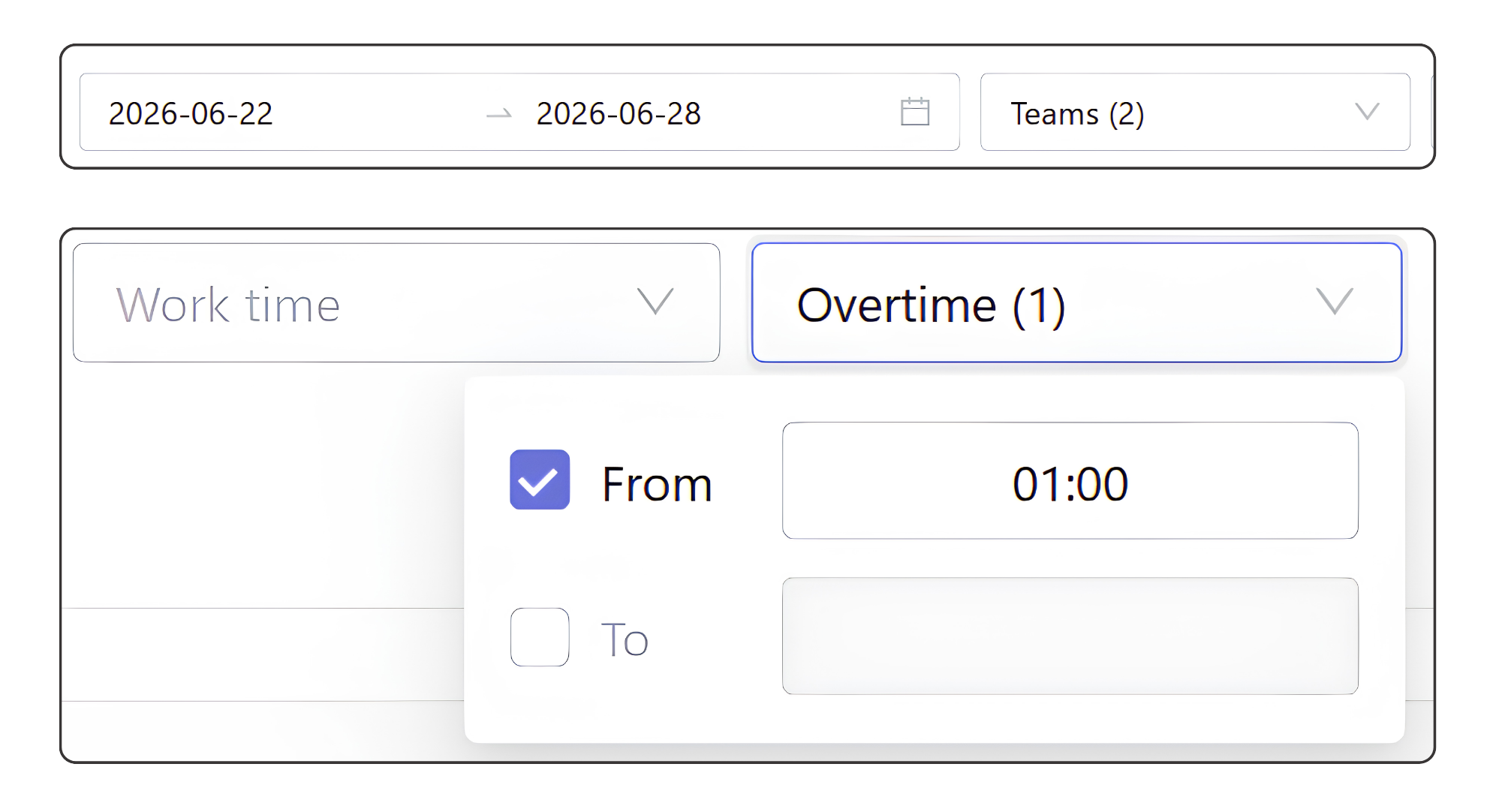
Where is overtime highest?
Set an overtime threshold in the filters to see which users or teams exceeded it.
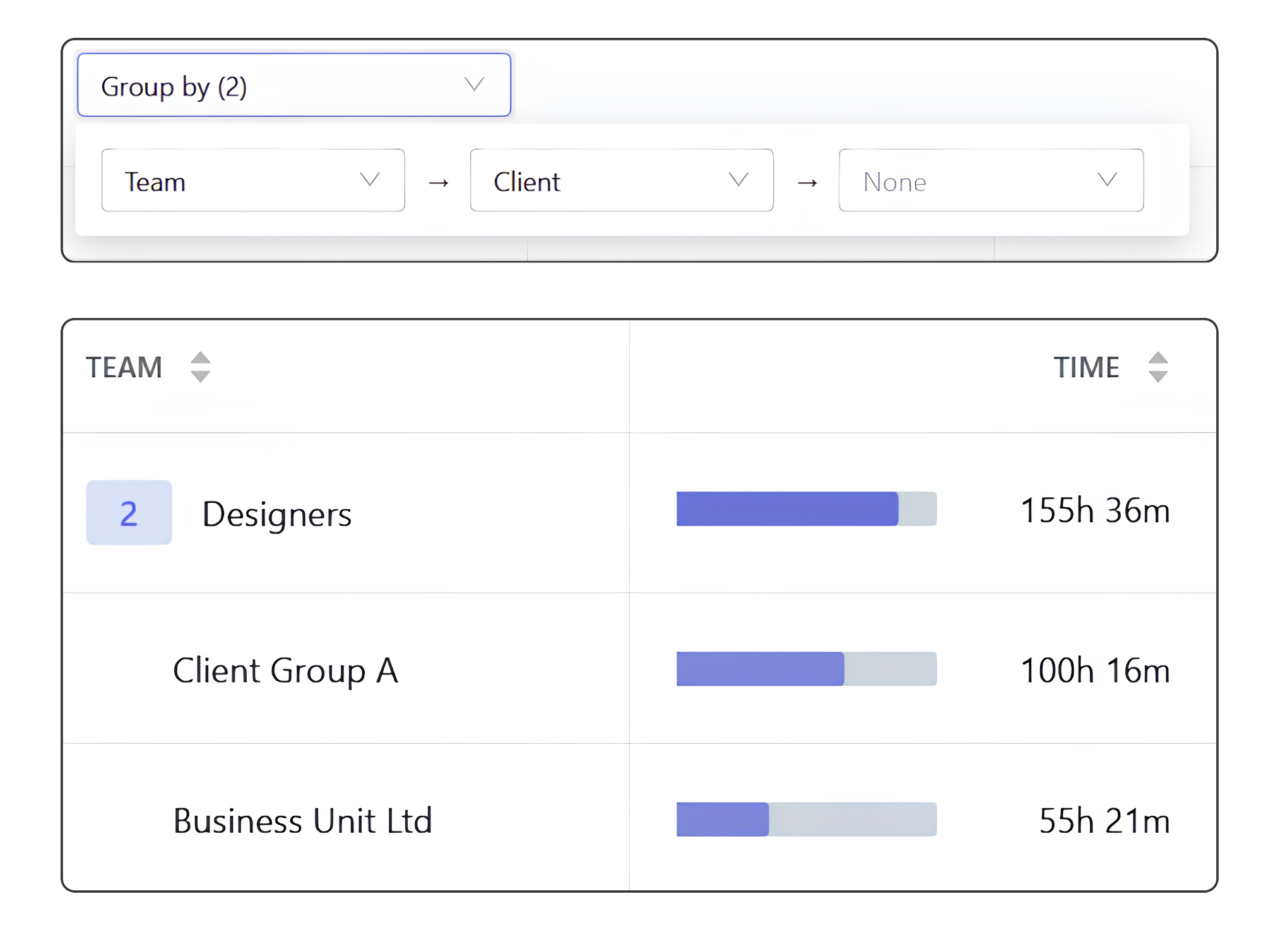
How is work distributed across clients?
See how tracked time is divided between clients.
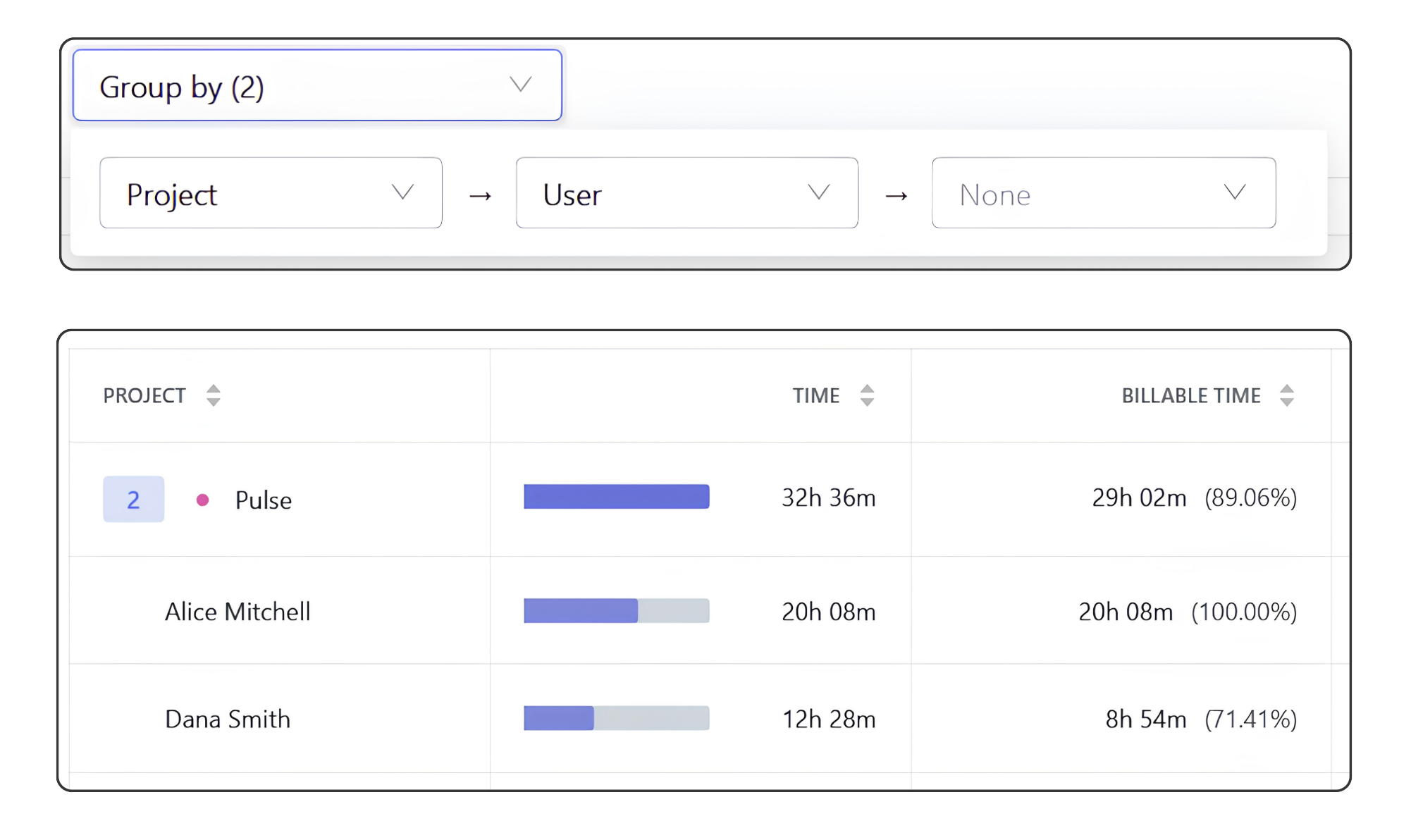
Which team members spent the most time on a project?
Review tracked time by project to see which users spent the most time on it.
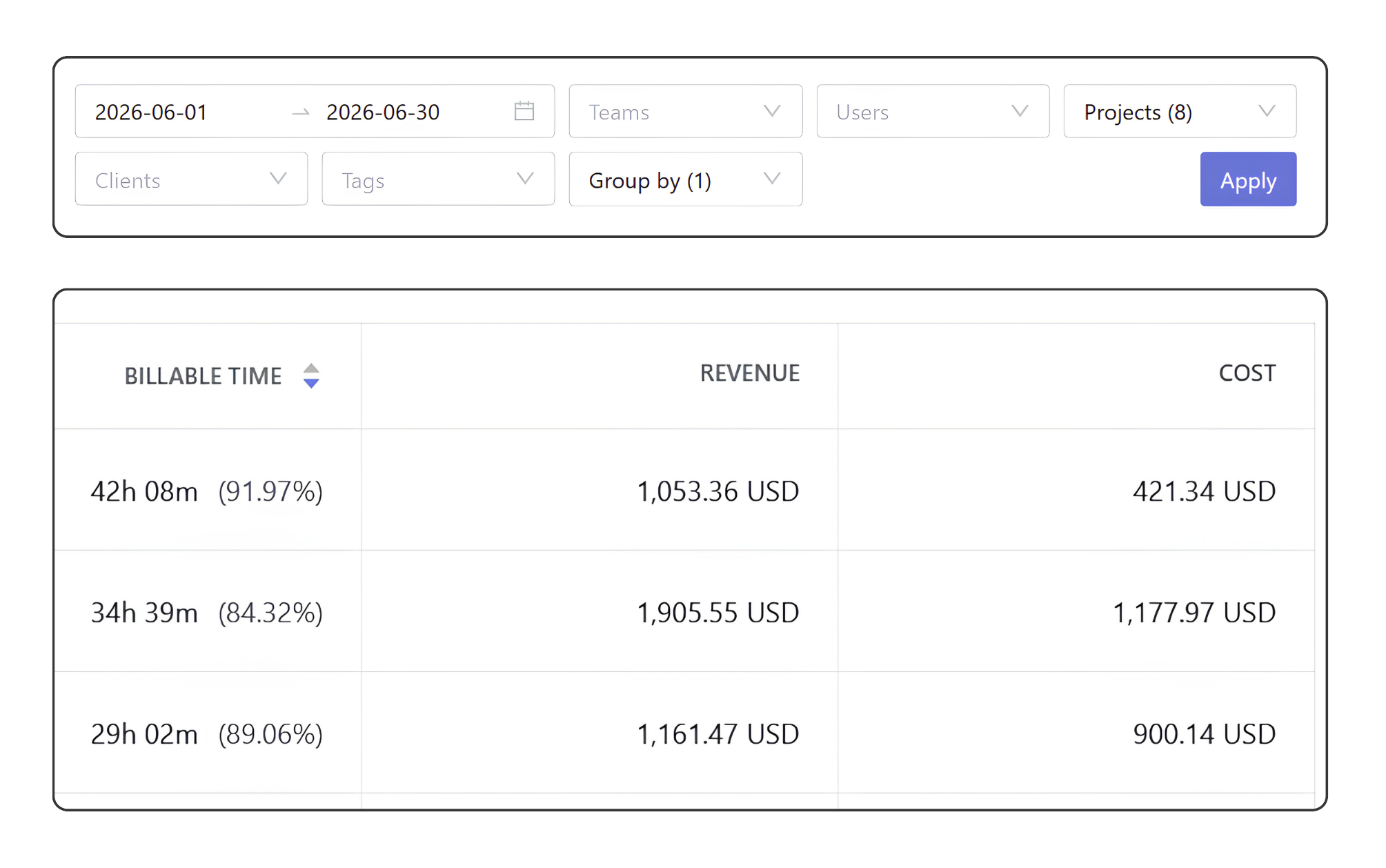
How profitable is each project?
Compare project revenue and costs based on tracked time and billable and cost rates.
FAQ
What is time reporting?
Time reporting is a way to analyze tracked work time and use it for planning, workload management, billing, compliance, and project analysis. Traqq lets you generate reports by users, teams, projects, clients, and dates.
What reports are available?
Traqq includes two types of reports: Time reports and Compliance reports. Time reports show how time is spent across projects, clients, teams, and users, along with revenue and cost data. Compliance reports show how actual work compares with scheduled hours and planned capacity.
Can I filter reports by projects, teams, or clients?
Yes. You can filter and group data by projects, clients, teams, users, tags, and date ranges. Reports update instantly based on your selection.
Can I see individual time entries?
Yes. The Detailed view shows every tracked time entry together with its project, task, user, duration, revenue, and cost.
How is capacity calculated?
You define work schedules for each user, and reports use them as the capacity baseline to compare against actual tracked work time.
How are revenue and cost calculated?
Revenue and cost are calculated automatically from tracked time using billable and cost rates set at the workspace, project, or user level.
Can I use preset reports or save custom reports?
Yes. Quick presets open prefiltered reports like overtime, billable time, or attendance. You can then refine them further using filters for users, teams, and projects. You can also set your own filters and save the report to Custom Reports for quick access later.