DeskTime alternative for privacy-focused teams
Traqq is a DeskTime alternative that helps teams track time, manage project progress, balance workloads, and handle client billing — without screenshots, app and website tracking, or productivity scoring.
Traqq vs DeskTime
Traqq and DeskTime take different approaches to time tracking. Traqq gives users control over how their time is recorded, with a timer and manual entries. DeskTime can track time automatically from activity on an employee’s computer, including the apps and websites they use.
| Feature | Traqq | DeskTime |
|---|---|---|
| Employee monitoring | ||
| Screenshot capture ? | × | ✓ |
| App & website tracking ? | × | ✓ |
| Idle time detection ? | × | ✓ |
| Activity tracking ? | × | ✓ |
| Document title tracking ? | × | ✓ |
| IP-based location tracking ? | × | ✓ |
| Time tracking | ||
| Timer-based time tracking ? | ✓ | ✓ |
| Activity-based time tracking ? | × | ✓ |
| Task-based time tracking ? | ✓ | ✓ |
| Project time tracking ? | ✓ | ✓ |
| Workload & team management | ||
| Work schedules ? | ✓ | ✓ |
| Teams & managers ? | ✓ | ✓ |
| Roles & permissions ? | ✓ | ✓ |
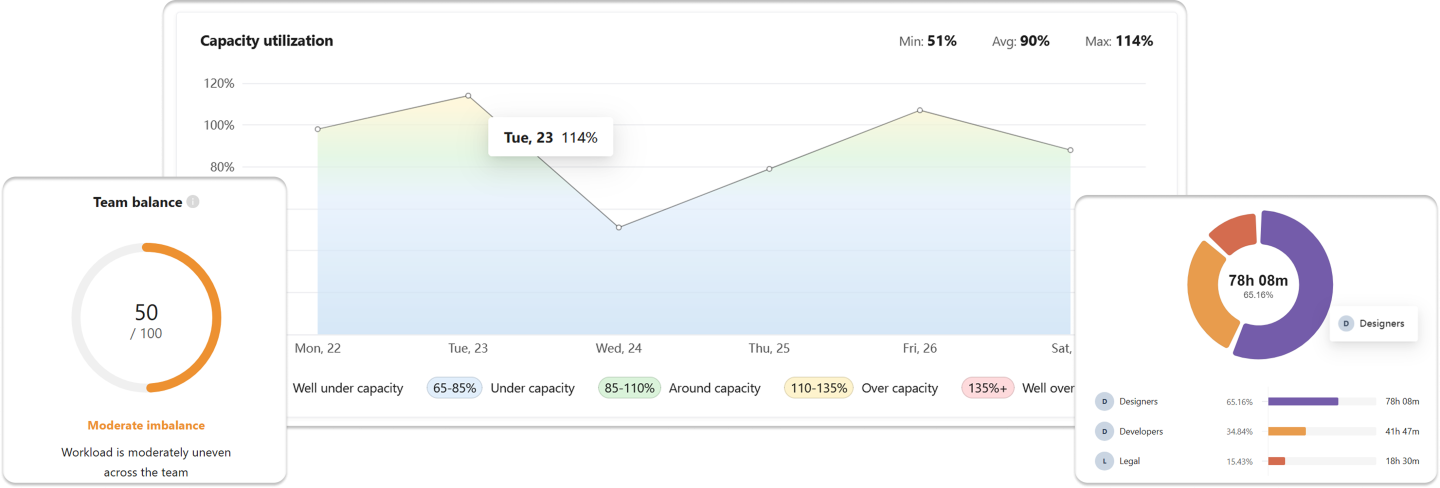
| Workload balance tracking ? | ✓ | × |
| Billing & invoicing | ||
| Billable time tracking ? | ✓ | ✓ |
| Client management ? | ✓ | × |
| Project profitability ? | ✓ | × |
| Expense tracking ? | ✓ | × |
| Client invoicing ? | ✓ | × |
Track work, not employee activity
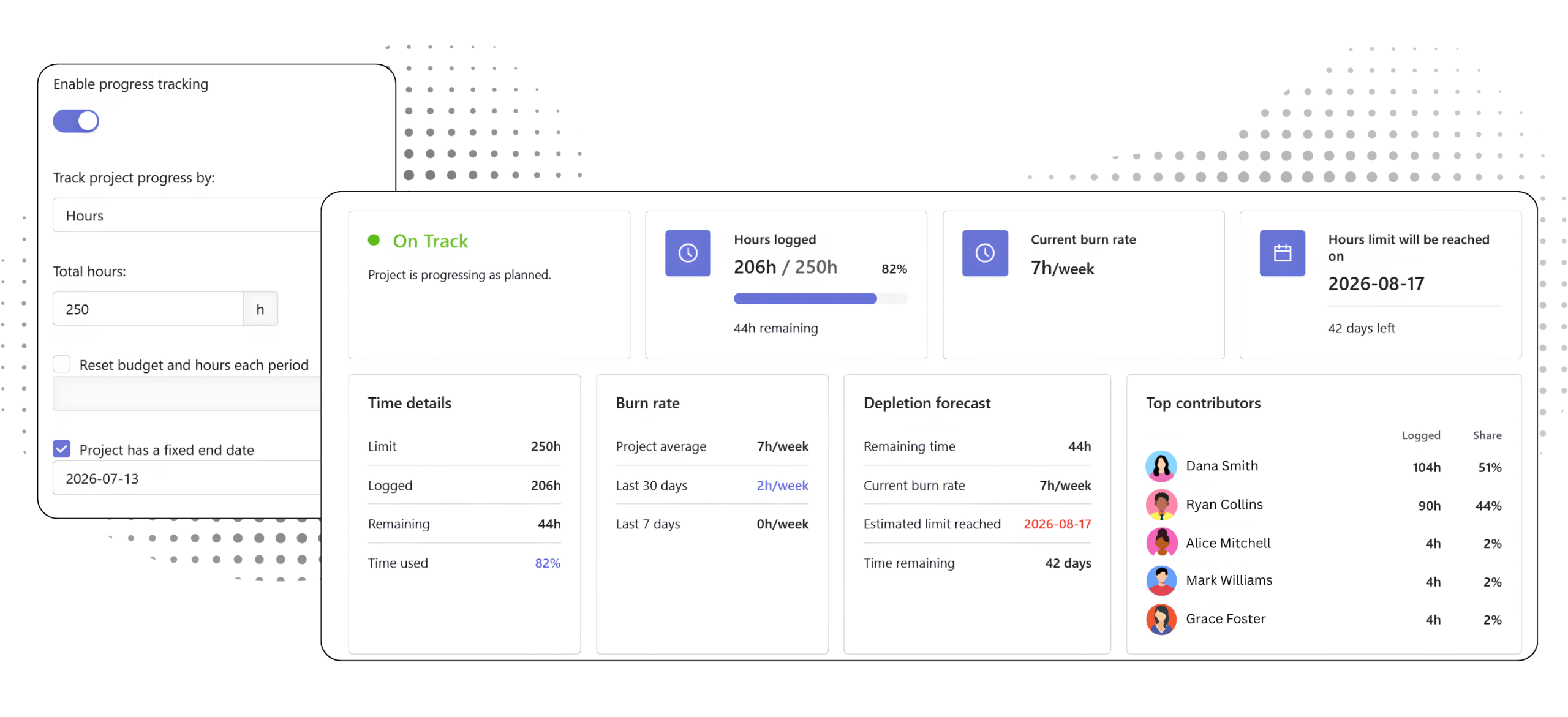
With Traqq, teams can use tracked time to follow project progress, compare planned capacity with actual time, manage budgets, and handle billing and expenses.
More about Traqq as a DeskTime alternative
What is the difference between Traqq and DeskTime?
Traqq uses tracked time for project, workload, and financial reporting. Teams can track costs and revenue, compare workloads with capacity, and create invoices. DeskTime puts more emphasis on how people use their computers, with features for app and website tracking, productivity measurement, and employee activity monitoring.
Does Traqq monitor employee activity?
No. Traqq bases its reporting on tracked time, work schedules, and rates. Teams can use this data to understand costs, revenue, capacity, and other business metrics without collecting screenshots or monitoring computer activity.
What types of teams is Traqq best for?
Traqq is a good fit for remote teams, agencies, software companies, professional services teams, and other businesses that need a clear view of time, capacity, project costs, and client work.
Why choose Traqq instead of DeskTime?
Choose Traqq when you need time tracking for planning, project decisions, and financial reporting. Teams can use tracked hours, schedules, and rates to understand capacity, costs, revenue, and margins without monitoring employee activity.