Timesheets & expenses
Manage timesheets, expenses, and approvals across your workspace.
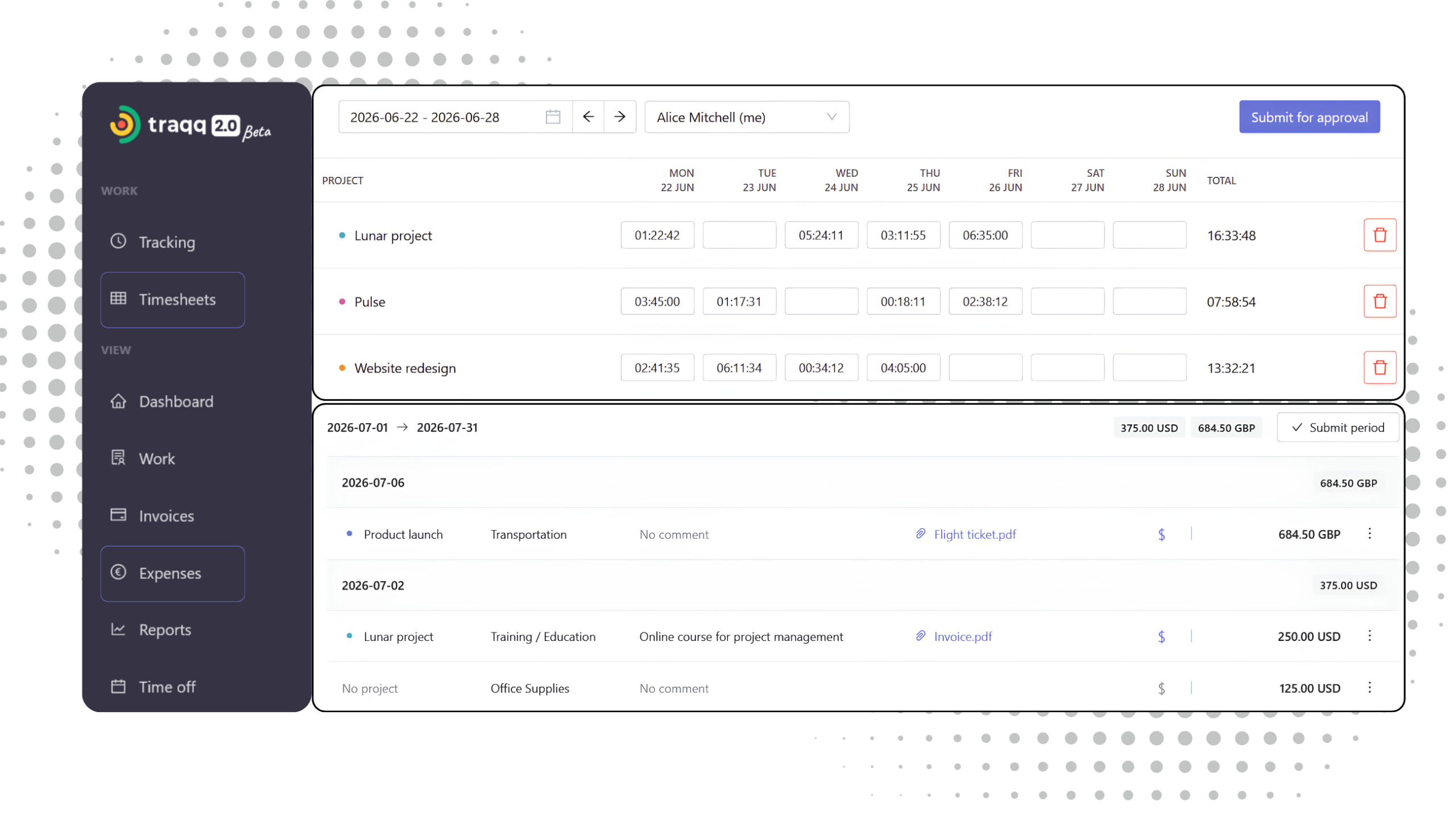
Structured records for time and expenses
Timesheets organize tracked time by user, project, and reporting period. Expenses capture work-related costs with categories, quantities, and supporting attachments.
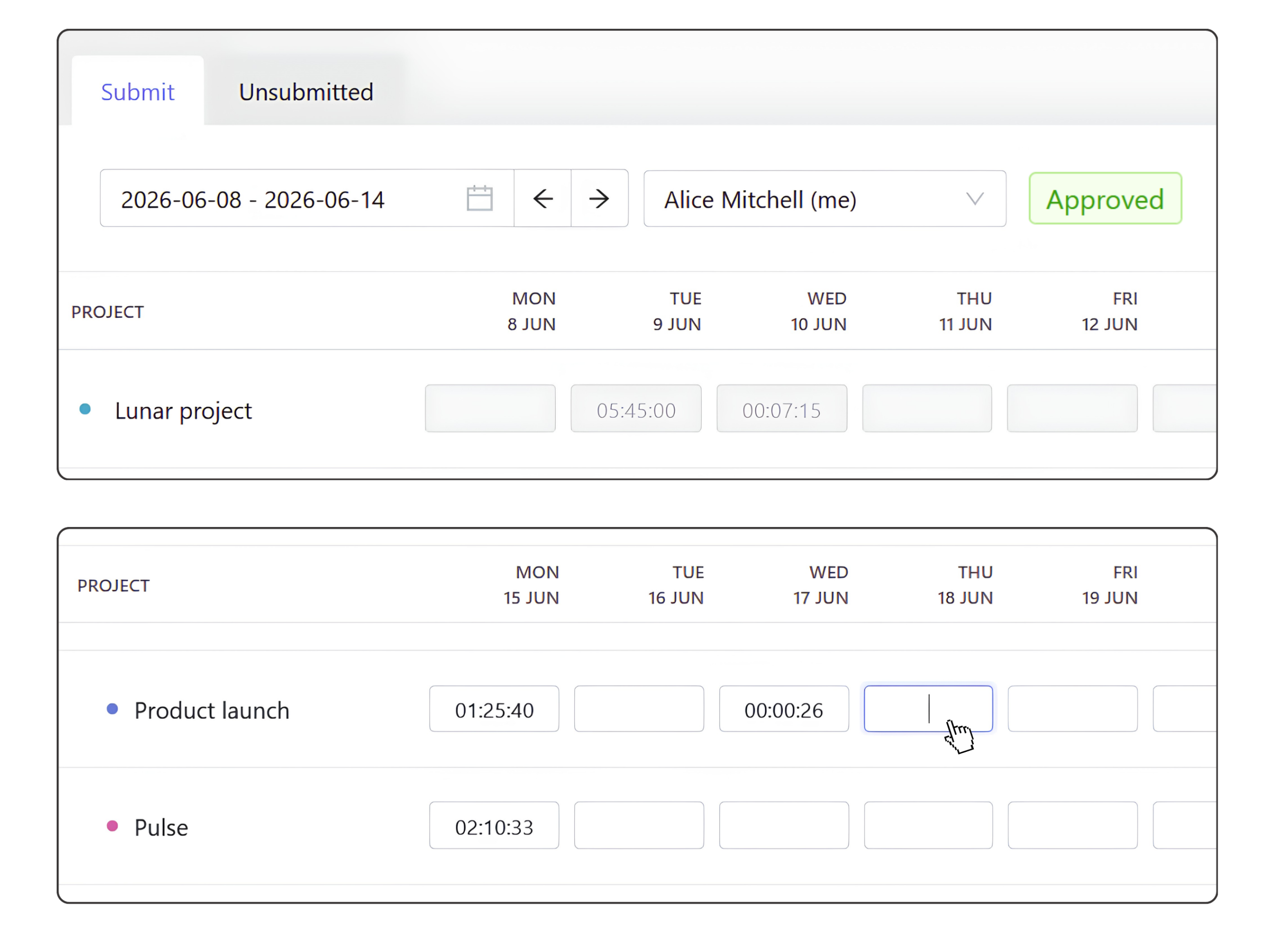
Timesheets
Tracked time and timesheets stay synchronized automatically. Time recorded with the timer or added manually appears instantly in both views.
- Review tracked and manual time together
- Edit time directly in the grid
- Group work by project and time period
- Add new project rows
- Delete unsubmitted time entries
When a timesheet is ready, submit it for approval. Until then, it remains fully editable.
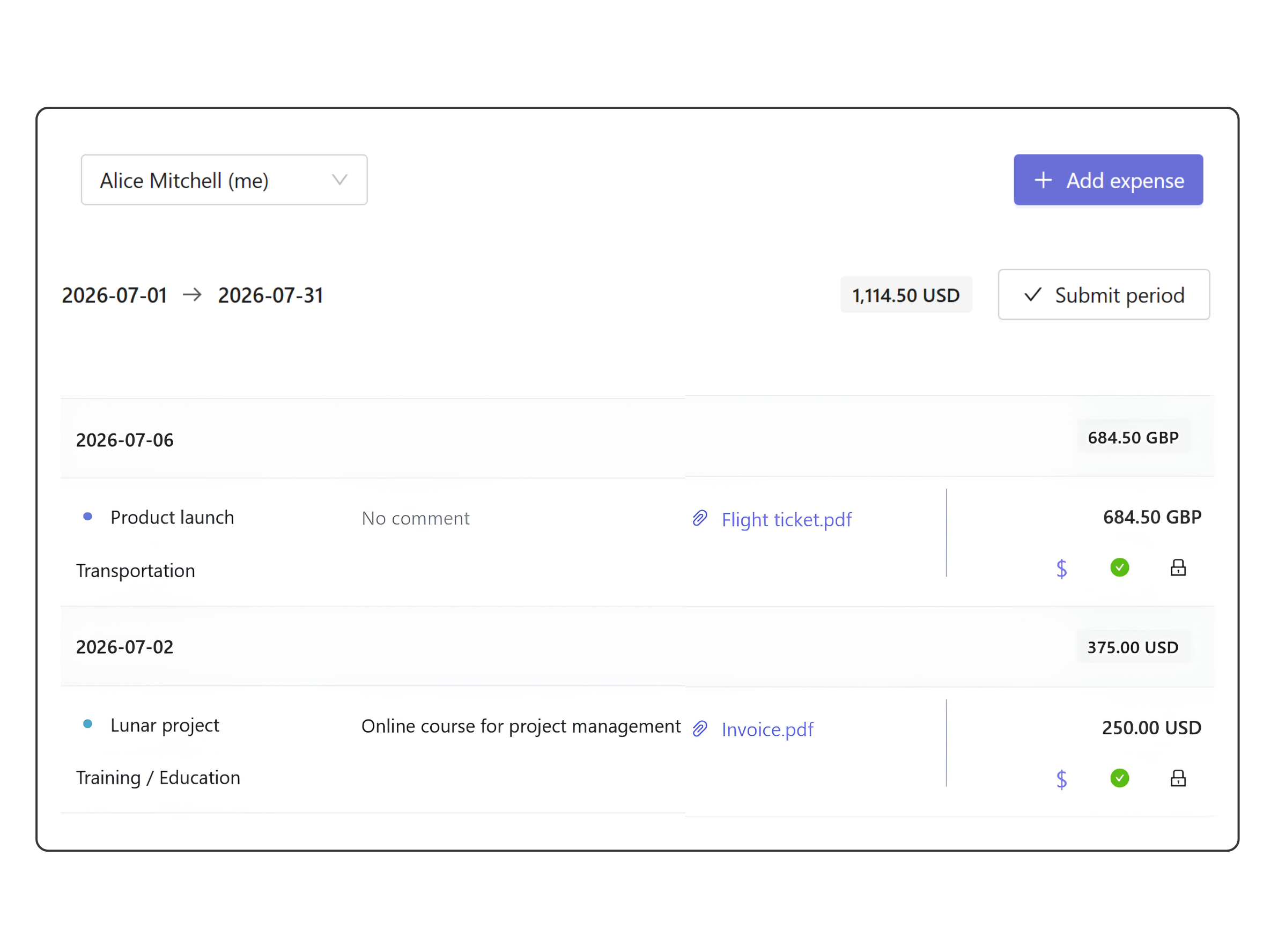
Expenses
Record project-related costs such as travel, transport, or operational expenses. Each expense is linked to a user, project, and time period.
- Assign expenses to projects
- Organize costs by category
- Attach receipts and supporting files
- Mark expenses as billable or non-billable
Submit expense records for approval when they’re ready. Until approval, expenses can be updated or withdrawn.
Review and approve submissions
Review submitted timesheets and expenses from a single approval queue.
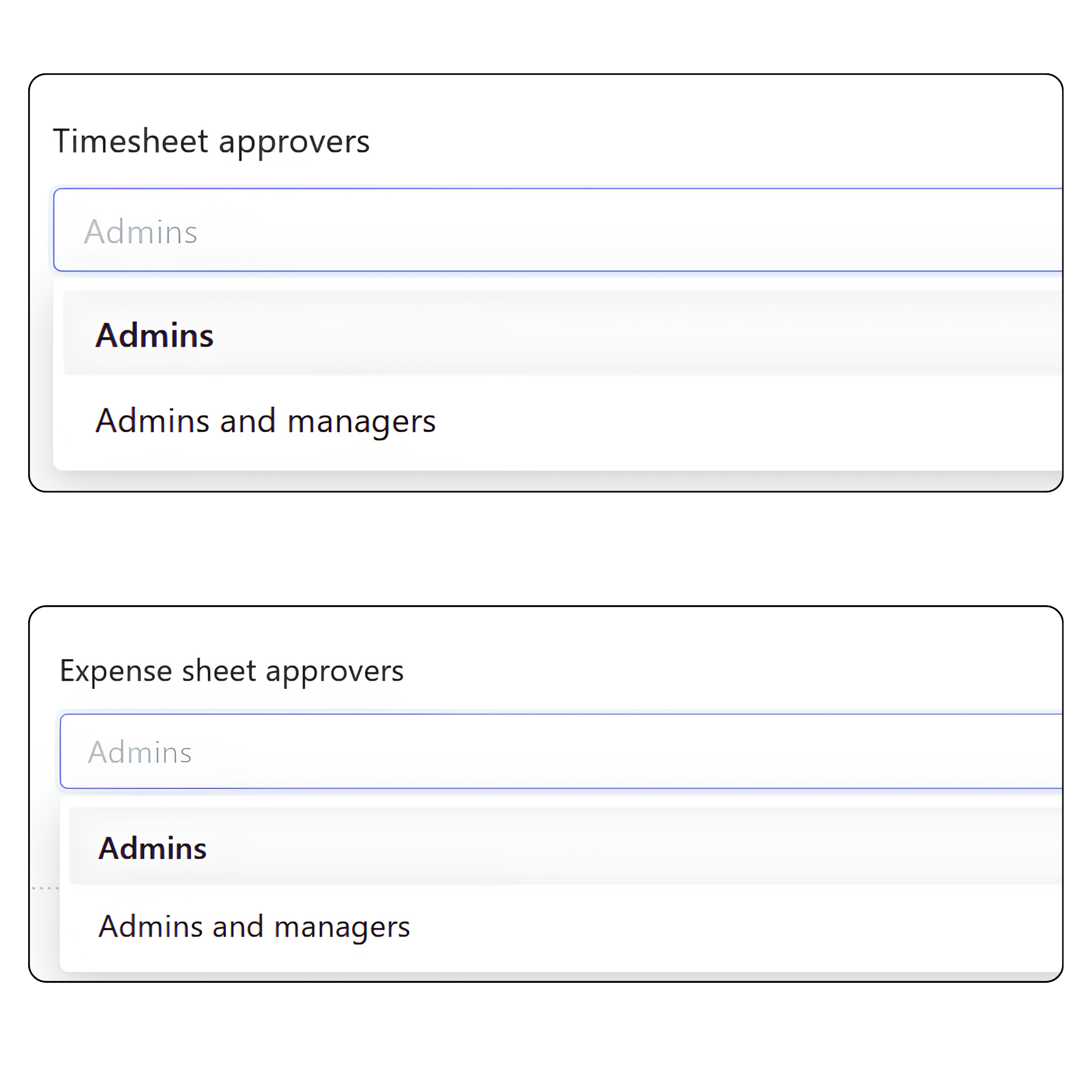
Approval permissions
Workspace Owners define who can approve submissions:
- Admins — only Admins can approve timesheets and expenses
- Admins and Managers — Managers can also approve submissions for users assigned to their teams or projects.
Status
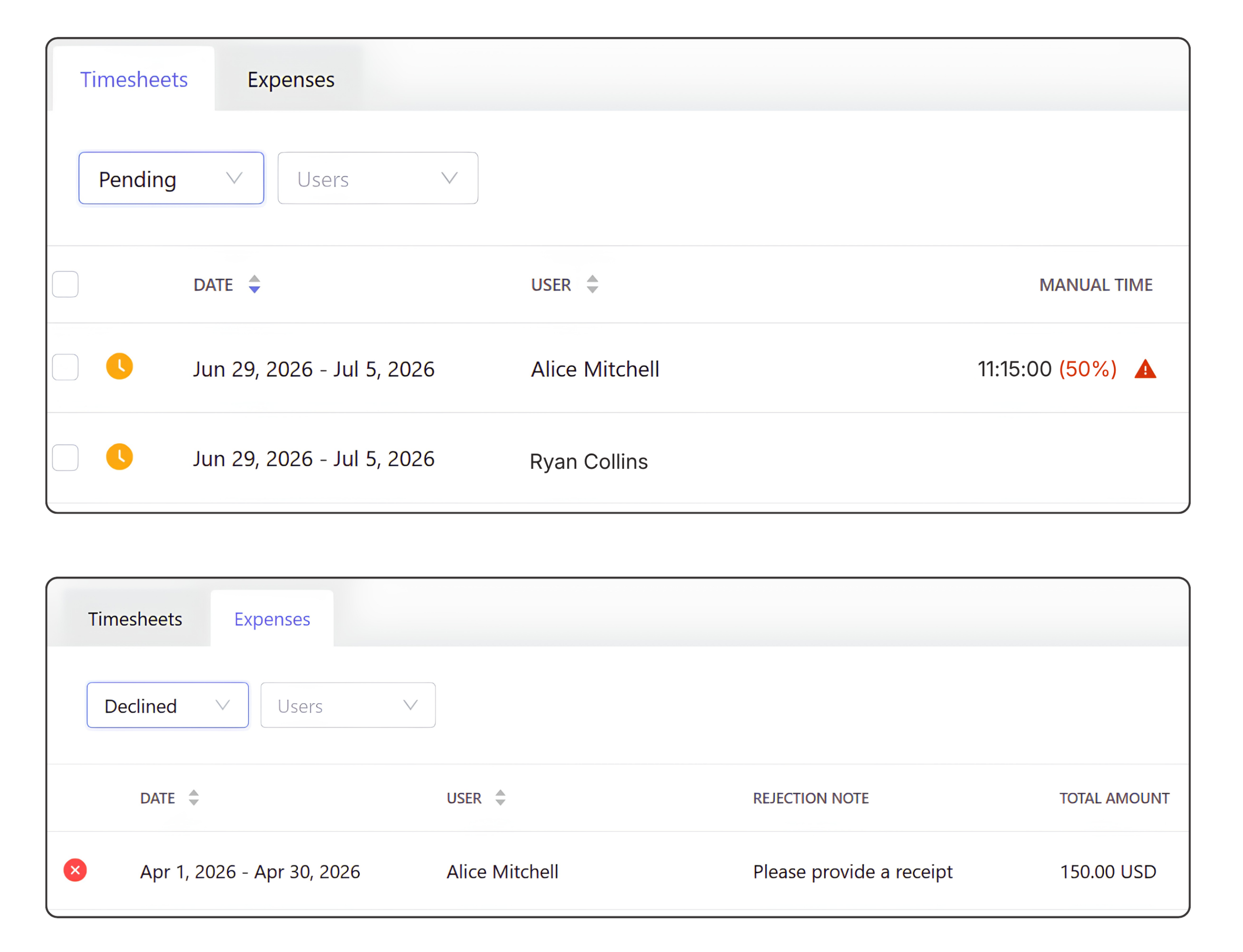
Each timesheet and expense moves through a clear status flow:
- Pending — submitted and waiting for review
- Approved — accepted and locked
- Declined — returned for edits and can be resubmitted
Review workflow
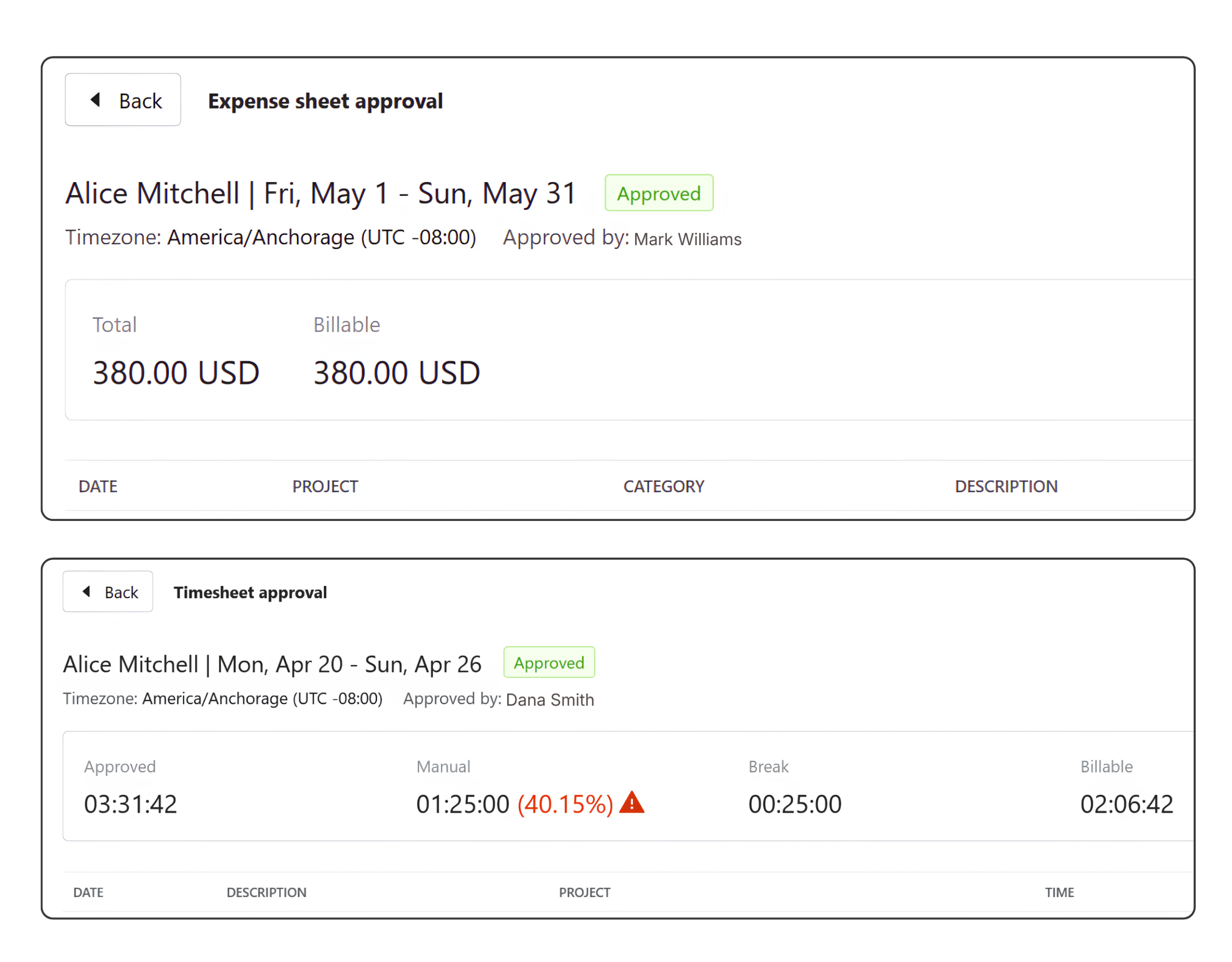
Approvals are handled in a single view for both timesheets and expenses.
- Filter by status (Pending, Approved, Declined)
- Open detailed view with full breakdown
- Approve or decline with feedback
- Bulk approve multiple records
FAQ
Do time logs and timesheets store separate data?
No. They are two views of the same time records. Changes made in either view stay synchronized automatically.
What happens when a submitted timesheet changes?
Changes made while a timesheet is pending are reflected automatically in the approval view. Once approved, the timesheet is locked.
Why use timesheets if time is already tracked?
Time tracking records individual work sessions. Timesheets organize the same data for review and approval without creating duplicate records.
Can expenses be billed to clients?
Yes. Expenses can be marked as billable and added manually to client invoices.
Can expenses include receipts?
Yes. Attach receipts and other supporting files to individual expense records.
Can approval permissions be configured?
Yes. Workspace Owners choose whether approvals are handled by Admins only or by both Admins and Managers. Managers can approve submissions only for users assigned to their teams or projects.