Clients, projects & tasks
Structure work from client to task and keep every time entry traceable, billable, and ready for reporting.
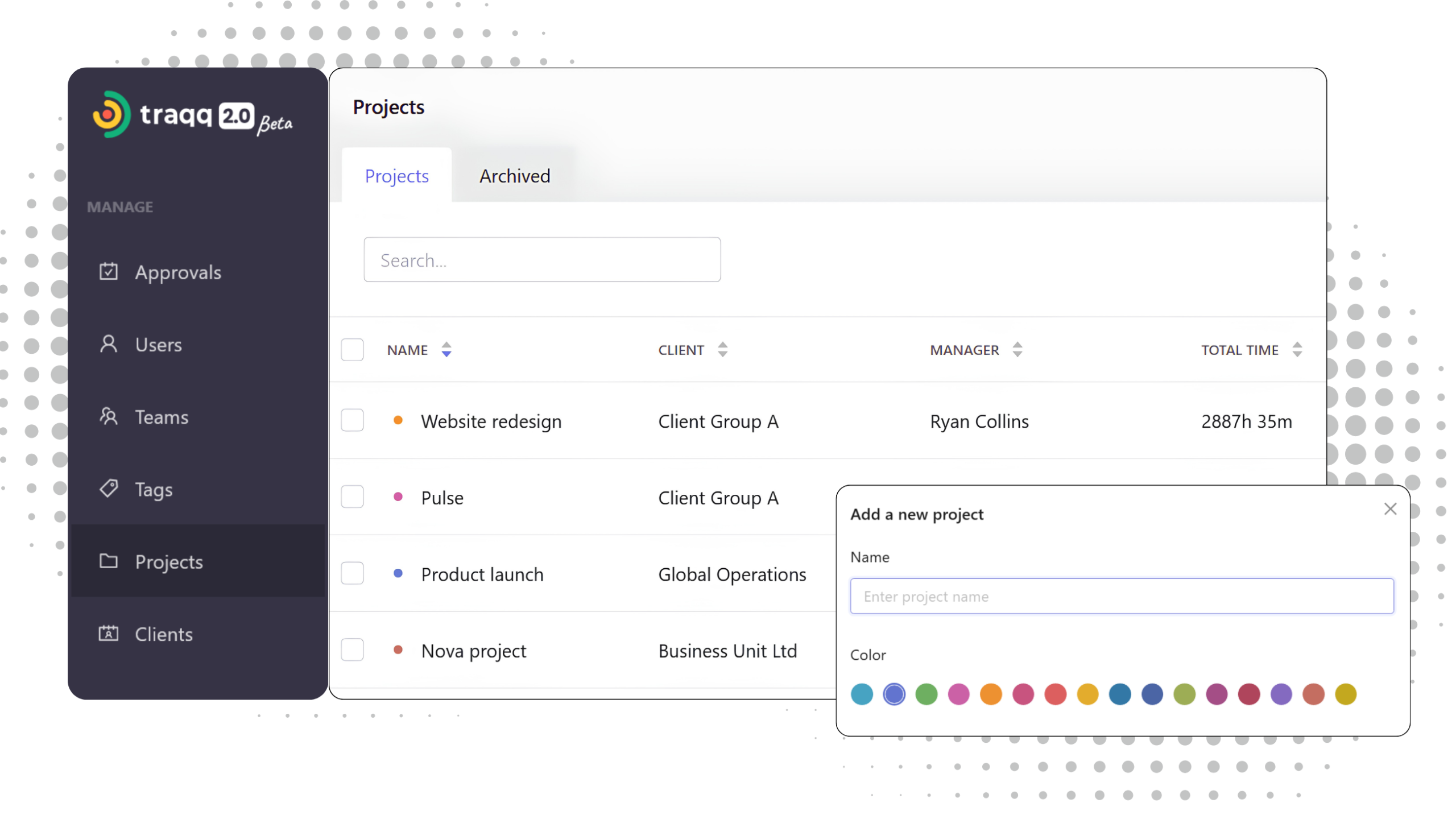
Turn time into a structured system
Traqq organizes work into a simple hierarchy: add clients, connect them to projects, and assign tasks as you track time. Every time entry carries this structure into reports, invoices, and project financials automatically.
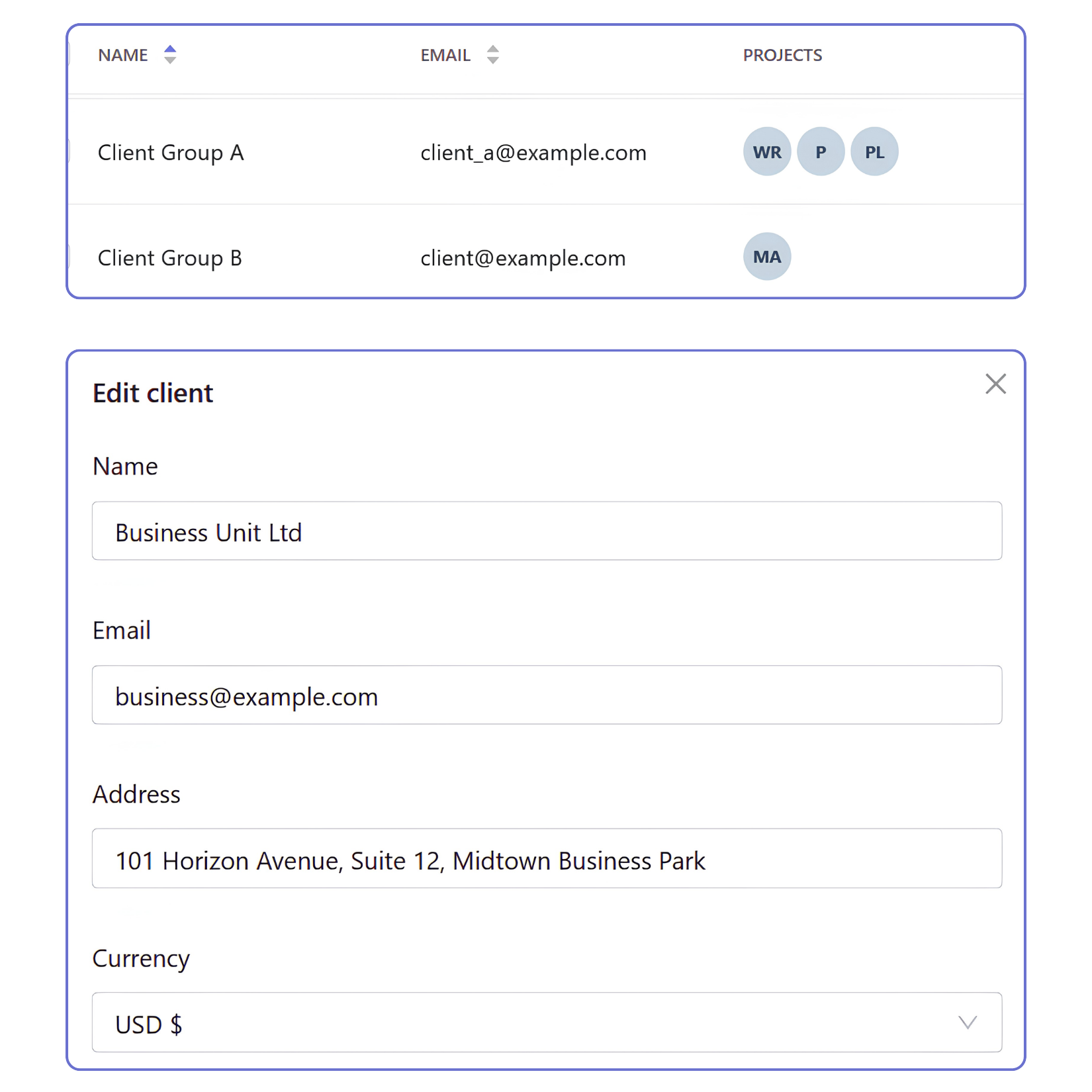
Clients
- Keep client work organized
Store client information once and connect it to projects, invoices, and reports across your workspace. - Choose currency
Assign a currency for each client to keep reporting and invoicing consistent across related projects. - Connect clients to multiple projects
Associate multiple projects with the same client to keep long-term work organized without duplicating records.
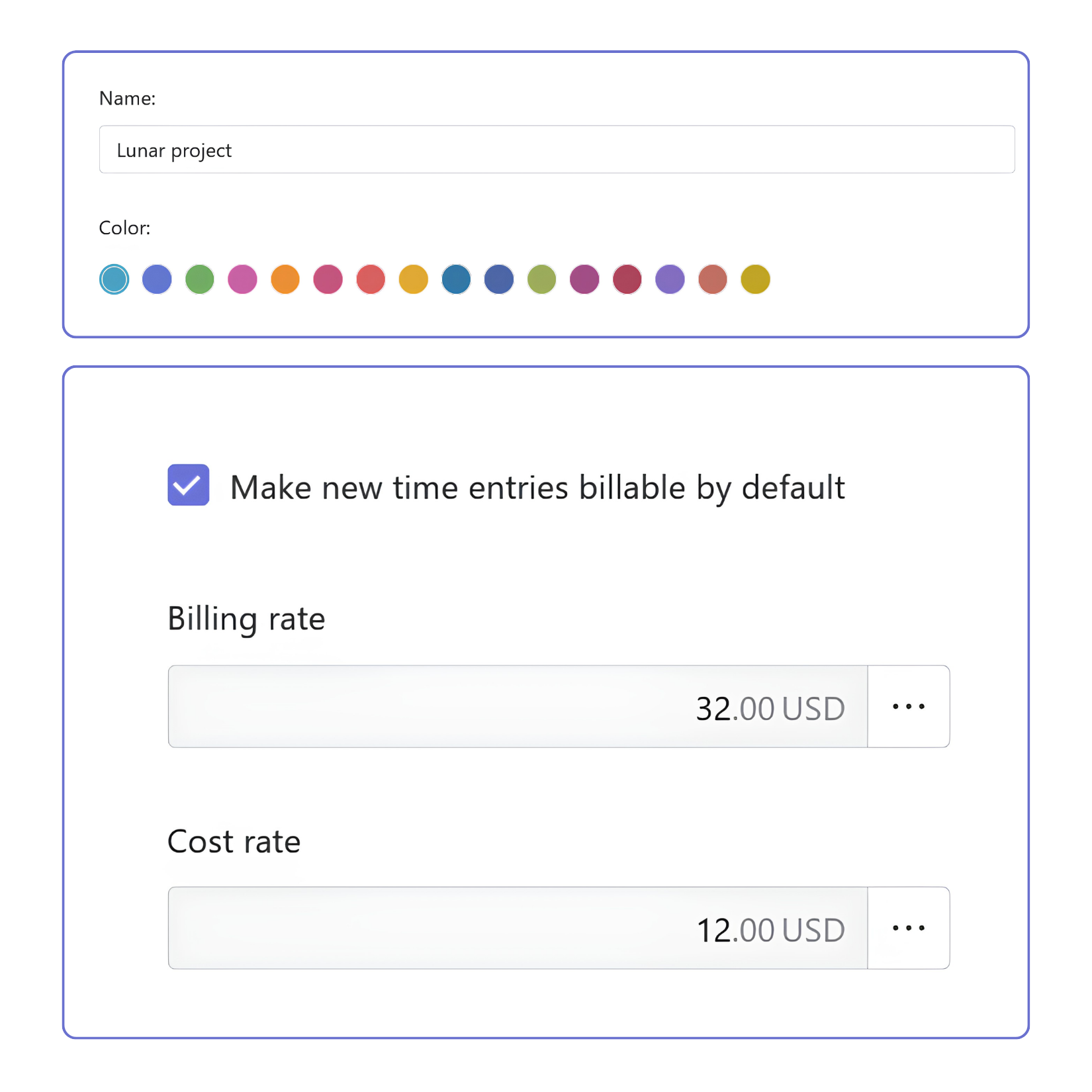
Projects
- Organize work into projects
Create projects with names and colors that make them easy to recognize throughout the workspace. - Control project access
Assign members and project managers to control who can track time and access project data. - Configure project billing
Set project-specific billable and cost rates, and choose whether new time entries are billable by default.
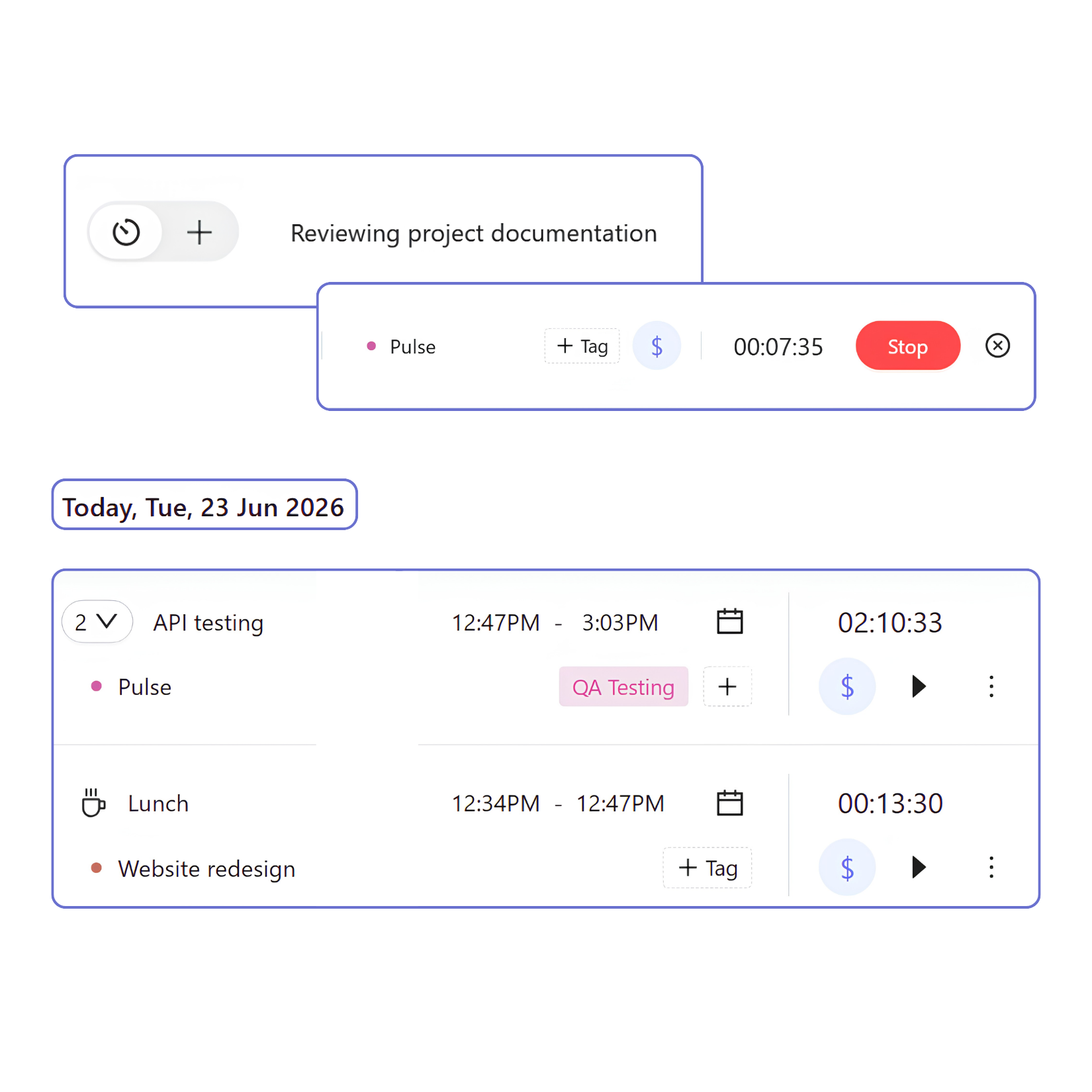
Tasks
- Describe the work
Enter a task name before tracking time or update it later to accurately reflect what was done. - Connect tasks to projects
Assign each task to a project to keep work organized and structured. - Add context with tags
Add tags to classify work by type, priority, workflow stage, or any system your team uses.
Project budgets and forecasts
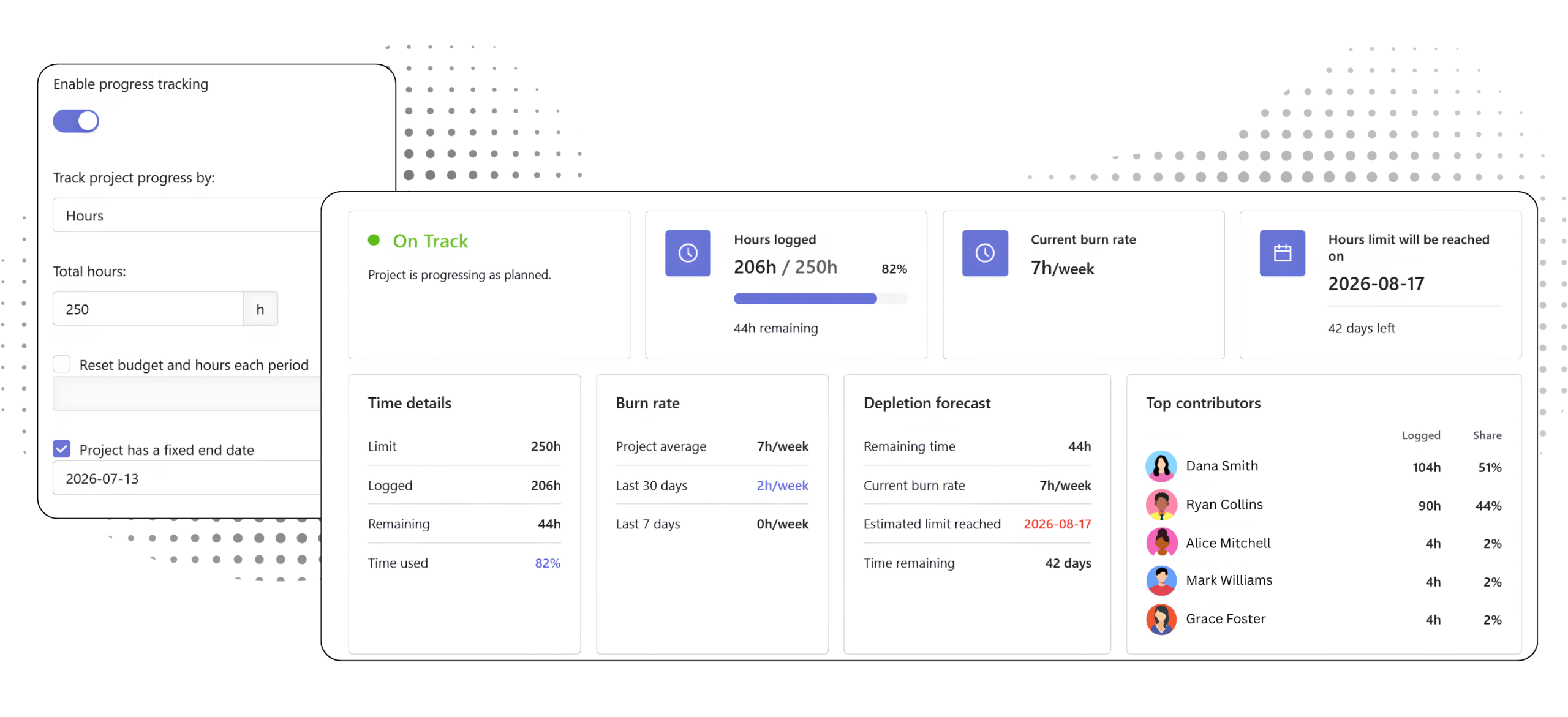
Set project budgets, hour limits, and timelines. Traqq automatically tracks progress and calculates burn rate, remaining capacity, and projected completion based on tracked time.
From structure to insight
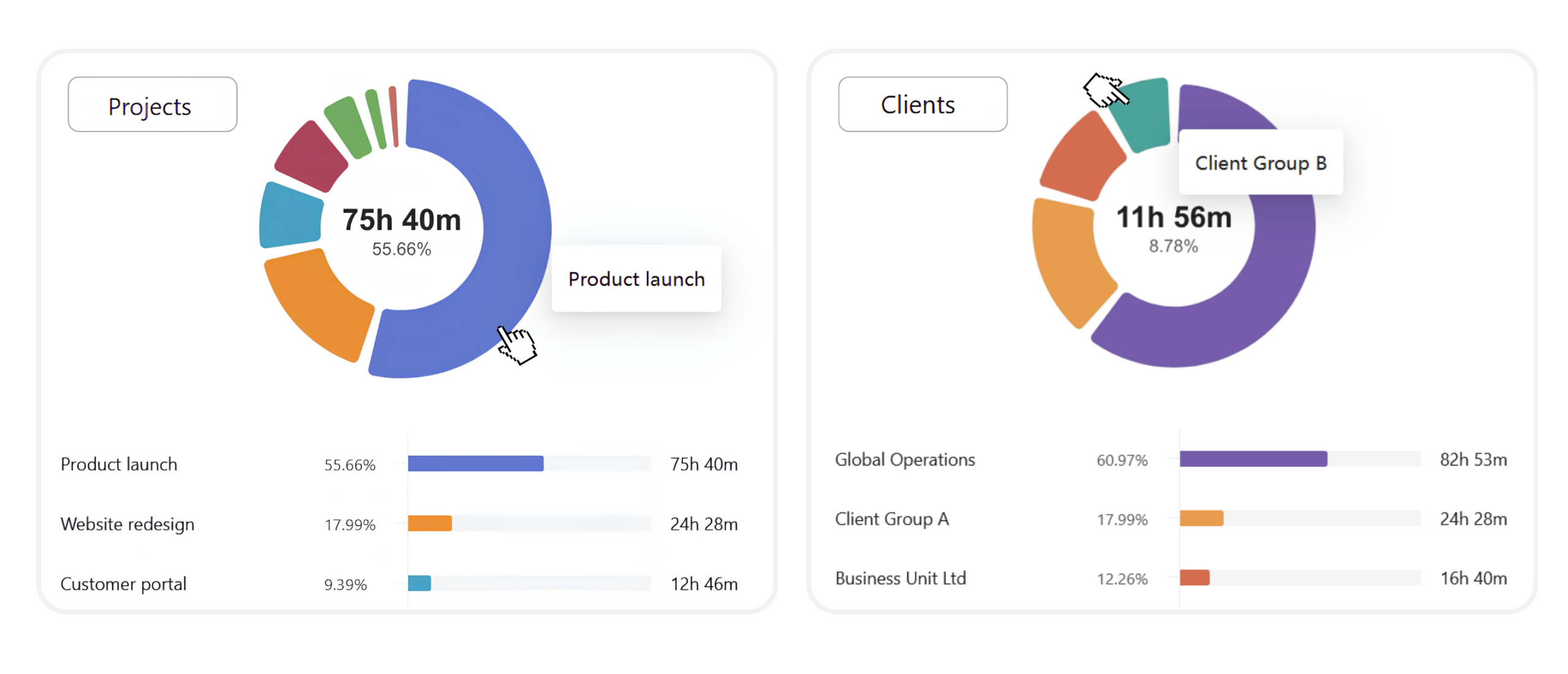
Client, project, and task information stays attached to every time entry. The same data is used across dashboards, reports, invoices, and project financials without additional setup. As projects grow, reporting stays consistent because every hour is connected to the work behind it.
FAQ
Can one client have multiple projects?
Yes. A single client can be connected to multiple projects, making it easy to consolidate reporting, billing, and project analysis.
Can people track time without assigning a project?
Yes. Assigning a project is optional. Teams can track internal work or general activities separately and review them alongside project-based work in reports.
Can task names and tags be updated later?
Yes. Task names, projects, tags, and billable status can all be updated before tracking starts, while a timer is running, or after the time entry has been recorded.
Are tags shared across the entire workspace?
Yes. Workspace Owners and Admins create and manage shared tags, giving teams a consistent way to classify work across projects and reports.
How do projects support billing and profitability?
Projects can have their own billable and cost rates that override workspace defaults. This allows Traqq to calculate project revenue, cost, margins, and invoices using project-specific pricing.
Can project budgets reset automatically?
Yes. Projects can use a fixed end date or automatically reset budgets and hours for recurring periods.
How is project status calculated?
Project status is based on planned hours or budget compared with actual tracked time and current burn rate.