Quick takeaways from this article:
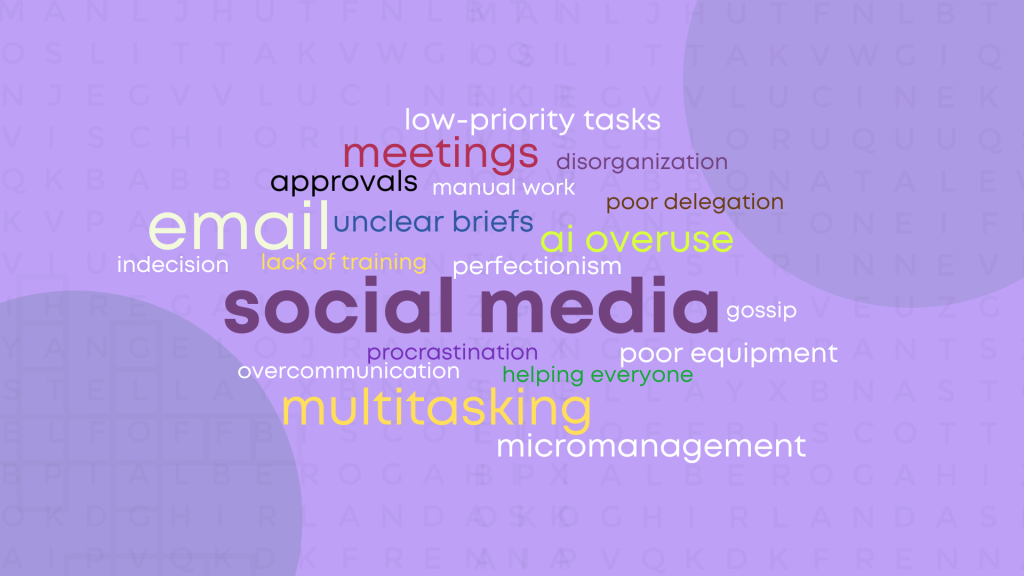
- Common time wasters in the workplace include social media, emails, multitasking, unnecessary meetings, and AI overuse.
- Other activities that drain time in the workplace include low-priority tasks, micromanagement, waiting on approvals, unclear briefs, and slow tools.
- Practical fixes you can start today include blocking distractions with apps and focus modes, using batch emails, cutting meetings, and employing prioritization techniques.
- A time tracker can help you identify your personal time wasters.
- Companies significantly reduced workplace time wasters to increase productivity and cut labor costs by implementing zero-meeting days, reducing emails, and discouraging micromanagement.
Content overview
Top 10 workplace time wasters:
- Social media doomscrolling
- Emails
- Multitasking
- Pointless meetings
- AI overuse
- Low-priority tasks
- Micromanagement
- Waiting on approvals
- Unclear instructions
- Poor equipment
5 notable time wasters:
- Workplace gossip
- Perfectionism
- Indecision and decision fatigue
- Procrastination
- Overcommunication
5 other common time wasters to look out for:
- Disorganized workspace
- Poor task delegation
- Manual work
- Lack of training
- AI misuse
Your workday is not as long as you think.
I used to write simple tasks in my daily to-do lists only to label them “urgent tasks” on the next day’s list. The weird part? Every workday wore me out.
What kinds of activities kept me so busy? Mostly the wasteful ones.
But I was not alone. Correspondents in a Workfront survey reported spending only 44% of their typical workweek on primary tasks.
If you wonder why there are fewer strikethroughs on your to-do lists after busy workdays, this article will help.
I’ll show you how I identified my biggest time wasters and improved work efficiency.
Top 10 Workplace Timewasters
| Time waster | What it looks like | Interesting facts | How to avoid it |
| Social media | Mindless scrolling on TikTok, X, Facebook, Instagram, etc. Notifications from DMs, comments, retweets, and other related activities. | Workers in a Vouchercloud survey consistently picked social media as the top work distraction. | Block social media apps and websites during work. Turn off notifications. Remove social media apps from work phones. |
| Emails | Opening and reading every email that pops into your inbox. | A Microsoft study showed that workers open emails 11 times an hour on average. | Create spam filters. Dedicate time blocks to handling emails. Address urgent emails and defer the rest for later. |
| Multitasking | Rapidly jumping between tasks without focus. | Multitasking is actually task switching and not parallel processing. It causes cognitive decline and increases errors. | Focus on doing one thing at a time. Use the timeboxing and Eat-The-Frog techniques to ensure you’re focused. |
| Pointless meetings | Regular low-impact and routine meetings prevent workers from getting things done. | 78% of employees in an Atlassian survey say the number of meetings they are expected to attend makes it harder to complete tasks. | Cut down on meetings for employees. Implement meeting-free days. Talk to your team leads about sitting out low-impact meetings and show how it affects your work. |
| AI overuse | Endlessly tweaking prompts to get the perfect answer and verifying facts instead of working on your primary task. | 40% of workers in a BetterUp survey reported wasting nearly 2 hours fixing and verifying low-quality AI content. | Use AI as an assistant for data and technical work, soundboarding, and repetitive content. Avoid using AI for creative work and critical thinking. |
| Low-priority tasks | Ignoring important and urgent tasks for activities outside the scope of your primary responsibilities. | Participants in a Slack survey said they spend 41% of their time doing low-priority work. | Retool your workflow to ensure workers are focused on their core responsibilities. Use the Eisenhower Matrix to ensure your to-do list prioritizes your most important and urgent tasks. |
| Micromanagement | Spending more time explaining your tasks than actually doing them. Burning work hours with unnecessary check-ins. | More than half of the employees interviewed in a survey said they had worked for a micromanager at some point in their careers. 55% of respondents also said it hurt their productivity. | Show micromanagers you’re in control by sending timely updates before they ask. Negotiate check-in times before you start a task so you don’t get blindsided. |
| Waiting on approvals | Waiting for a routine sign-off from a stakeholder can leave employees idling or context-switching between low-value tasks. | According to a study by the IDC, knowledge workers waste an average of 3.5 hours per week searching for information or waiting for colleagues to provide necessary approvals. | Set approval time limits and escalation rules. Automate routine workflow handoffs. Delegate secondary approvers. |
| Unclear instructions and briefs | Completing tasks with guesswork that almost always leads to unnecessarily long reviews, edits, and even redos. | Companies lose about $62.4 million annually due to misunderstandings, according to a study by the Holmes Report. | Before starting work, explain the task back to the assigner in your own words to ensure you are both aligned. If you’re the assigner, ensure you tell team members they are welcome to ask questions. |
| Poor equipment | 10-second app launch delays and minutes of workarounds due to unavailable features can accumulate into hours of lost productivity. | A survey by Robert Half Technology found that professionals waste an average of 22 minutes a day dealing with IT-related issues like slow or broken equipment. | Find the right apps, ensure programs are updated, and practice system maintenance. If your device is obsolete, submit data to management to show that the cost of new equipment is cheaper than the hours you are currently wasting. |
What Are the Common Time Wasters in the Workplace?
Everyone has unique time wasters. Use a time tracker to see where your work hours really go. That way, you can take adequate measures to fix the habits that cost you the most time.
1. Social media doomscrolling

Social media, even the perceived good kind, can burn a hole in your daily work hours. A quick notification or private message check could send you on a detour that wipes out minutes or even hours from your workday.
According to a Vouchercloud survey, social media accounted for the most common time-wasting activity in the workplace. On average, workers spent 44 minutes per workday checking these platforms.
How can I avoid social media during work?
- Keep your phone in a different room if it carries your main distractions
- Disable notifications from social media apps and websites
- Use apps like Freedom and Cold Turkey Blocker to restrict access to social media apps and sites
- Block specific time periods, especially during breaks, for social media.
💡How to Focus: Tips on How to Avoid Distractions While Working
2. Email
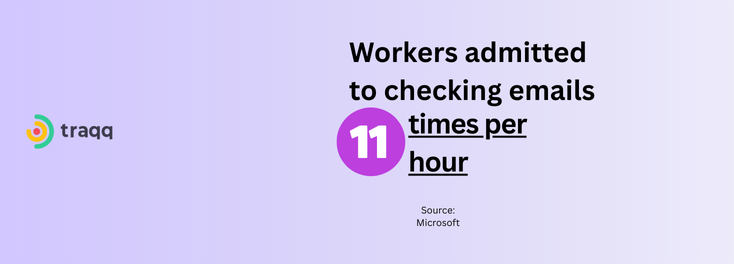
Emails are the most common official time killers because they are part of the job. According to a Microsoft study, workers check emails 11 times per hour, and 84% of respondents kept email open in the background.
How can I spend less time in emails?
Cut trips to your email client by assigning the correct level of importance to each message. Create folders where certain emails appear by priority.
Also, use automatic filters to get silent or loud notifications, depending on the sender. Additionally, you can create other communication channels for internal urgent messages that must be addressed ASAP.
The best practice is to dedicate one or two specific time blocks for emails per day. That way, you can block email notifications and deal with your inbox later.
3. Multitasking
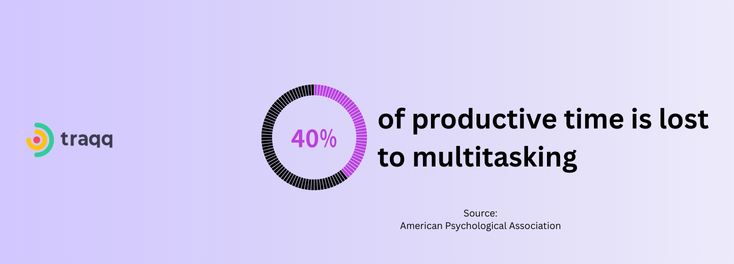
Multitasking is not the flex you think it is. Unlike computers, humans do not do multiple things in parallel. According to the APA, what we usually call multitasking is rapid task switching, which wastes valuable productive time.
How can I stop multitasking?
Focusing on one thing at a time will do you a world of good. You can use strategies like the Pomodoro technique, eat-the-frog, and timeboxing to help you stay focused on one task at a time.
4. Pointless meetings
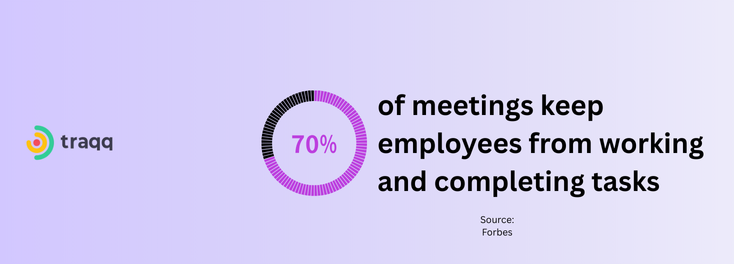
Meetings are like a vortex that can suck up your work hours. They are tricky because they sound important on paper, but most of them end up being low-value roundtables and waste the time you could have used to handle more pressing work.
According to a survey cited in a Forbes article, 65% of participants said meetings prevented them from completing their tasks, and 71% said meetings were unproductive.
How do I avoid low-value meetings?
Skip the meetings if you have any say. If you don’t, explain to your manager that these things cost you expensive work hours and show them why your presence is not needed.
5. AI overuse
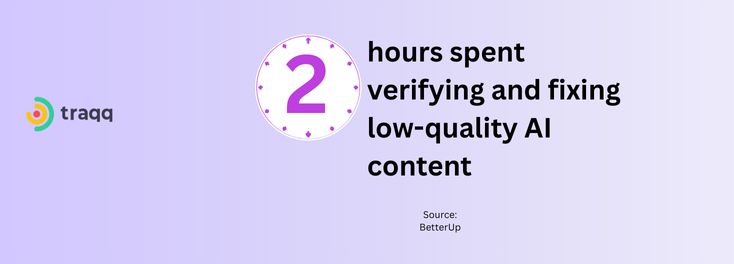
Feeding your prompts to AI and collecting responses may feel like taking a shortcut until you look at the clock.
When you check the time it takes to run fact checks, reengineer prompts for the correct answers, rewrite robotic repetitions, fix formatting errors, and polish low-quality drafts, you realize you’d have been faster doing everything from scratch.
Don’t get me wrong, AI helps productivity. Research has shown more than fourfold increases in productivity due to AI. But that only happens when used right.
Overreliance on these tools can cause more harm than good.
How do I use AI less?
The trick is to use AI as an assistant and not the original creator. Don’t delegate critical thinking to these tools. Instead, focus on telling them to do the more straightforward work, like writing a piece of code, summarizing meetings, cleaning data, etc.
6. Low-priority tasks
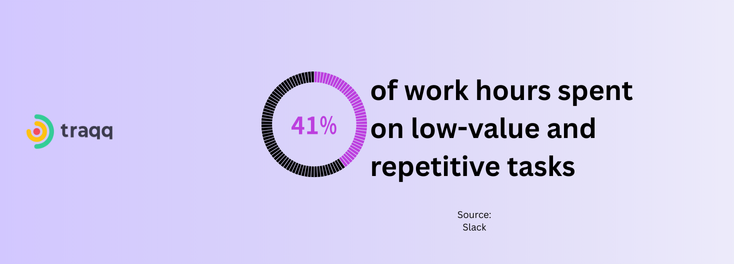
You’re wasting work hours if you’re ignoring the most critical jobs for low-impact tasks. In some cases, your to-do list itself might be populated with these time wasters.
In a Slack survey, workers said they spent 41% of their work hours on tasks they viewed as low-value, repetitive, and outside the scope of their responsibilities.
How do I avoid less important tasks?
Use techniques like the Eisenhower Matrix to prioritize tasks better and identify which ones to delegate. Double-up with the Pomodoro technique or timeboxing to ensure you focus on each task and prevent the low-priority tasks from bleeding into your day.
7. Micromanagement
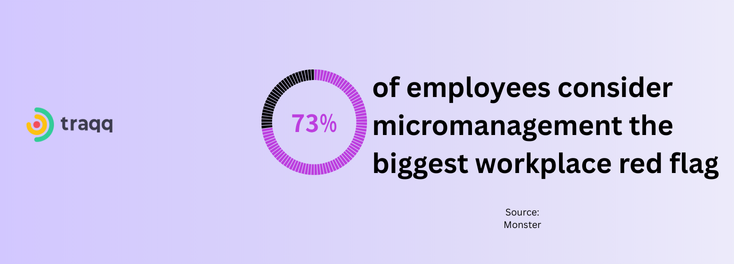
Whether you’re on the receiving or giving end, micromanagement is a giant waste of time. Hounding team members for updates every 30 minutes or controlling every step of a task distracts you from other high-value jobs and delays the team member’s task completion.
How can I avoid Micromanagement?
You can avoid being micromanaged by asking for specific autonomy before the job starts and agreeing on scheduled, reasonable check-ins. You can also beat micromanagers to the punch by sending updates before they get around to checking in. That way, you’ll show that you’re in control.
If you’re a team lead, you can also tell your team members to send updates at specific periods instead of checking in randomly.
💡What Are the Signs of Micromanagement in the Workplace?
8. Waiting on approvals
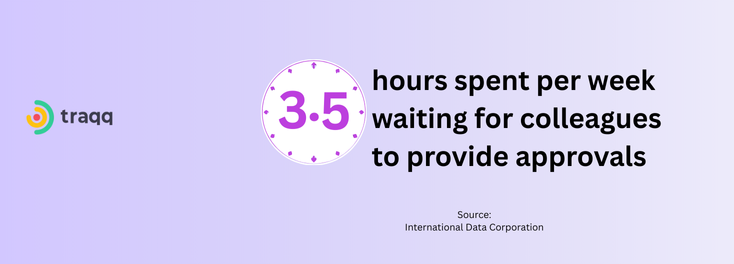
Sometimes, office time wasting isn’t your fault, especially when your next step depends on others doing their jobs.
According to an HBR estimate, excess bureaucracy, which leads to long approval wait times, costs the U.S. economy above $3 trillion per year.
How do I spend less time waiting for approvals?
You can take back control of the situation by sending out reminders. If the reminders don’t work, consider moving on to other tasks instead of waiting idly. That way, you’ll clear more things off your plate.
If you’re in a managerial position, you can avoid idle time by automating as many work processes as you can, especially routine handoffs and approvals. If a job requires human input to move forward, ensure you delegate backup options just in case the primary person is not available.
9. Unclear instructions and briefs

When instructions are vague, and briefs are plagued with gaps, you find yourself:
- Filling in the gaps with assumptions, which you may later have to review
- Going back and forth with clients and higher-ups for clarifications
- Stuck on deciding whether to move forward with your next guess or ask another question
- Reworking badly executed tasks
How do I deal with unclear briefs?
Before you start any task, ensure you fully understand its instructions. If you don’t, return to the beginning of the process and clarify everything with your team lead or the client.
If you’re the team lead, you can reduce time wasting by having team members confirm that they understand project briefs. You should also create standardized templates.
10. Poor equipment
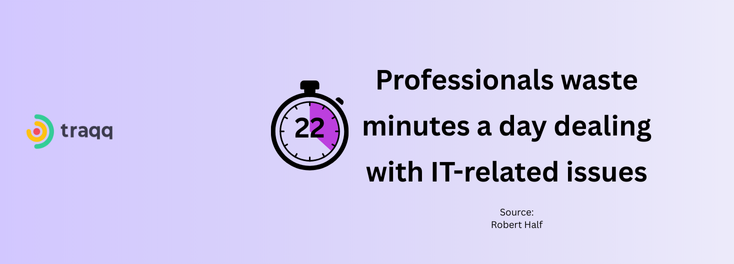
Regardless of your skill level or motivation, your work tools will determine how much time you spend on each task. Use slow or inadequate equipment, and you’ll be wasting valuable, non-recoverable time.
For example, if your software program lacks specific features, you need manual workarounds to get things done in some cases. If your computer takes an extra 10 seconds to launch an app or switch between windows, those micro moments could easily accumulate into lost hours in a week.
How do I fix poor equipment?
Keep your software programs and operating system updated. Hardware upgrades are also helpful. If you’re low on RAM or storage, get better options. If push comes to shove, consider purchasing a new device.
11. Workplace gossip

It can feel rude to walk away or ignore messages from coworkers who want to vent or gossip. But any minute you spend on that conversation is wasted time.
How do I avoid workplace gossip?
I have always solved this problem by telling people I’ll get back to them when I finish a task. However, responding to every message also wastes time. Since I can hardly ignore messages I see, I turn off my notifications when it’s time to focus on a task, then apologize for seeing their messages late.
You should also show your coworkers you’re busy when you are. You can set your Slack or Teams status to “away” or “unavailable” to keep potential gossip off your desk. If in a physical office, take positions that make you look busy, like wearing a headset.
12. Perfectionism
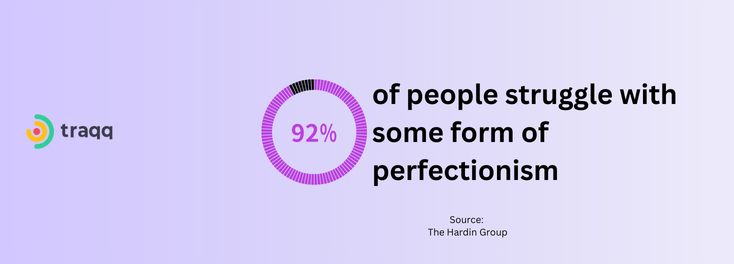
I’ve been a victim of overthinking everything. I was always obsessed with finding and eliminating every single error, even those that aren’t there. And I still end up making mistakes.
How can I stop overthinking?
Sometimes, perfectionism is just a fancy word for procrastination in the workplace. In many cases, you can’t make a task better than it already is by addressing the same fine details over and over.
You can stop this type of time wasting by creating a post-completion checklist.
13. Indecision and decision fatigue
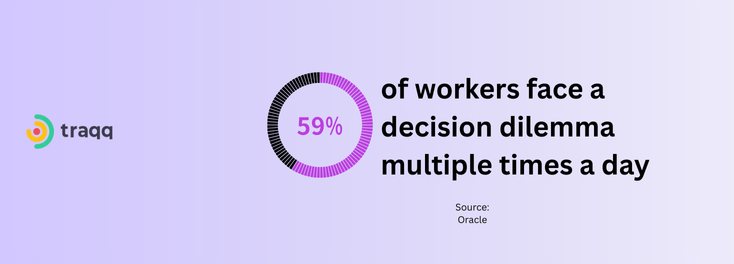
Oracle’s Decision Dilemma study of more than 14,000 employees across 17 countries found the following:
- 59% of respondents face a “decision dilemma” more than once per day
- 70% have given up on making a decision because they were faced with overwhelming data
- 72% of business leaders say data volume/lack of trust has stopped them from making any decision at all
The fear of making the wrong move can launch anyone into endless research and consultations not related to actual work.
Decision-making can also leave you mentally and physically exhausted and keep you from going through your workday. However, indecision and decision fatigue mostly occur when you must make decisions on the spot.
How do I address my indecision?
I avoid the data overload by planning my entire day the night before. That way, I execute the script I wrote for myself instead of starting my day with decision-making.
14. Procrastination
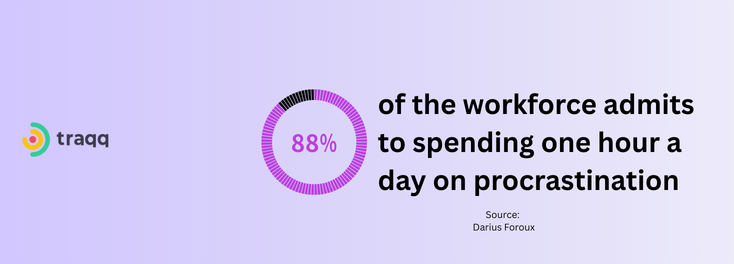
Procrastination counts as a time waster because the time it takes to postpone a task is often enough to complete it halfway. You also risk errors and lengthier reviews when you defer assignments since most delayed tasks are rushed due to looming deadlines.
How can I avoid procrastination?
You can do the following to avoid procrastination:
- Break tasks into smaller chunks if large tasks overwhelm you
- Make it a habit to tackle the most challenging tasks first (Eat-The-Frog).
- Focus on why you should get specific tasks done
- Don’t set unreasonable goals
- Eliminate distractions
15. Overcommunication
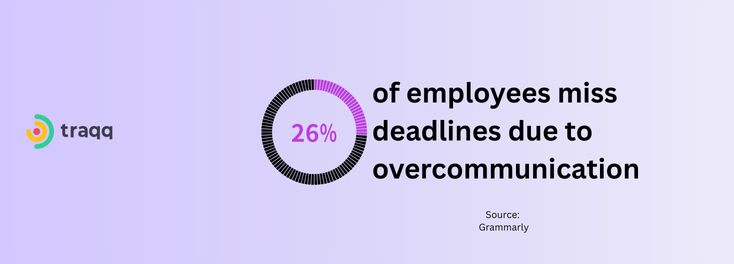
According to Grammarly’s 2024 State of Business report, people spend 88% of their workweek communicating. This problem caused increased stress for 51%, reduced productivity for 41%, and missed deadlines for 26% of respondents.
While communication is a healthy and encouraged workplace activity, too much of it can wipe valuable hours off the clock.
If you’re wondering what overcommunication feels like, it’s the mandatory updates that companies demand from workers. It’s also correspondence via email, Slack, Teams and other channels that do not add value to your work.
How do I tone down overcommunication?
If you can’t change company policy, you can block out communication apps and check them at pre-scheduled periods during the day. You can also leave some channels open only for urgent and essential messages/updates.
5 Other Workplace Timewasters to Watch Out for
- Disorganized workspace: Wasting time hunting for that one specific file, email, or piece of paper.
- Poor task delegation: You’ll waste time with reviews, corrections, and redos if you outsource work to the wrong people.
- Manual work: Focusing on tasks that could be automated.
- Helping everyone: Helping with everyone else’s priorities until you have no time left for yours.
- Lack of training: Using applications and systems without proper training.
How Can I Avoid Time-Wasters?
While I’ve shared ways to deal with the specific time wasters above, these steps, when applied, can help you identify and avoid other elements of time wasting unique to your workspace.
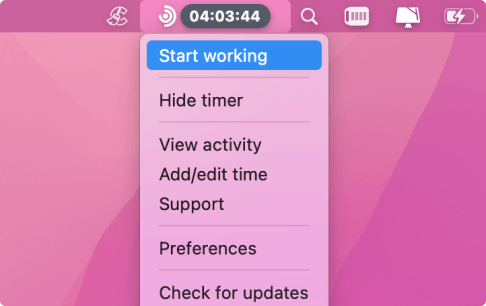
Use a time tracker to check which apps steal the most time
As I hinted earlier, you can use a personal or employee time-tracking tool to spot activities that waste your work time the most. Apart from social media and other common culprits, low-value tasks and specific team activities may not be worth your time.
For example, a time tracker can help you identify tasks that do not attract revenue or work patterns with cascading effects across teams.
How do you do this? Let’s use Traqq as an example.
The tool breaks down your work patterns by detailing how long you spend on specific applications and websites over a set period. You can also view the data at the team level if you manage a team.

Create reasonable to-do lists
This goes hand in hand with your work schedule (more on that later).
My approach has always been to create weekly targets and then smaller daily tasks designed to achieve the bigger goal.
The Eisenhower Matrix is a great way to set your priorities right and make each workday effective. It helps you determine which tasks are urgent or important enough to make it to your task list.
The 80/20 rule (Pareto Principle) also allows you to critically assess your tasks so you can figure out which ones will have the most impact on success.
💡How to Prioritize Tasks at Work Effectively
Set a clear work schedule
A clear work schedule helps you deal with indecision, decision fatigue, and the prospect of working on low-priority tasks.
When creating schedules, it is best to identify your peak productivity periods and reserve them for your most challenging tasks.
After arranging your tasks according to their priority levels and identifying your peak periods, you can then use scheduling techniques like time boxing, Eat-The-Frog, and Time Blocking to determine how and when you tackle each job.
Additionally, allow room for urgent and unexpected tasks, so you’re flexible enough without hurting your goals.
The secret here is to ensure you always stick to the time you set for each task.
Block notifications and certain apps
Windows 10 and macOS have focus modes that help you block notifications during specific focus periods.
You can also use dedicated apps and browser extensions to block your regular time wasters, as mentioned earlier.
Follow strict time boxing for emails
The best way to deal with emails is to set custom time periods during the day when you can send or respond to emails. That’s aside from organizing your inbox so you know what requires your immediate attention.
For example, Gmail uses built-in tools like Filters, Canned Responses (Templates), and Schedule Send for basic tasks (sorting, quick replies, timed sends).
Use workflow automation
Automating your workflow, especially for your team, helps you prevent unnecessary idle hours that may be triggered by team members waiting for routine approvals.
Take healthy breaks
Working for hours nonstop is not ideal for any employee, regardless of the types of tasks you’re handling. According to research, the brain begins to lose its grip on attention after prolonged tasks, and short diversions can restore focus.
Strategies like the Pomodoro technique allow you to take short breaks after specific focus minutes.
Also, ensure you integrate breaks into your work schedule.
You can use a time tracker or work tool that reminds you about taking breaks.
How Companies Dealt with Time Wasters: Case Studies
The following case studies show how companies effectively reduced time wasters.
Spotify’s war against unnecessary meetings
Shopify ran a “calendar purge” that canceled large blocks of recurring meetings. The company’s CEO pushed toward meeting-free Wednesdays and restricted meetings with more than 50 participants to a six-hour window on Thursdays.
According to the e-commerce giant, this measure eliminated 32,000+ hours of corporate meeting time.
Later, Shopify would go on to roll out a calendar meeting cost calculator to put a price tag on meetings. According to a Bloomberg report, a 30-minute, 3-person meeting could cost $700–$1,600, with the claim that removing three meetings per person per week could reduce costs by 15%.
Atos
In 2011, Atos kick-started a “Zero Email” program aimed at reducing internal email by shifting collaboration into enterprise social tools. A published write-up reported that 75% of the company’s employees spent about 25% of their work hours on emails.
After implementation, the report revealed that emails dropped from 100 per mailbox per week in 2011 to 40 in 2013, a 60% reduction. It also claimed that the 25% of work time previously spent on email activities shifted toward business activities.
Bayer
Bayer, the German pharmaceutical giant, identified that internal rules and multi-layer approval processes were slowing down the company significantly. They had over 1,300 pages of internal regulations.
The company began a radical shift in 2024 under CEO Bill Anderson to “Dynamic Shared Ownership” (DSO) to cut the “corporate middleman.”
Under this new structure, teams were given autonomy to set goals in 90-day sprints without needing permission from layers of hierarchy above them. The company also encouraged managers to stop micromanaging and start coaching.
Supply chain decision processes that previously took a year were cut by 60%. In the consumer health division (Southeast Asia pilot), product launch timelines were accelerated by 5 to 9 months, translating to €2 million in additional value.
The Cost of Time Wasters: Figures and Statistics
The following are stats showing how time-wasting activities cost companies and affect employees.
- According to research cited by the London School of Economics and Political Science, businesses in the U.S. lose about $259 billion annually due to unproductive meetings.
- Flowtrace’s 2025 State of the Meetings Report found that meeting time itself, excluding hours spent scheduling those meetings, has an annual price tag of about $29,000 per employee.
- Back in 2005, a survey by Salary.com and America Online found that workers spent about 2.09 hours doing non-work-related activities. This time off was estimated to cost businesses about $759 billion a year.
- According to McKinsey, time spent on ineffective decision-making can translate into roughly $250 million in wasted labor costs per year at an average Fortune 500 company.
- A 2013 study estimated that companies lost $450 billion due to context switching (also called multitasking).
- Another 2018 study cited research estimating the cost of information overload due to factors like multitasking and overcommunication to be around $650 billion per year.
Start Avoiding Time Wasters
Whether you’re losing work hours to common or under-the-radar time wasters, you can easily identify where your hours go and fix the issue. Competent time tracking will provide the data you need to spot these time drainers and also help with the strategies you need to solve the issue.
FAQs
What is the most common time waster in modern workplaces?
Social media is currently the most common time waster, since people can’t do without their phones, and work, in many cases, is tied to one’s connection with a community.
However, meetings, emails, and low-priority work also consistently rank at the top.
How do I tell a coworker they are wasting my time without being rude?
While bluntness serves its purpose on some occasions, it’s always better to rely on signaling. Wearing noise-canceling headphones is the universal sign for “do not disturb.”
If they approach you anyway, telling them you’re in the middle of something critical never hurts. You’re in a work environment anyway. Still, ensure you make time to hear them out, as social connections are also important in keeping the workplace healthy.
Are time wasters different for remote workers versus office workers?
Most time wasters affect remote and office workers alike. For example, micromanagement, social media, multitasking, emails, low-priority work, and poor equipment can drain your work hours, whether you work from your kitchen table or in an office cubicle.
However, there are small differences. Remote workers don’t always have to deal with occasional break-room chitchats that drag on for hours (even though workers can bring the gossip to Slack DMs). Brick-and-mortar workers also escape the struggle of separating personal life from work.
Is multitasking actually a time saver?
No. Multitasking usually means task-switching, which increases errors and slows progress. Studies show it reduces productivity and increases stress, even when people feel busy or efficient.
How can I decline a meeting invite from my boss?
Frame the refusal around productivity and output. Instead of just saying no, say: “I’m currently heads-down on Project X to meet the deadline. Would it be possible for me to send a written update via email instead of attending this meeting?” Most managers prefer the completed work over your attendance.
What is the difference between ‘wasting time’ and taking a mental break?
Intent and duration. A mental break is a planned 5 to 15-minute pause to recharge (e.g., walking, stretching), which improves productivity. Wasting time is an unintentional drift (e.g., 45 minutes of social media and cyberloafing) that leaves you feeling more drained and guilty afterwards.
What is the fastest way to eliminate time wasters at work?
Start by removing friction, not adding rules. Cut unnecessary meetings, clarify priorities, streamline approvals, and protect focus time. Small structural changes often save more hours than productivity tools alone.