Time tracking done right creates accountability, makes workloads easier to understand, and helps managers see where projects actually spend their hours. But for it to work, you need a system. And no system works well when people don’t know what’s under the hood. That’s especially true for freelancers and distributed teams, where people may work across time zones, contracts, schedules, and different definitions of “end of day.”

A clear time tracking policy creates the shared rules your team needs before anyone starts logging hours. It tells managers what to expect, tells freelancers how to report their work, and removes the mystery around tracking. In this article, we’ll go through the main questions your policy should answer: what it is, why your business needs one, when to create it, how to write it, and how to introduce it properly.
Overview
- What is a time tracking policy? — A document, or set of documents, that explains how time tracking works inside your business.
- Why does your business need one? — To create clear rules around accountability, billing, payroll, project visibility, and expectations.
- When should you create it? — Ideally, before you start tracking time, but you can also introduce one later if your team or workflow has already grown.
- How should your team track time? — You’ll need to choose between manual methods like spreadsheets and automatic tools like Traqq.
- Who needs to track time? — Employees, freelancers, contractors, remote workers, and hybrid teams may all need different rules.
- What technical details should you define? — Clocking in and out, timesheet submissions, time adjustments, disputes, data collection, and record storage.
- How should you introduce the policy? — Share it clearly, collect feedback, support onboarding, and make sure people know where to find it later.
What Exactly Is a Time Tracking Policy?
Put simply, a time tracking policy is a document, or, in many companies, a set of documents, that explains exactly how time tracking works inside the business.
A good policy absolutely needs to be clear. Ideally, it explains what’s tracked, how it’s tracked, who’s responsible for keeping records accurate, what managers expect from freelancers, and what consequences may follow if someone repeatedly ignores the rules.
When you create a time tracking policy, you’re really creating a shared reference point for everyone who works with time, tasks, invoices, and deadlines.
However, the policy doesn’t have to be set in stone forever. In many cases, you’ll adjust it as your team grows and your projects change. The point is to build a strong foundation first, so later changes feel like updates, not a full demolition job.
That can sound like a lot, and, well, it is a lot. But that’s the price of clarity. The more time you spend defining the policy upfront, the less time you’ll waste later sorting out disputes, correcting invoices or chasing missing hours.
When you understand why your business needs time tracking, you can create an honest policy.
A vague policy often feels like control for control’s sake, while a clear one states what the company tracks, why it tracks it, and how this helps both sides. At the end of the day managers get better data and freelancers get fewer surprise questions, fewer payment disputes, and clearer expectations.
And perhaps most importantly, your policy forces you to name your assumptions. Do you want visibility or surveillance? Cleaner operations or approving every mouse twitch? The answer shapes the whole system.
When Should You Create a Time Tracking Policy?
Ideally, you should create a time tracking policy as early as possible, preferably before introducing time tracking into the mix.
If you’ve used time tracking before and you’re starting a new business, you can define the rules before hiring your first freelancer or team member. That gives you a clean setup from day one.
Of course, real business rarely works like that. Sometimes you don’t need time tracking at the beginning. Then the team grows, projects get more complex, clients start asking for detailed reports, and suddenly paper timesheets don’t cut it anymore.
Introducing a policy later isn’t a disaster. You simply need to explain how the new rules will be implemented. Who will use the tracking tool? Will the policy apply to all freelancers or only hourly contractors? When does it take effect? Will old projects be handled differently from new ones? How will managers review the first few weeks of data?
The main thing, again, is clarity. If you’re introducing time tracking or changing how it works, tell people early and explain the reason. Give them context, answer questions, and show how the policy protects both the company and the people doing the work.
How to Create Your Freelancer Time Tracking Policy
Choose How You’ll Track Time
Now that you know why you’re tracking time, it’s time to get practical. Before you write rules, you need to decide one thing: how exactly will people track their hours?
Usually, you have two main options: manual time tracking and automatic time tracking.
Manual tracking is the simple route. You can use spreadsheets, shared docs, project management comments, or go full retro with paper timesheets if your team works in an office. It’s free, easy to start, and familiar to most people. For very small teams or freelance work, it can do the job well enough.
The downside is obvious: manual records depend on memory, discipline, and honesty. People forget to log time, round hours too generously, miss small tasks, or fill everything in on Friday afternoon.
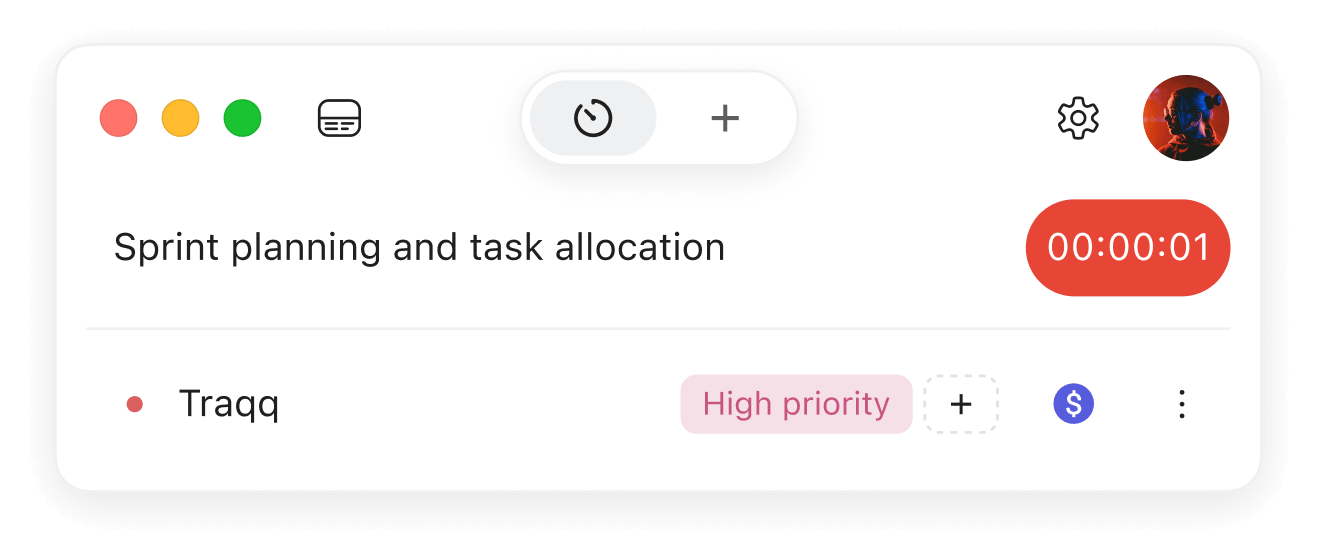
Automatic tools give you a more reliable system. Modern apps like Traqq can track work time faster, reduce manual errors, and give managers cleaner reports. You can also choose software with as much — or as little — tracking functionality as you need. Some tools focus on simple timers and reports. Others include activity data, project budgets, team dashboards, invoices, expenses, or integrations.
When you create a time tracking policy, the tracking method you choose will shape almost every rule that follows.
Define Who Tracks Time, When, and Under Which Rules
Next, decide who should track time and how detailed their records need to be. This part depends heavily on your team structure, contracts, locations, and payment model.
A simple way to start is by separating people into groups.
Exempt workers usually don’t need overtime tracking because they aren’t eligible for overtime pay. Still, they may need to track working time for project planning, capacity management, internal reporting, or client visibility.
Non-exempt workers need more careful records. They should track regular hours, overtime, breaks, and other time categories your business is required to document. This is where automatic time tracking tools really earn their keep. A good tracker can separate overtime from regular work hours, notify managers when someone is getting close to overtime, and, in some setups, prevent employees from working extra hours without approval.
Freelancers and contractors are different again. They usually don’t need to track time in the same way employees do, especially if they work on fixed-price projects. But hourly contractors often still need to submit timesheets so clients can calculate billable time, approve invoices, and understand what was done. Here, you have two options. You can add contractors to your time tracking system as part of your team, assign them to specific projects, and let them log time directly. Or you can keep things lighter: ask them to send timesheets separately, then record and manage that contractor time inside your tool without inviting them into the system.
When you create a time tracking policy, make sure the policy explains who tracks time, how tracking works for each group, and what level of detail each person needs to provide.
Then there’s the schedule issue. If everyone works from the same office during the same hours, life is simple. But if you add flexible schedules, hybrid work, and time zones, things get spicy.
Your policy should explain whether people in different time zones must clock in during specific hours, especially for meetings, overlap windows, or client support shifts. It should also explain how flexible-hour workers should round their time. Better yet, use automatic rounding rules inside your time tracker, so people aren’t left guessing whether 9:07 becomes 9:00 or 9:10.
You should also mention devices. Remote and hybrid workers may clock in from laptops, desktops, or mobile devices. Your policy should explain what’s allowed, whether device switching is acceptable, and how people should handle technical issues.
Finally, cover the legal basics: workday length, workweek length, overtime rules, break and meal periods, holidays, days off, and how each of these should be tracked. These details should align with local laws in every region where your employees, freelancers, or contractors work.
In some cases, hiring a lawyer is the sensible move. It may feel like extra spending now, but it can save you a truly unpleasant amount of time and money later.
Spell Out the Technical Details
Finally, get specific about the technical side of tracking. Start with the basics: how should workers clock in and clock out? If your software supports automation, explain how it works. Also, define what counts as working time and what counts as idle time. Reading documentation, joining a client call, testing a feature, writing a report — all clear enough.
When you create a time tracking policy, make sure the policy explains how time is recorded, submitted, reviewed, corrected, and stored.
Next, explain how timesheets are submitted. Some tools send them automatically for approval. Others prepare standardized timesheets that workers can review and submit manually. Either way, your policy should say when timesheets are due, who approves them, and what happens if something is missing or late.
Then cover adjustments and disputes. This is probably the most nuanced part, because it depends heavily on your tool and the type of data you collect. In many apps, employees can edit time entries, add notes, or correct mistakes, while managers receive notifications about those changes.
Be extra careful with tools that track active time and subtract periods of inactivity. If you’re going to reduce billable or payable time because the system marked someone as inactive, you need clear rules and enough data to support that decision. Even then, it can create conflict.
Finally, explain what data your tool collects, how it’s used, who can access it, and how long it’s stored. This matters even more if your software takes screenshots, tracks mouse or keyboard usage, records visited websites, or collects app activity. Transparency is key here. Tell people what you collect and why you collect it. Also, check whether local laws require you to store certain time, payroll, or work records for a specific period. Sometimes that explanation will reassure your team, and sometimes it can make you reconsider whether you needed that data in the first place.
How to Introduce and Uphold Your Time Tracking Policy
Once you complete your time tracking policy, your work is almost done. The policy still has to leave the document folder and survive contact with real people and real projects. You can handle that in three simple steps.
First, create clear materials for your team. If possible, prepare separate documents or sections for different groups: exempt employees, non-exempt employees, remote workers, hybrid workers, freelancers, and contractors. They don’t all need the same instructions. Make these materials public, easy to find, and always available.
Second, make sure everyone has reviewed the policy and signed it if needed. Don’t treat this as a cold formality, that’s probably the worst move. Frame time tracking as a way to create a balanced and transparent system. Explain how it helps managers plan workloads, control budgets, and approve invoices faster. Then show how it helps employees and freelancers avoid payment disputes and unclear expectations.
Your team should also have a say. Listen to concerns, answer questions, and explain your decisions clearly. You don’t have to accept every objection, of course. But if people raise privacy, accessibility, workload, or fairness concerns, take them seriously.
Third, build onboarding around the policy. Create short training sessions, walkthroughs, or recorded demos that show people how to use the tool, submit timesheets, edit entries, report mistakes, and ask for help. Pay special attention to older workers, employees with disabilities, and anyone who may need extra support with new software.
If possible, run a pilot phase before rolling the system out company-wide. Watch how the process works in real life. Look for bottlenecks, check whether managers review entries on time, see whether freelancers understand what to log. Then make adjustments where needed.
And if you’re still choosing your setup, start with a tool that’s easy to test. Try Traqq for free, see how it fits your workflow, and build your policy around a system your team can actually use.