Choosing the Right Time Tracking Software
Looking to move away from constant screenshots and surveillance? Time tracking shouldn’t feel like a digital prison. After testing both tools across different teams, here’s what we found: While ActivTrak’s monitoring methods create noticeable tension with constant screenshots making team members feel watched, Traqq takes a different approach, focusing on transparent time tracking without monitoring employee activity. Let’s look at how the two approaches compare.
What is ActivTrak?
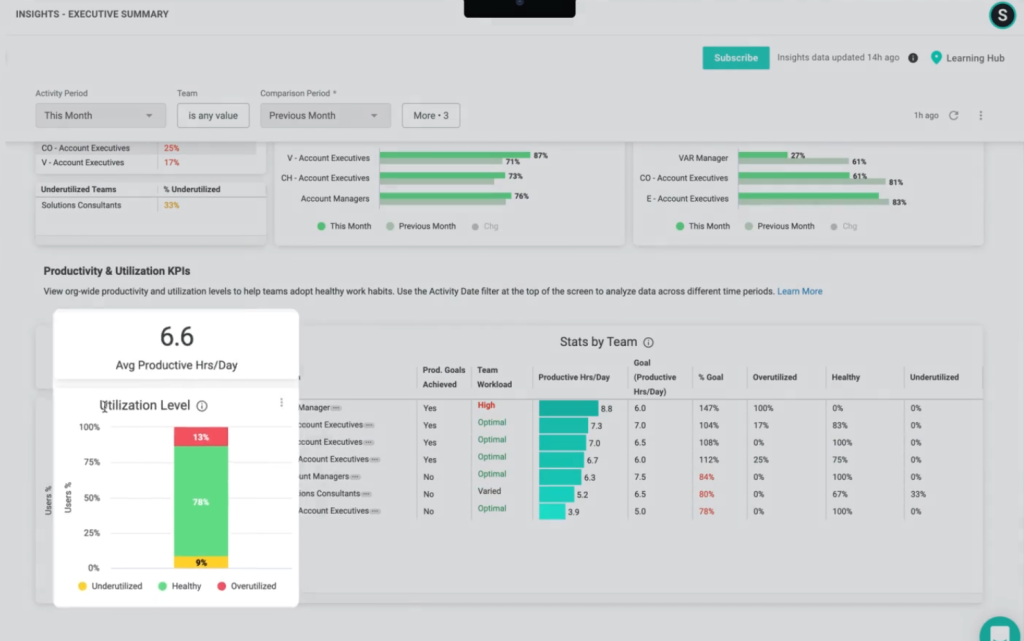
ActivTrak sticks to old-school monitoring tactics – regular screenshots throughout the day, detailed logs of every app and website you open, and a scoring system to rate how productive you are. Managers get full activity reports showing exactly what their teams do hour by hour. While this level of detail might work for some companies, it often creates an environment of constant surveillance. Their dashboard fills up with granular data: website visit durations and productivity scores based on predefined “good” and “bad” activities.
Key features:
- Screenshot monitoring
- App usage tracking
- Basic time tracking
- Productivity reports
- Website blocking
- Team performance metrics
What is Traqq?
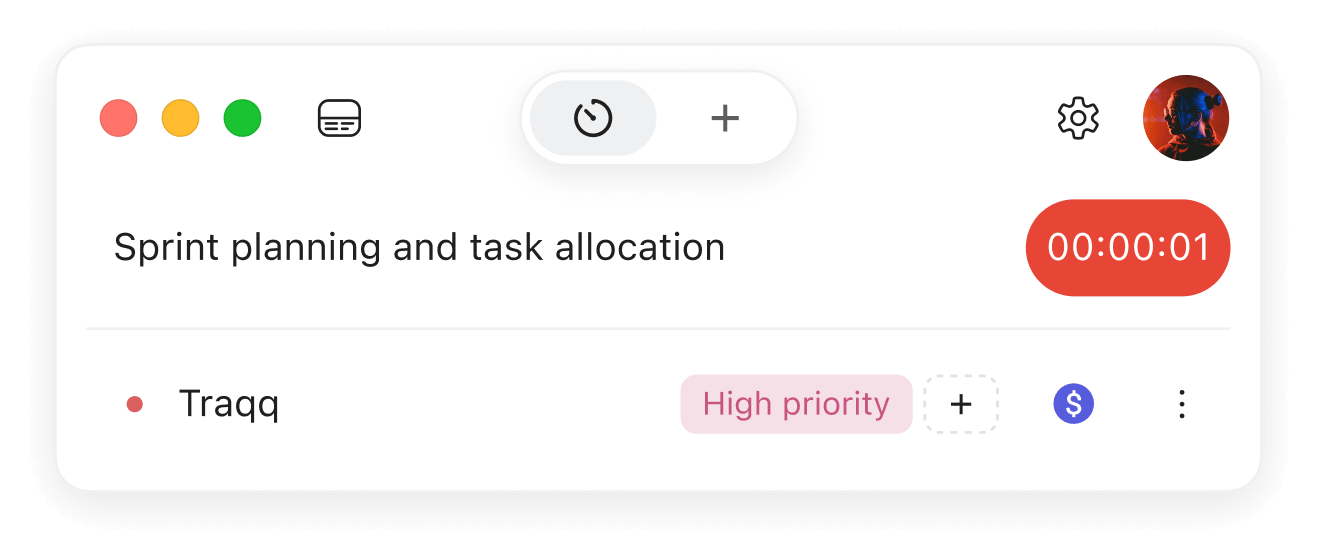
Traqq is a privacy-focused time tracking platform that helps teams track work time, organize projects, manage workloads, and understand how time is spent across the business. Teams can track time with a timer or manual entries and connect hours to clients, projects, tasks, and billable status.
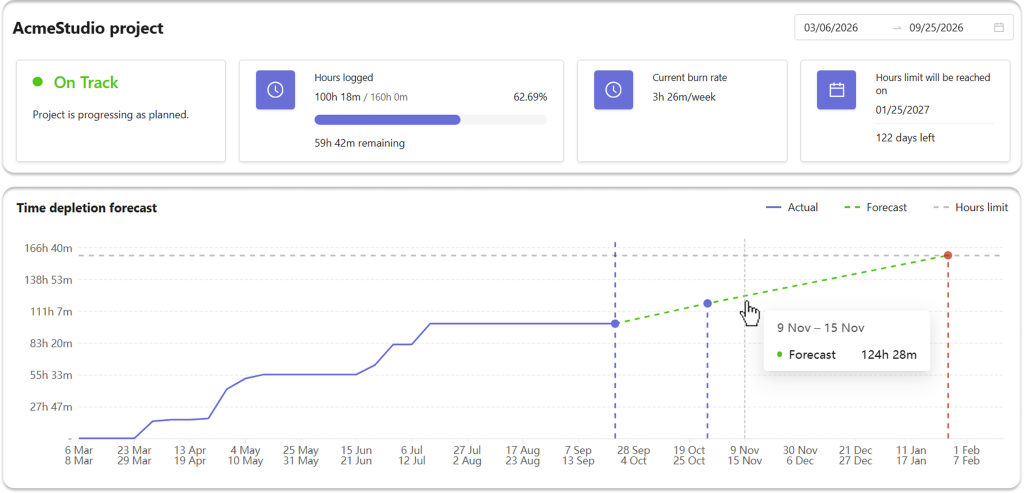
Traqq helps teams use tracked time to manage projects. They can track project progress against planned hours or budgets and forecast when project limits will be reached.
Instead of monitoring employee activity, Traqq focuses on transparent time tracking and the work connected to that time. It does not use screenshots, screen recordings, app or website tracking, keyboard activity, or idle time monitoring.
Traqq works across the web, Windows and macOS desktop apps, and a browser extension. Time can also be tracked offline and synced automatically when the connection is restored.
Key features:
- Flexible time tracking with timer and manual entries
- Clients, projects, tasks, and tags
- Team management and workload visibility
- Work schedules, attendance, and break tracking
- Time and compliance reporting
- Billable and cost rates
- Project budgets and financial insights
- Timesheets, expenses, and approvals
- Client invoicing
- Privacy-focused, transparent time tracking
Traqq vs ActivTrak: A Detailed Feature Comparison
Different approaches to time tracking become clear when comparing these tools side by side. ActivTrak focuses on direct oversight through screenshots and activity logs, while Traqq takes a different approach centered on transparent time tracking. Traqq tracks time spent on tasks and projects without collecting screenshots, app and website activity, input activity, idle time, or activity scores.
Pricing Comparison
Money talks. Both ActivTrak and Traqq offer a free plan for up to 3 users, but the pricing structure changes quite a bit once you move to paid plans. ActivTrak’s paid packages range from $10 to $17 per user per month, depending on whether you need work activity tracking, workforce management, or productivity optimization. Some features are also available as add-ons.
Traqq’s paid plans start at $4 per user per month, with plans ranging from Plus to Enterprise as teams need more financial tools, invoicing, workload management, and other advanced features.
Time Tracking
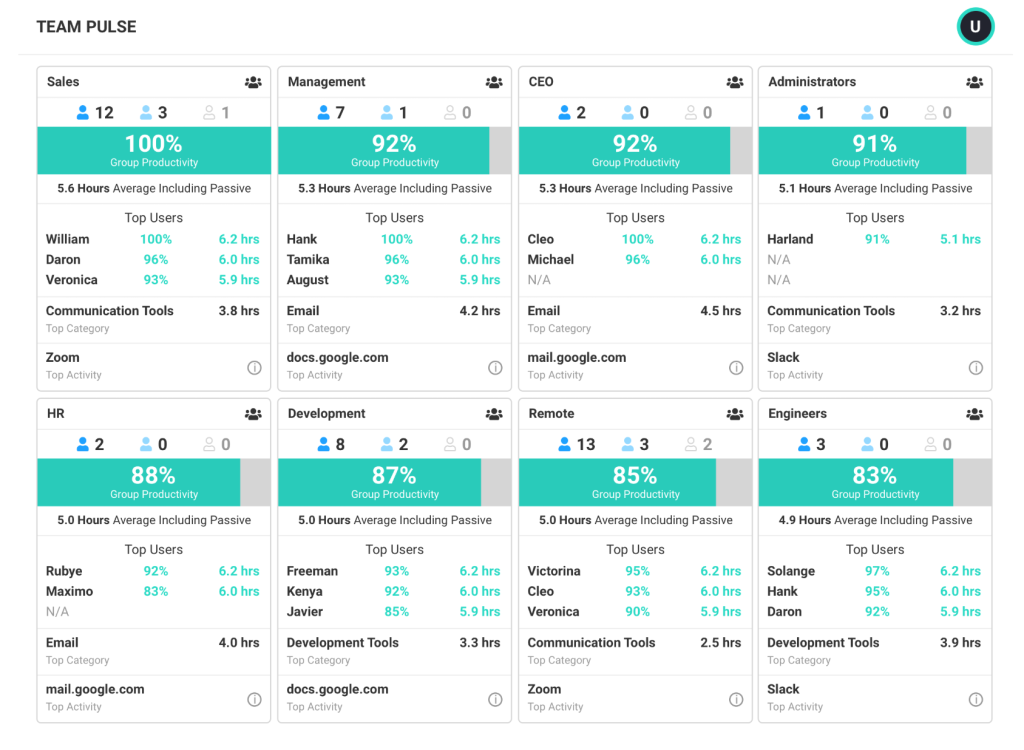
When it comes to tracking daily work, the differences hit you right away. ActivTrak loads up on screenshots and activity logs – it snaps your screen every few minutes and tracks every app you open. Pretty heavy-handed stuff that can make teams feel like they’re under constant watch.
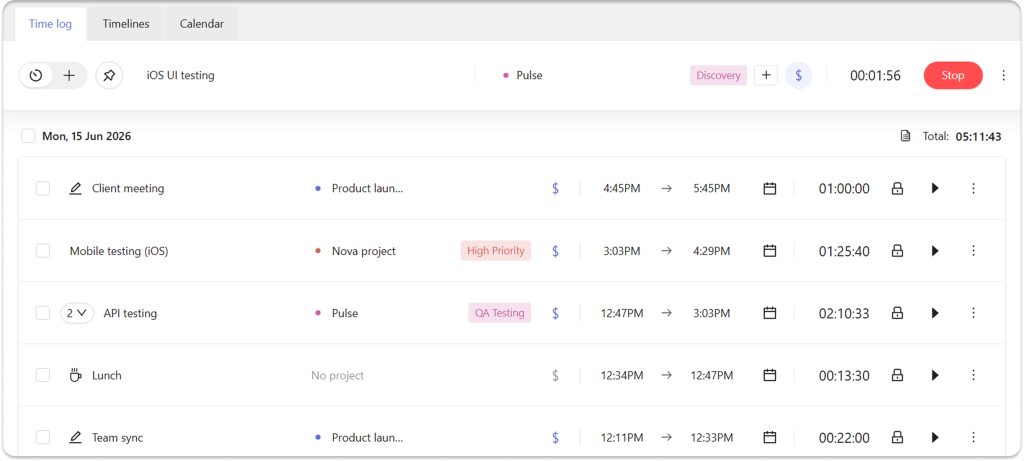
Traqq takes a smarter path. It focuses on recording work time rather than monitoring employee activity. Employees can track time with a timer or add entries manually, assign time to projects and tasks, and mark entries as billable or non-billable. They can also edit or delete their own time entries, giving them control over what gets recorded.
Interface
ActivTrak’s dashboard throws a lot of data at you – graphs, charts, and popups that often confuse more than they clarify. Users report feeling overwhelmed trying to make sense of all the metrics.
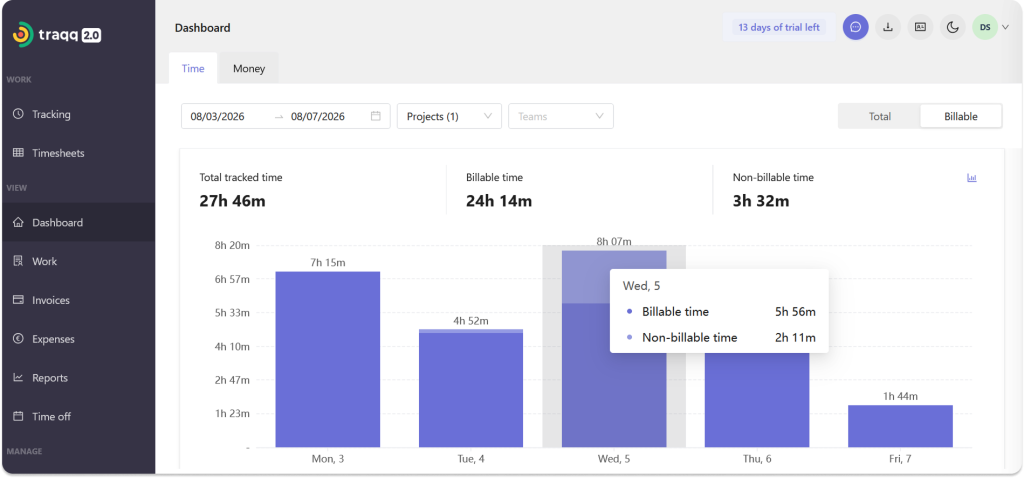
Traqq keeps the interface focused on the information teams actually need for time tracking. The workspace brings together tracked time, projects, tasks, and clients, while reports and dashboards make it easy to move from individual time entries to a broader view of how work is progressing.
Analytics & Reporting
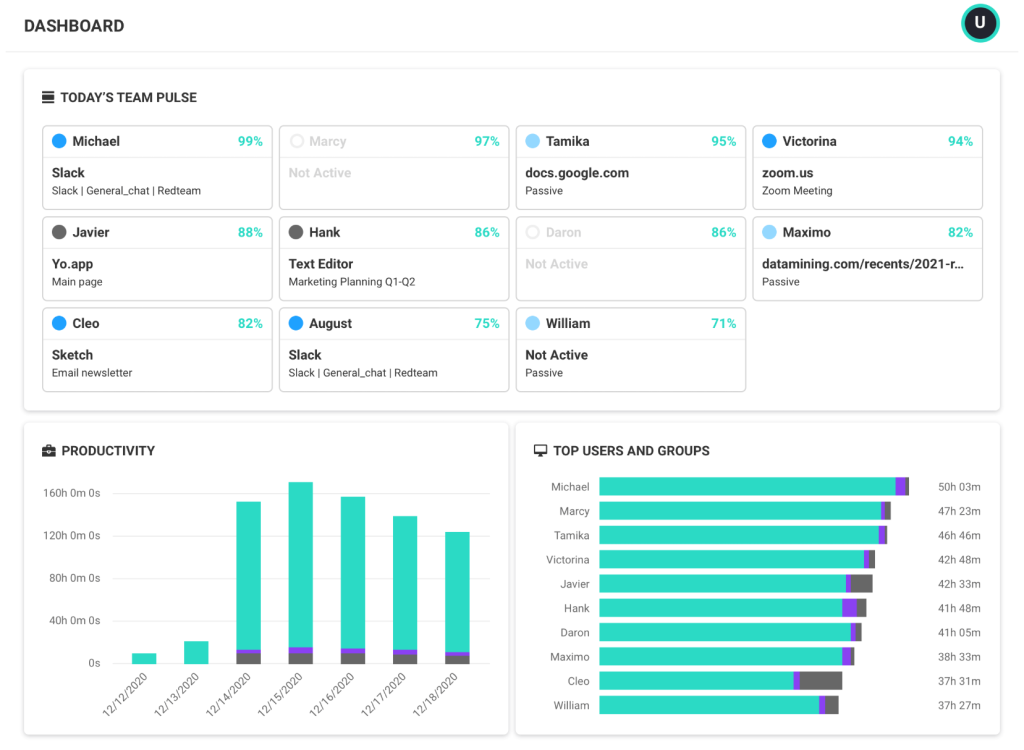
The tools take distinct approaches to analytics. ActivTrak provides comprehensive data tracking – from hours logged to detailed activity metrics. While thorough, teams sometimes find it challenging to translate this wealth of information into actionable strategies.
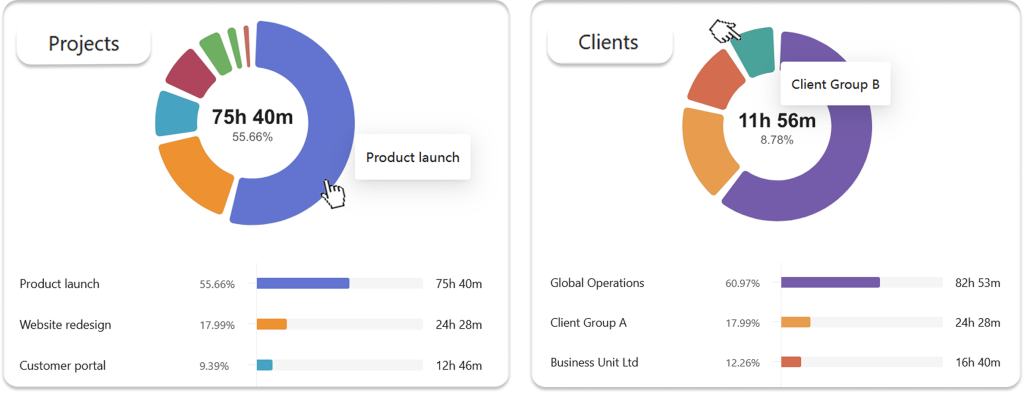
Traqq’s reporting works from tracked time and project data. You can see where time goes, compare planned and actual hours, review team workload, and look at project revenue, costs, and margins.
Traqq’s reporting tools help teams understand how work time is being used:
- Time spent across projects, tasks, and clients
- Planned vs. actual project hours
- Team workload and capacity
- Project revenue, costs, and margins
While ActivTrak focuses on detailed activity monitoring, Traqq turns tracked time into practical information about projects, workloads, and business performance.
Team Adoption & Setup
Getting teams on board with new software needs a smooth rollout. ActivTrak offers a detailed interface that works well for businesses wanting traditional time tracking, though some teams report a learning curve with its feature-rich environment. The setup process requires careful configuration, especially for customizing tracking rules and admin settings.
Traqq keeps the setup straightforward. Managers can start by adding clients and projects, organizing teams, and setting up schedules and capacity. Once the workspace is ready, employees can start tracking time against the projects and tasks they work on.
The Bottom Line
Both tools serve different needs when it comes to team visibility. ActivTrak provides detailed employee activity monitoring, while Traqq focuses on time tracking, project visibility, reporting, and workload management.
Your choice might depend on your team’s priorities:
- Employee monitoring vs. transparent time tracking
- Screenshots and activity data vs. project and task tracking
- Workforce analytics vs. project and time reporting
- Individual activity insights vs. team and project visibility
For teams looking to track work time, manage projects, and understand how work is distributed without screenshots or employee activity monitoring, Traqq offers a straightforward alternative.