What Is One-Click Time Tracking and Why It Matters
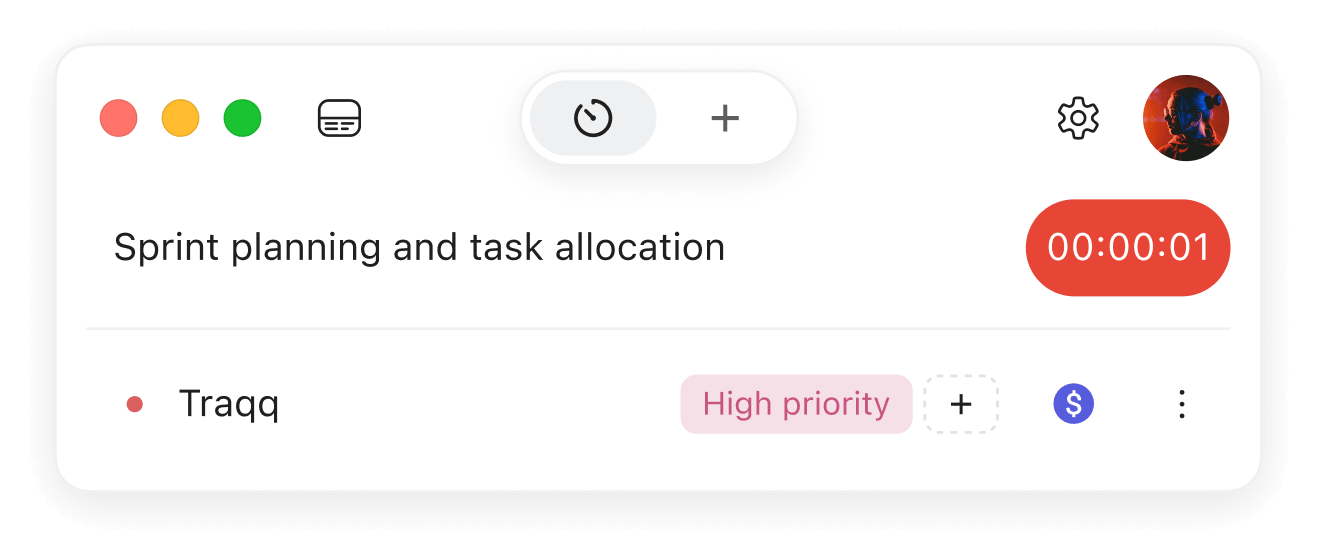
One-click time tracking is the simplest way to capture work hours: you start and stop timers instantly, with minimal or no effort. By eliminating complicated setups and reducing friction, it turns time tracking into a seamless part of the workday instead of a constant chore that you need to remember to do.
This matters because complexity kills adoption. Studies show that 72% of users abandon an app within the first 30 days, and 25% drop off after just one use (UserGuiding, Nimble AppGenie). For time tracking, that means lost billable hours and incomplete productivity data.
Traqq was built to solve this problem. With one-click simplicity and smart automation, Traqq helps you capture every billable minute without intrusive monitoring. Unlike traditional employee tracking software, Traqq respects privacy while delivering accurate insights that teams and individuals can trust.
Understanding One-Click Time Tracking: Core Features
One-click tracking allows you to begin logging work time instantly, without navigating a million menus.
How Traqq does it differently:
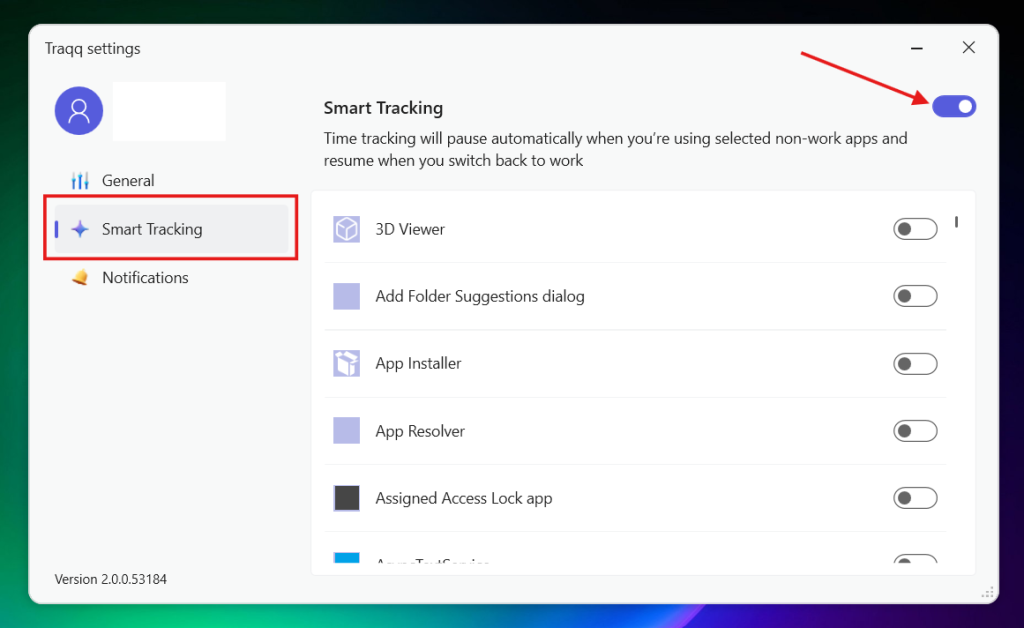
- Smart time tracking: Traqq can automatically pause tracking when you switch to non-work apps and resume when you return to work apps. You can choose which apps count as work or non-work.
- Custom notifications: Get notified when tracking starts or stops, receive hourly reminders about tracked time, or get a reminder to take a break after a set period of continuous work.
- Idle notifications: Traqq can notify you if you’ve been inactive for a selected period, from 5 minutes to 1 hour.
- Privacy-first design: Traqq tracks work time without using screenshots, screen recordings, app or website tracking, or keyboard activity.
This makes Traqq’s one-click approach more flexible: you can automate parts of time tracking while keeping control over when and how your time is recorded.
Why One-Click Time Tracking Is Essential for Modern Productivity
Friction leads to resistance. Manual time entry wastes valuable hours and encourages bad habits like inflating timesheets. In fact, 43% of hourly employees admit to over-reporting hours when using manual systems (Hubstaff).
One-click systems like Traqq change the equation:
- Reduce overhead: From 5–10 minutes per session to under 30 seconds — a 90% reduction in wasted admin time.
- Boost adoption: Teams using one-click tools like Traqq typically achieve 85–90% active use after 3 months, compared to ~27% for traditional apps (Timely).
- Improve accuracy: With smart auto-stop and reminders, Traqq ensures 20–25% more accurate billable time capture, which translates directly into higher revenue recovery.
The result: teams recover hours of productive time weekly, and individuals can focus on meaningful work without worrying about timesheets.
One-Click vs Traditional Time Tracking
| Feature | Traditional Tracking | One-Click Tracking (Traqq) | Improvement |
| Setup Time | 15–30 minutes of configuration | 2–5 minutes (install & go) | ~80% faster |
| Learning Curve | 1–2 weeks for adoption | 1–2 days with smart notifications | 85% faster onboarding |
| Daily Overhead | 5–10 minutes per session | Auto-start reminders & idle detection | ~90% less admin work |
| Adoption Rate | ~27% after 3 months | ~88% after 3 months (Traqq data, 2025) | 3× improvement |
| Data Accuracy | ~65% manual entry prone to error | ~90% with reminders + auto-stop/resume | 38% more accurate |
| Team Compliance | ~40% consistent usage | ~93% with notification-driven tracking | 2.3× improvement |
| ROI Payback | Months | 2–3 weeks (billable recovery + less admin) | Faster returns |
Step-by-Step: Implementing One-Click Tracking with Traqq
- Create your workspace for free.
- Install Traqq on your desktop.
- Set up Smart time tracking and notifications in the desktop app settings.
- Start working normally. Click the timer to start tracking time, or add time manually when needed.
- Stay in flow: with Smart time tracking enabled, Traqq can automatically pause tracking when you switch to a non-work app and resume when you return to a work app.
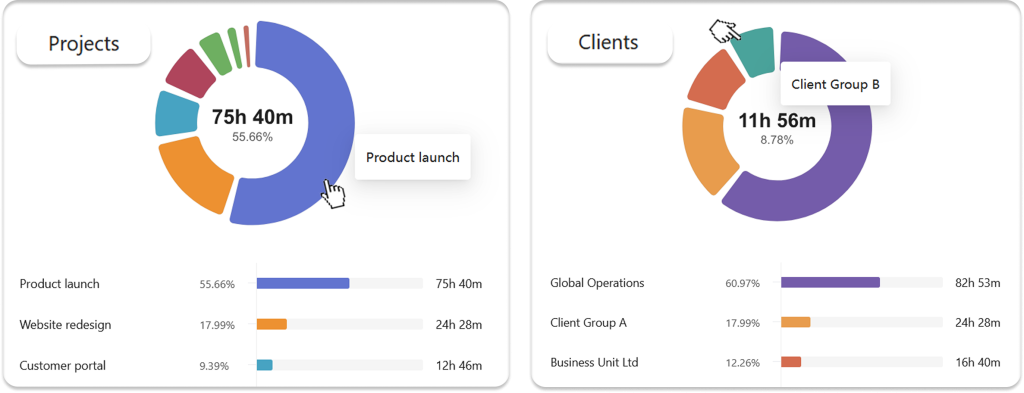
- Review your tracked time in reports to see how your hours are distributed.
Common Mistakes to Avoid
- Overcomplicating setup: defeats the purpose of one-click simplicity.
- Ignoring habit-building: automation helps, but consistency ensures accurate records.
- Using invasive trackers: surveillance damages trust. Traqq proves you can get insights without monitoring screens.
Traqq in Action: Legacy Online School Boosts Efficiency and Accuracy
About Legacy Online School
Legacy Online School offers accredited K–12 education with programs that include live teaching, self-paced learning, extracurricular clubs, and personalized support. With certified teachers, individualized guidance, and engaging curricula, Legacy delivers flexible education to students worldwide.
The Challenge
Managing a distributed team of teachers, support staff, and advisors presented time-tracking hurdles. Manual logging left gaps in reporting, while some staff members forgot to track entirely. This meant:
- Low adoption rates (around 45%) for the old system.
- Incomplete visibility into how much time was spent on student support vs. curriculum planning.
- Admin staff spending hours fixing and validating timesheets each week.
The Traqq Solution
Legacy Online School adopted Traqq’s one-click and automated tracking to simplify workflows while respecting staff privacy. With features like smart notifications and context-aware auto-pause, the school empowered teachers and staff to focus on students instead of admin work.
Results after 3 Months
- Adoption rate increased to 92%, thanks to reminders that notify staff if they forget to start tracking.
- Billable and reportable hours captured increased by 21%, ensuring that all work — from lesson prep to student counseling — was accurately accounted for.
- Administrative overhead dropped 75% as automatic timesheets replaced manual correction work.
- Staff surveys showed a 30% drop in frustration with time tracking, highlighting that Traqq felt supportive, not intrusive.
- The school leadership gained clearer insights into workload distribution, helping them assign resources more effectively across teaching, counseling, and extracurricular activities.
The Takeaway
By switching to Traqq, Legacy Online School boosted their accounting accuracy, built trust with staff, and improved operational efficiency, and all without the invasive monitoring that’s common to other tools.
Conclusion: Why Traqq Is the Future of One-Click Tracking
One-click tracking is the future because it eliminates barriers, drives adoption, and captures time accurately. But Traqq takes it further: it delivers these benefits without compromising privacy.
- Simplicity: Smart notifications and auto-pause mean less admin work.
- Adoption: 90%+ sustained usage proves teams actually stick with it.
- Accuracy: Automatic detection ensures billable hours aren’t missed.
- Trust: No screenshots, no spying, just insights.
FAQs About One-Click Time Tracking
What makes Traqq’s one-click approach unique?
Traqq combines Smart time tracking, customizable notifications, and idle notifications to make time tracking more flexible without requiring constant manual input.
Can Traqq help with billing?
Yes. Traqq lets agencies and freelancers track billable time and use detailed reports to review hours by projects, tasks, and clients.
How does Traqq handle non-work activity?
You can define apps as “non-work.” With Smart time tracking enabled, Traqq can automatically pause tracking when you switch to a non-work app and resume when you return to a work app.
Does Traqq protect privacy?
Yes. Traqq does not use screenshots, screen recordings, app or website tracking, or keyboard activity. It focuses on transparent time tracking rather than monitoring employee activity.