No, if the question is whether every time-tracking software takes screenshots by default. But yes, if it’s to clarify whether there are time trackers that can take screenshots. Screen monitoring is one feature out of many that developers decide to add or omit in time-tracking tools. It is not an inherent part of time tracking.
Apps that offer privacy and ethical tracking do not take screenshots. On the other hand, some time trackers include screen monitoring because their developers want to cater to organizations that need visual supervision.
Why do people ask if time trackers take screenshots? Because time-tracking and employee monitoring have been lumped together for so long, it now looks like they are the same or, at least, share the same features, such as screenshots. It leads decision makers to ask this question when evaluating time trackers for approval.
This article will clarify that misconception and explain how time trackers work with and without screenshots. The goal is to help organizations rid the evaluation process of a preconceived and wrong idea about time tracking.
Quick Summary
- Because some time trackers take screenshots, it does not mean every time tracker does.
- The association between time trackers and screenshots grew because employee monitoring tools, where screen captures are common, also offer time-tracking features.
- Developers who add screen capturing to time trackers do it because some companies need screenshots alongside time tracking.
- Many time trackers offer every type of insight an organization may need to measure work output and productivity without taking screenshots
- Traqq is a privacy-first and ethical time tracker that relies on activity-based interactions, not screen records or keylogging, to measure work hours and provide productivity metrics
How Did Time Tracking Become Associated with Screenshots?
Time tracking is the process of recording work hours. It grew from marking work attendance to computing active work time and providing advanced work reports.
The earliest time-tracking apps that became mainstream in the 2000s never recorded screen activity or logged any sensitive data. Many modern time trackers still toe that line, but with more advanced, non-visual features like productivity reporting, work pattern insights, app and website usage duration, and integrations with other platforms.
Screenshots are more of a prominent component in employee monitoring solutions, which are designed to log almost every work activity, from computer screens to keyboard input and location.
But people could hardly differentiate time trackers from employee monitoring tools because the latter also tracked work hours, even though standalone time trackers, apps that do not take screenshots, exist.
Time trackers adopted screenshots
Because some organizations needed to see what workers were doing without using other employee monitoring methods, such as keylogging and remote desktop controls, developers began to integrate screenshots into time trackers.
The solution meant employers could record work hours and screen activity without paying premiums for expensive employee-monitoring systems.
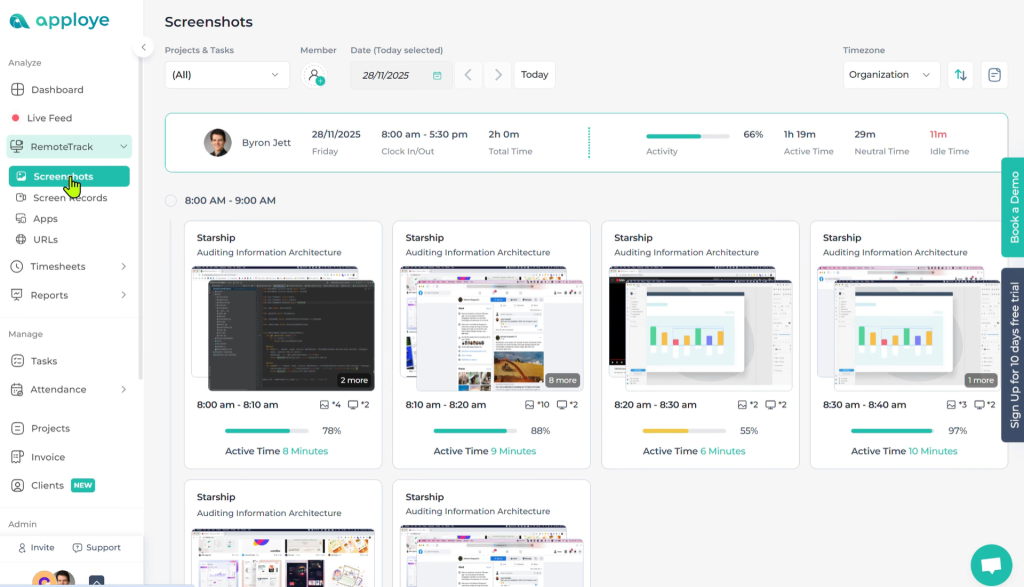
The connection between time-tracking and screenshots began to consolidate as people started noticing and becoming concerned about this new breed of applications. Their increased market share also led review sites to treat screen capturing as a standard time tracking feature.
Are Screenshots Required for Time Tracking?
No. It’s out of character for a time tracker to take screenshots, not the other way round. The purpose of time tracking is to measure work hours. Anything on top of that, like screen monitoring, is an add-on the developer decided to include.
Organizations that need screenshots use them to verify the work activity employees claimed they were engaged in during the hours reported by time trackers.
For example, suppose a worker’s time tracker reports 2 hours on the clock, and they claim to have spent that time writing code. Screenshots taken at random intervals during those 2 hours can show their code editors or a related window that proves the work activity.
Additionally, team leads can use screenshots as supervisory tools to cross-check work quality and make corrections.
Does Time-Tracking Software Take Screenshots By Default?
No, screen monitoring is a feature developers choose to add to time trackers. A screenshot-free time-tracking tool is closer to the concept of time tracking than a tracker that records people’s screens.
Many modern tools, especially apps that position themselves as ethical and privacy-first trackers, exclude screenshots by design.
On the contrary, developers deliberately add the screenshot function to some trackers to help workplaces collect visual proof of work. Some developers add privacy controls, such as kill switches to turn off screen monitoring, capture frequency settings, and blurring.
When managers understand these differences, they can base their evaluations on things other than screenshots. For instance, organizations that do not want to monitor employee screens or any other private data can focus on evaluating only privacy-focused solutions.
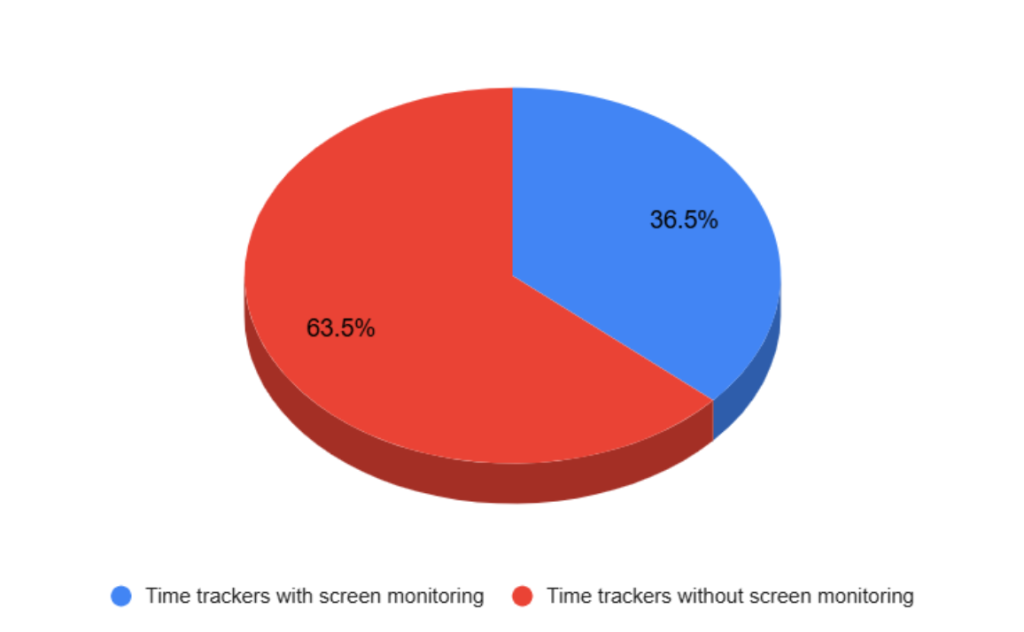
A quick independent study featuring 52 time trackers picked at random showed that about 36.5% (19) can take screenshots, and the remaining 63% (33) lack the screen-capturing feature.
How Does Time Tracking Work Without Screenshots?
Every time tracker calculates how long employees work on their computers and other devices by sensing mouse, keyboard, and touchscreen interactions. The process does not involve screenshots or any other kind of screen monitoring.
Privacy-focused programs cannot tell what a user clicks, taps, or types. They also lack the ability to read metadata information and other input data, like webcam feed and microphone audio.
Employees can manually start and stop time-tracking apps during and after work sessions. However, automatic functions that trigger trackers also exist in modern tools.
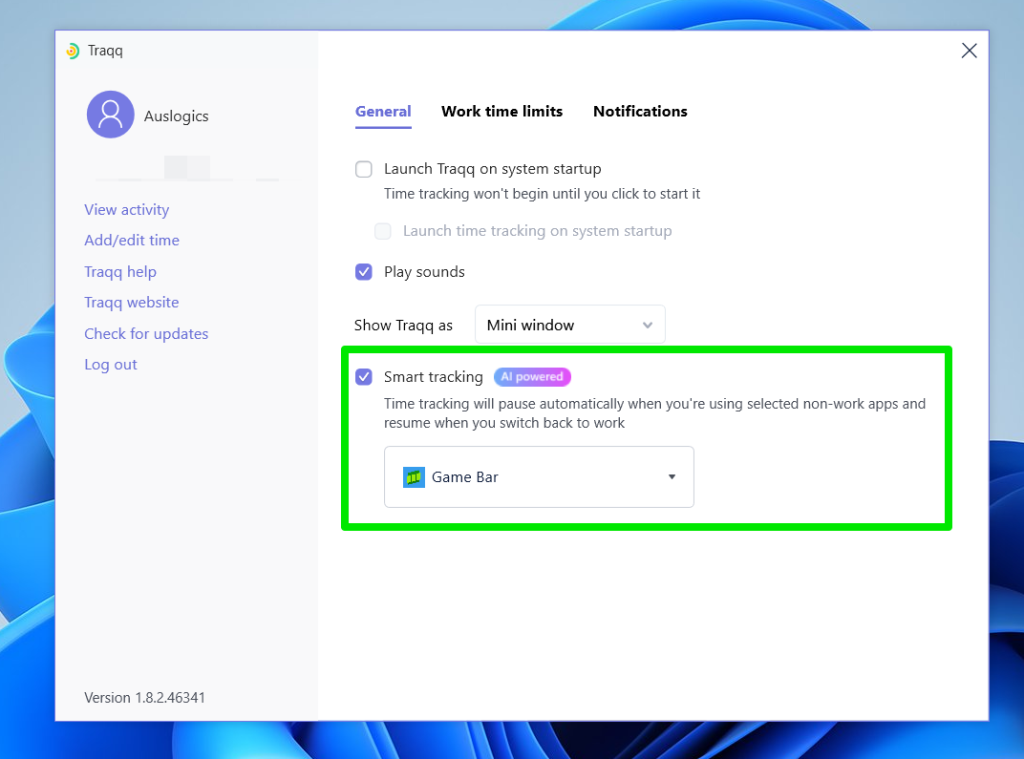
For example, some time trackers include user-controlled settings that allow them to automatically stop recording work hours whenever an employee switches to a non-work-related program or website.
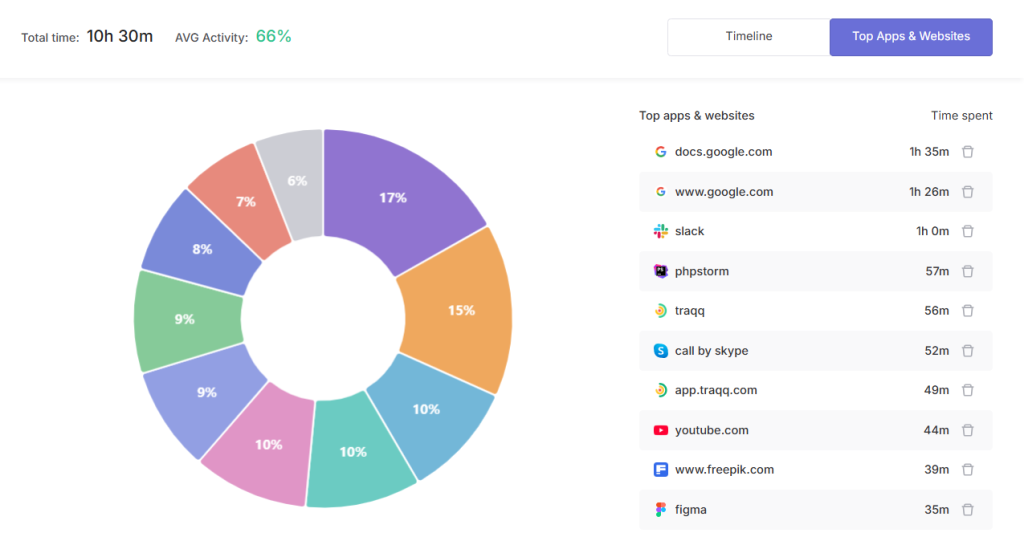
Rather than capturing one’s screen, an ethical time tracker can read the name of the active program, such as a code editor; process, like an active Bluetooth connection; or URL within a browser to document how much time workers spend on specific tasks. It does all that without collecting any in-app information.
Some time trackers also allow users to choose which projects they are working on to allow the program to accurately report project and client work hours where needed.
| Feature | Without screenshots | With screenshots |
| What it captures | Time, app, and website usage, activity level, timelines | Screen image |
| Productivity metrics | ✔ | ✔ |
| Attendance tracking | ✔ | ✔ |
| Privacy focus | Monitors screen activity | Does not collect screen activity and other sensitive data |
| Ideal adopters | Organizations in need of visual supervision | Privacy-focused environments that require pure time-tracking data |
Does Traqq Take Screenshots?
No. Traqq does not take screenshots.
As an ethical time tracker, it calculates work hours by detecting keyboard and mouse interactions without recording user input or viewing in-app or website content.
Without providing screenshots, the tool can paint the complete picture about an employee’s workday by showing how long they spent on a website or app, peak work periods, and hours when they were less active.
Workers can also use Traqq’s manual stop-start button and set it to automatically pause or resume depending on the foreground app.
Conclusion
Screen monitoring is not native to time tracking. A developer has to include the feature for a time tracker to record employee screens. But organizations can still keep workers accountable and collect detailed work insights without taking screenshots and potentially violating privacy. That’s because screenshot-free time-tracking applications are capable of producing those detailed insights and metrics using activity-based tracking.