Screenshots are controversial because they turn time tracking into digital surveillance. Random screen grabs, which can record private data alongside work activity, place workers under psychological stress because they don’t know which sensitive data they may be giving away. That stress and the lost workplace trust are part of the reasons most people resist screen monitoring.
Since employees can hardly complete a workday without viewing personal information (90% use official devices for personal activity), they may spend valuable work hours censoring what appears on their screens.
They may also adopt postures or engage in screen activities that make them look busy when their screens are captured. That’s because screen-grabbing often feels like a way to measure hard work, even if it cannot record every work process.
Quick Summary
- When paired with time tracking, screenshots capture employee screens to provide proof of work
- Employees and authorities find screenshots controversial in time tracking because the feature registers the idea of surveillance and can put sensitive personal data at risk
- Instead of relying on visual proof of work, employers can use tools that provide work information through tracked hours, project tracking, timesheets, and reports
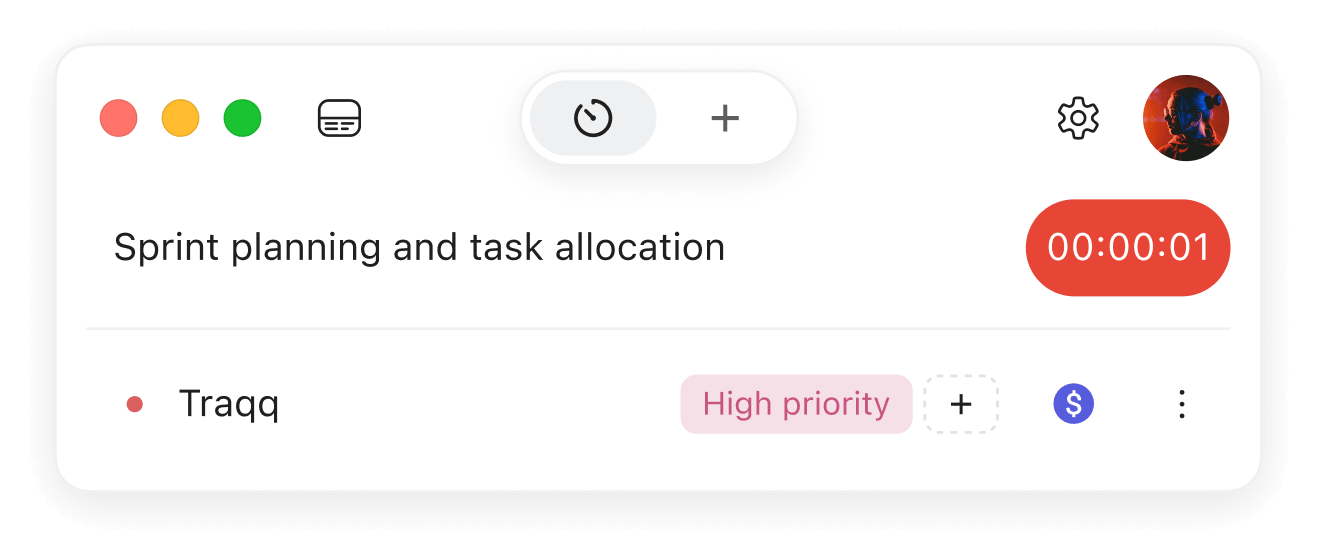
- Traqq helps teams track work hours, organize time by projects and tasks, and get visibility into how time is spent without screenshots, activity tracking, or app and website monitoring
What Do Screenshots Actually Do?
When a time tracker includes a screenshot feature, it captures employees’ screens at intervals, but only when the app is running.
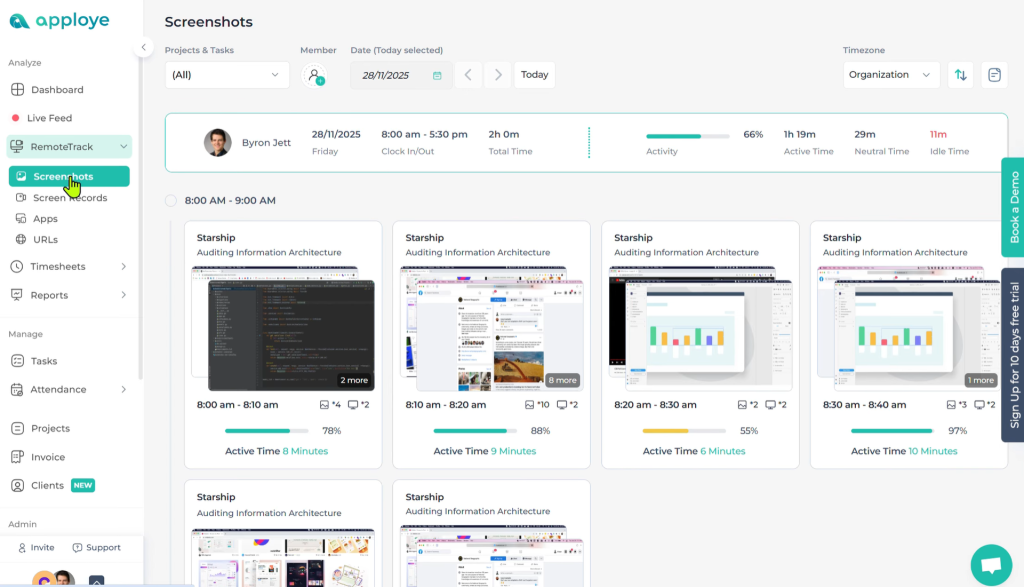
Those intervals depend on the settings developers choose to include in each application. With some time trackers, supervisors can enable automatic screenshots with trigger settings, such as when workers try to open specific applications or files. Image blurring and manual screen capturing are also possible features.
Most time-tracking solutions with cross-platform versions only make their desktop applications screenshot-capable. It means mobile apps, browser extensions, and web apps may not take screenshots.
The Core Controversies Surrounding Screenshots
Many workers consider screenshots controversial for the reasons explained below.
Privacy
Employees do not like to surrender personal information to management. That is why they consider screenshots in time tracking an invasion of their privacy because their computer screens often feature private information like banking details, login credentials, private messages, and social media activity. It’s a key point in understanding the difference between time tracking and employee surveillance.
The U.K.’s Information Commissioner’s Office commissioned a survey that agrees with this sentiment. 70% of employees who participated agreed that employee monitoring, including the use of screenshots, crosses the privacy line. The ICO also called that type of surveillance “a real cause of concern” in its employee monitoring guideline.
Security risks and ethical concerns
Cybernews researchers helped WebWorker Tracker, an employee-monitoring platform, avoid what could have been a major security incident in 2025. They identified more than 13 million screenshots and logs stored in an unsecured Amazon S3 bucket that could have easily fallen into the hands of bad actors had quick action not been taken.
This security scare, one of many, illustrates the risks workers worry about when they activate time trackers. And screenshot-equipped time trackers don’t help when they are unclear about security policies regarding screenshot storage and custody.
Lack of autonomy
Screenshots cannot capture thinking, scribbles on paper, and other work processes that happen off-screen.
That means employees may feel compelled to set aside their usual non-electronic work rituals in favor of processes their time trackers can capture. The implication is that previously comfortable—and effective—work routines become unavailable.
To workers, this shift is a form of micromanagement because they’re now operating on their employers’ terms.
Trust implications
When employers start using screenshots, it suggests that an employee’s work output is being questioned.
This perception significantly reduces work satisfaction and may create an adversarial relationship between workers and employers. It also reduces work output.
A 2019 study of African gig workers found that remote employees worked longer hours when tracked via screenshots and timers, due to fear of nonpayment. Participants in a 2017 Norwegian study also cited lack of trust as the cause of their low work motivation.
Psychological stress
Research has shown that humans don’t respond well to surveillance of any kind, especially screen monitoring. In some cases, according to a University of Utah study, knowing that one is being watched can change behavior.
The presence of screenshots triggers a state of constant self-awareness that may be too much mental work to add to official duties.
According to data reported by the American Psychological Association, 56% of workers who experience workplace monitoring report feeling stressed or tense at work. A Glassdoor survey also revealed that employees reported reduced productivity due to workplace monitoring that included screenshots.
Why Do Some Organizations Still Use Screenshots?
Because they believe specific work processes and conditions, such as the following, require visual supervision and documentation:
Security verification
When a company handles highly sensitive information, it may rely on screenshots to monitor when and how employees copy, move, delete, or edit files and documents.
In such a case, specific actions, such as accessing network drives or databases, can trigger screen captures.
Supervision
Sometimes, the type of visual information that screenshots provide, such as a design screen, can help supervisors and team leaders spot problems that would otherwise go unnoticed. It can also help them guide employees through specific work processes or correct mistakes.
For example, a senior developer can review screenshots of a junior worker’s workflow to verify adherence to the correct process, identify errors, or provide clarifications as needed.
That way, supervisors won’t have to interrupt their team members’ work processes by requesting screen sharing or unnecessary one-on-one sessions.
Compliance and policy adherence
Companies in highly regulated industries, such as finance and health, may need to demonstrate that staff followed required on-screen procedures when performing certain tasks.
If a customer raises a dispute, for example, the screenshots may serve as the business’s evidence, which will show the on-screen steps the agent followed to handle the issue.
Fraud and time-theft prevention
Some companies still stick to screenshots because they want to prevent employees from gaming their time-tracking systems or engaging in other questionable work practices. In such cases, screenshots can leave an audit trail or provide material for future reviews.
Are There Alternatives to Screenshots?
Yes. Not all time tracking software takes screenshots, and there are many tools that focus on privacy. Instead of monitoring employee screens to see what they are doing, employers can use time tracking software to collect work information through tracked hours, projects, tasks, timesheets, and reports.
Other surveillance-free processes include the following:
Time reporting
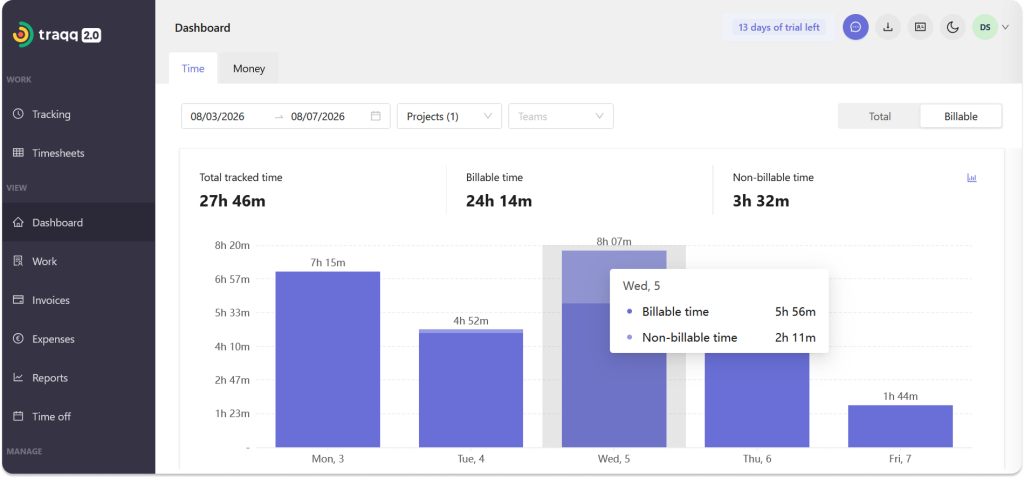
By organizing tracked hours into timesheets and reports, time trackers can provide visibility into how teams spend their time across projects and tasks.
With time reporting, businesses can review workloads, understand how time is distributed, and identify projects that require more time than expected.
Project-based tracking
Employees can select the project they are working on when they begin work sessions. That way, employers will receive project-based insights, such as billable hours spent per project or client.
Manual timer controls
These controls allow employees to add or subtract time as needed. They cover situations, such as work-related travel and in-person client meetings, where employees work without their devices.
Work summaries
Time trackers can provide detailed breakdowns of the time employees spend on specific projects and tasks. These reports are exportable on some platforms too.
Collaboration platforms
Instead of viewing an employee’s screen to check up on work, companies can use platforms like Google Workspace, Microsoft 365, Figma, GitHub, and Jira.
These platforms allow team members across different locations to access and work on shared documents, workflows, and code.
How Does Traqq Handle Accountability?
By providing visibility into tracked work hours without taking screenshots or monitoring employee activity.
The program lets employees track time with a timer or add time manually, while teams can organize tracked hours by project and task. Managers can use timesheets and reports to understand how time is distributed, review project performance, and get visibility into team workload.
Traqq’s privacy-first model works for organizations that want visibility into work time and projects without monitoring employees’ screens, activity, apps, or websites.
Conclusion
Screenshots collect more data than is necessary, and the thought of giving up private data places workers under psychological stress. Workplace trust also takes a hit because screen monitoring suggests employers’ preference for surveillance over trust. To avoid these problems, organizations can turn to systems that provide accountability through tracked work hours, project tracking, timesheets, and reports.